Apr 21, 2025

10 Best Cheap Laptops for Kids in 2025: Specs and Prices

10 Best Cheap Laptops for Kids in 2025: Specs and Prices image

As digital learning becomes more integrated into daily education, laptops have become an essential tool for kids. From joining online classes to completing homework and exploring creative projects like coding or animation, a laptop can be a child’s gateway to limitless learning.

In this article, we’ll share 10 best cheap laptops for kids in 2025 that strike the perfect balance between affordability, durability, and performance. Whether your child is in elementary or junior high school, these devices can support their learning journey without breaking your budget.

What to Look for in Cheap Laptops for Kids
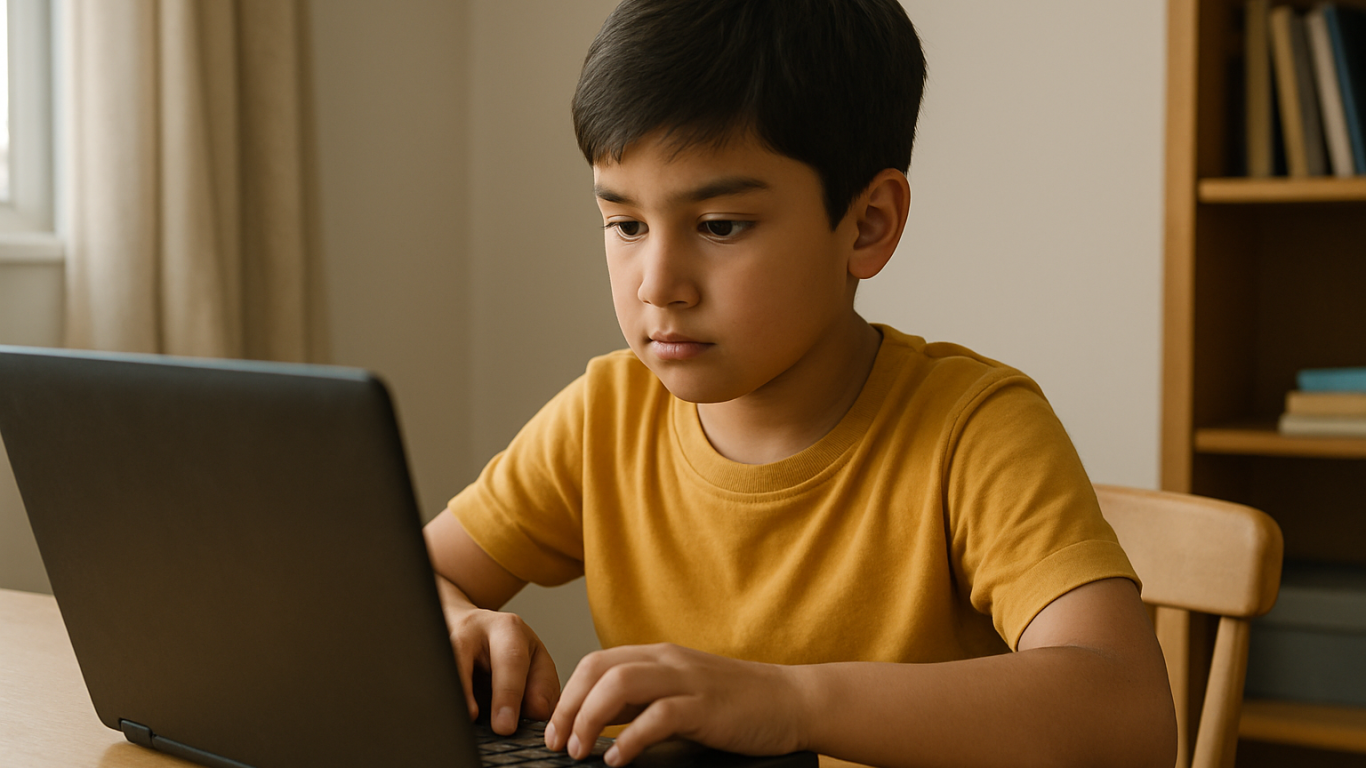
Cheap Laptops For Kids

Before buying a laptop for your child, make sure you check the essentials:

1. Budget-friendly price
Look for options ranging from $150 to $400 that still offer smooth performance for daily school needs.

2. RAM and Storage
A minimum of 4 GB RAM and at least 64 GB storage is ideal for online learning, browsing, and video conferencing.

3. Battery Life
Long battery life (6 to 10 hours) ensures your child can use the laptop for long school sessions without constantly needing to recharge.

4. Screen Size and Portability
Laptops with 11 to 14 inch screens are the best for kids, offering a balance between portability and screen real estate for learning.

5. Operating System
Windows 10 or 11 or ChromeOS laptops tend to support the widest range of educational apps and tools.

10 Best Cheap Laptops for Kids in 2025
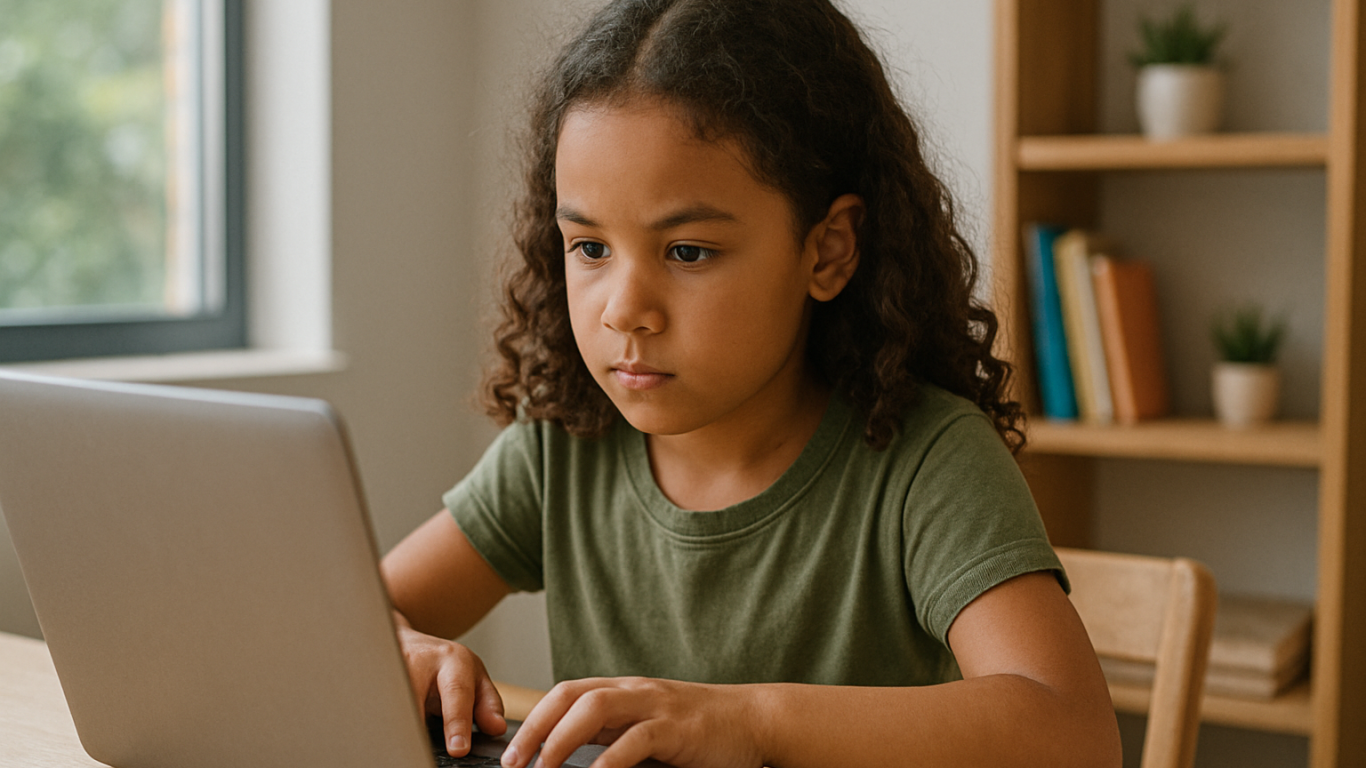
Cheap Laptops For Kids

Here are 10 cheap laptops for kids that are recommended based on their specifications and friendly prices as of April 2025:

1. ASUS Chromebook C204
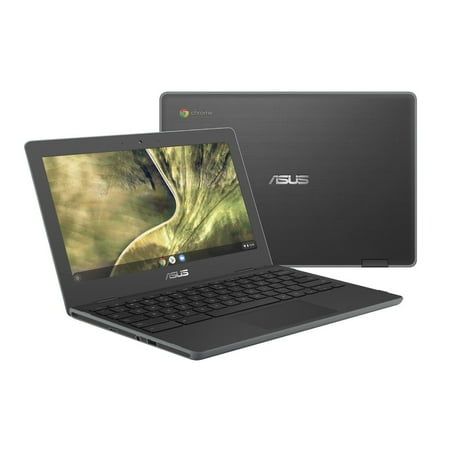
Price: Around $220
Display: 11.6-inch HD
Processor: Intel Celeron N4000
RAM & Storage: 4 GB RAM, 32 GB eMMC
Battery: Up to 10 hours


This laptop is durable and perfect for younger kids who need something that can withstand a little rough handling.

2. Lenovo IdeaPad Slim 1
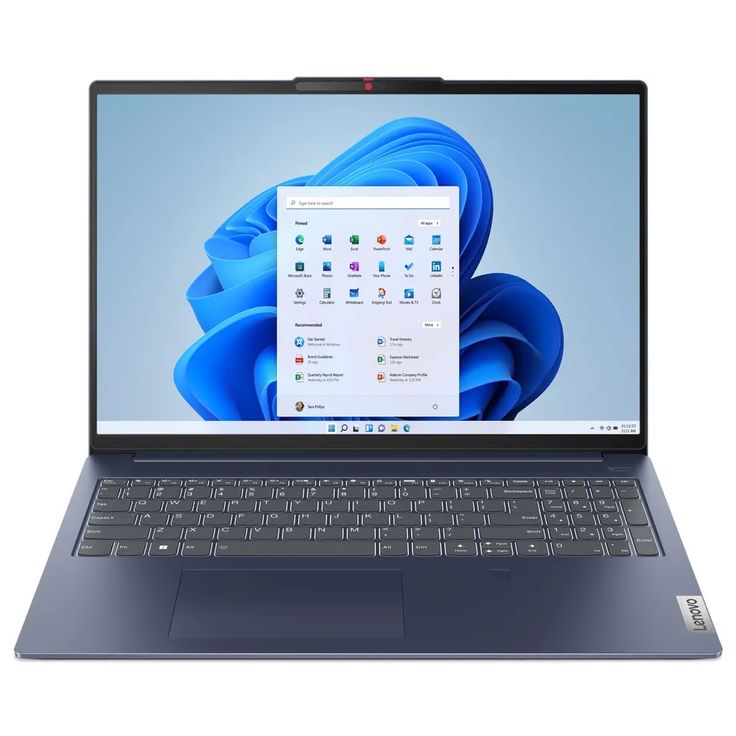
Price: Around $280
Display: 14-inch HD
Processor: AMD 3020e
RAM & Storage: 4 GB RAM, 64 GB eMMC
Battery: Up to 8 hours


An affordable laptop that packs just enough power for everyday school activities.

3. Acer Aspire 3 Slim A314
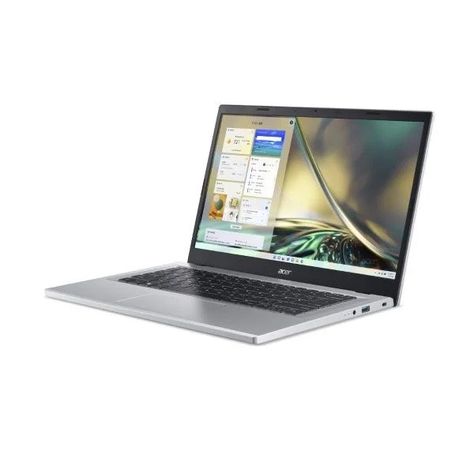
Price: Around $300
Display: 14-inch HD
Processor: Intel Celeron N4500
RAM & Storage: 4 GB RAM, 256 GB SSD
Battery: Up to 9 hours


This budget-friendly model is suitable for kids starting to experiment with design and coding.

4. HP Chromebook 11A G8
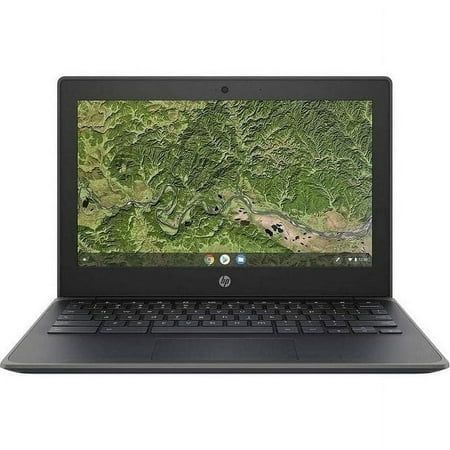
Price: Around $230
Display: 11.6-inch HD
Processor: AMD A4
RAM & Storage: 4 GB RAM, 32 GB eMMC
Battery: Up to 10 hours


Great for younger kids thanks to its simple design and intuitive ChromeOS.

5. Zyrex Sky 232 S2
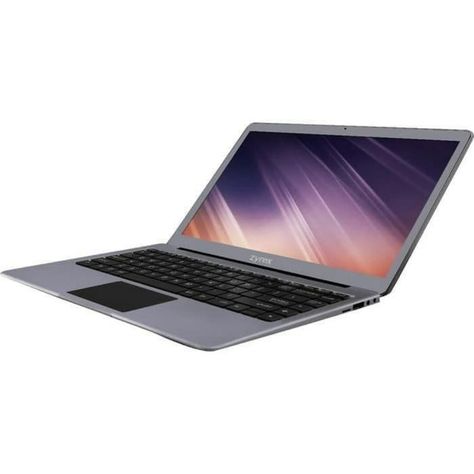
Price: Around $210
Display: 14-inch Full HD
Processor: Intel Celeron N3350
RAM & Storage: 4 GB RAM, 128 GB SSD
Battery: Up to 7 hours


A local option that combines affordability with decent performance for online school activities.

6. Axioo MyBook 14E
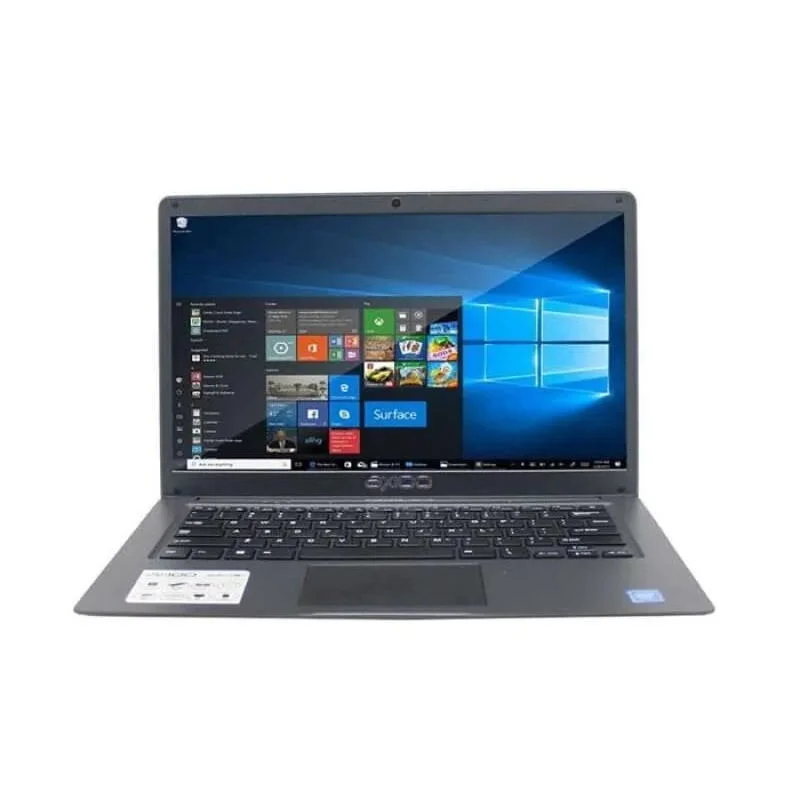
Price: Around $250
Display: 14-inch HD
Processor: Intel Celeron N4020
RAM & Storage: 4 GB RAM, 128 GB SSD
Battery: Up to 8 hours


This lightweight laptop is perfect for active kids who need to take their learning on the go.

7. Samsung Chromebook 4
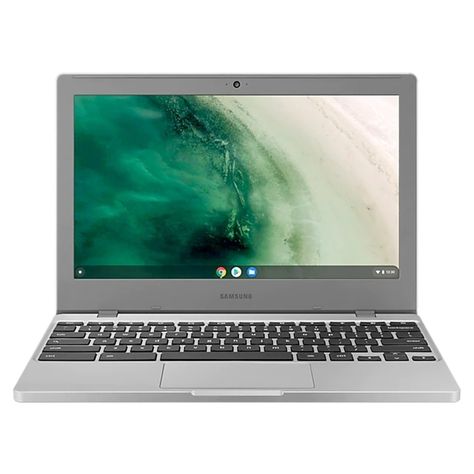
Price: Around $240
Display: 11.6-inch HD
Processor: Intel Celeron N4000
RAM & Storage: 4 GB RAM, 32 GB eMMC
Battery: Up to 12.5 hours


A highly affordable energy-efficient device with an easy-to-use interface.

8. Dell Inspiron 11 3180
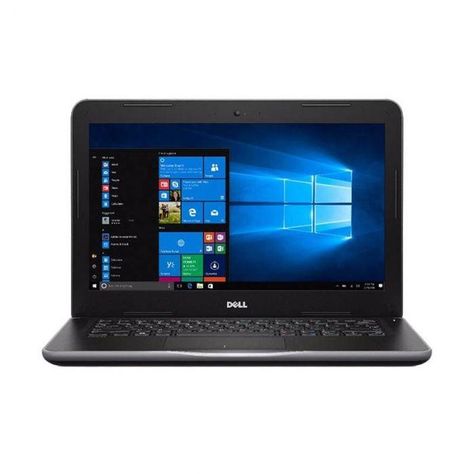
Price: Around $280
Display: 11.6-inch HD
Processor: AMD A9
RAM & Storage: 4 GB RAM, 64 GB eMMC
Battery: Up to 9 hours


Compact and sleek this laptop is perfect for light schoolwork and web browsing.

9. Lenovo Chromebook 3 14
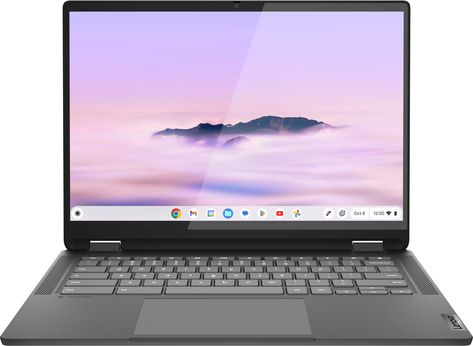
Price: Around $300
Display: 14-inch HD
Processor: MediaTek MT8183
RAM & Storage: 4 GB RAM, 64 GB eMMC
Battery: Up to 10 hours


Perfect for kids using Google Classroom and other school apps.

10. HP Stream 11
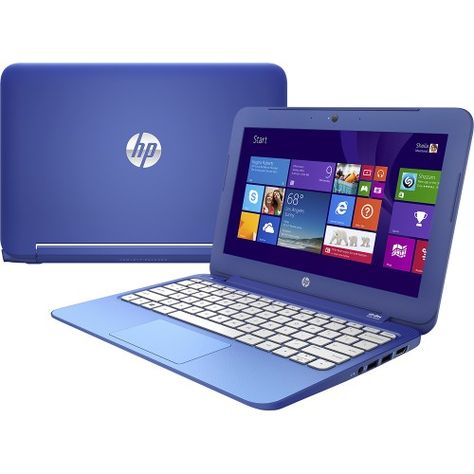
Price: Around $260
Display: 11.6-inch HD
Processor: Intel Celeron N4020
RAM & Storage: 4 GB RAM, 64 GB eMMC
Battery: Up to 10 hours


Affordable portable and designed for basic school tasks and entertainment.

Cheap Laptops For Kids as Kids Learning Journey Support

Giving laptops for kids is not just a financial decision. It’s an investment in their confidence independence and future potential. These cheap laptops for kids and affordable laptops for kids are not just tools. They’re a stepping stone into digital exploration.

But to truly make the most of these tools your child also needs the right guidance. At Timedoor Academy we offer online classes in coding animation game development and more tailored for kids ages 7 to 18.

 Image

Let your child explore the tech world with the support of expert mentors and interactive learning methods. Best of all you can try it out first. Sign up now for a free trial class and take the first step toward your child’s digital future.

Keep Reading

How to Use Figma for Kids: A Fun and Simple Digital Design Guide
In today’s digital era, graphic design has become an increasingly essential skill, even for kids. Design is not just about drawing or creating illustrations. It also helps children develop creativity, visual logic, and systematic thinking. One of the most popular and beginner-friendly design tools to introduce early on is Figma. This article will guide you on how to use Figma for kids in a fun and easy-to-follow way. Figma is a web-based design platform widely used by UI/UX professionals and graphic designers. But because of its intuitive interface and real-time collaboration features, Figma can also be a great learning tool for children, especially those curious about digital design, posters, invitations, app layouts, or even simple games. Why Kids Should Learn Digital Design Digital design is not only about aesthetics, but also about communication. Kids who learn design early tend to express ideas visually, organize information clearly, and feel more confident experimenting with their creativity. Design skills also open doors to other fields like illustration, app development, animation, and branding. By learning how to use Figma for kids, the design process becomes more engaging. They can instantly try, rearrange, and explore design elements without needing to install any additional software. What to Prepare Before Using Figma Before your child starts designing, here are some things to set up: Figma account: Create a free account at figma.com. Use a parent’s email and assist during setup. Device: A laptop or desktop with a stable internet connection works best. Simple design theme: Start with fun, easy projects like a birthday card or character illustration. Benefits of Using Figma for Kids Here are some of the main benefits of using Figma as a learning tool for kids: Enhances creativity and visual aesthetics Builds logical thinking through layout structure Boosts confidence through hands-on creation Encourages teamwork and collaboration in online settings Step-by-Step Guide: How to Use Figma for Kids Below are specific steps on how to use Figma for kids, including core features and how to guide them: 1. Introduce the Interface and Basic Tools After logging in to a Figma account, walk your child through the main elements of the workspace: Canvas: the blank area where they’ll build designs Top toolbar: includes tools like Move, Frame, Shape, and Text Left panel: shows the object structure (layers) Right panel: used to adjust color, size, position, and effects Let them freely draw circles, squares, or stars and experiment with colors. This unstructured play helps them get familiar with Figma naturally. This is also a great starting point in how to use Figma for kids in a stress-free way. 2. Start a New Project Click New Design File and let your child name it something fun like “My Poster” or “Cute Cat Project.” Then: Create a Frame using A4 size or mobile screen dimensions Add shapes via the Shape tool, then change colors on the right panel Add text with the Text Tool, and adjust font size, color, and position This step of how to use Figma for kids feels like drawing on a digital piece of paper—fun and intuitive. 3. Add Images and Illustrations To make their design more dynamic, help them insert images: Click File > Place Image and choose from your computer Or simply drag and drop into the canvas Use the Unsplash plugin to find royalty-free images directly inside Figma This makes it easier for kids to create digital greeting cards, collages, or mood boards. These small projects are practical examples of how to use Figma for kids in real-life situations. 4. Create Simple App or Game Layouts For older kids, try introducing them to basic app layout design: Use Frames sized for iPhone or Android Add titles, icons, and buttons Turn elements into Components for duplication Use Prototype mode to simulate screen transitions This is a creative and exciting way to teach design logic and basic UX thinking. It’s also a more advanced stage in how to use Figma for kids who want to go deeper. 5. Collaborate and Present Figma is perfect for collaborative learning. Kids can: Click Share to invite parents, teachers, or friends Use Presentation Mode to view their design full-screen Receive comments directly on the canvas and learn from feedback These interactions help kids learn how to present and improve their ideas. How to use Figma for kids can extend into valuable lessons on teamwork and communication. Combine with Online Design Classes To support their learning journey, consider enrolling your child in an online design course. Timedoor Academy offers kid-friendly design programs based on fun projects and personalized learning. Learning how to use Figma for kids is much easier when supported by friendly mentors and structured activities. Tips for Parents to Support Learning To make the learning process smoother, parents can: Be present during the early stages, then give room to explore Ask about their designs and encourage storytelling Avoid focusing on perfection—celebrate creativity instead Try designing together as a bonding activity Ready to Introduce the World of Design? Introducing your child to digital creativity can begin with simple tools like Figma. With the right guidance and playful approach, how to use Figma for kids becomes a fun activity that sharpens logic, builds visual confidence, and sparks interest in technology. Timedoor Academy is here to support your journey. With interactive online classes and friendly instructors, your child can learn to design with confidence. Try a free class today and help your child discover their design potential from an early age.
8 Best Tips for Kids Managing Homework and Extracurricular Activities in 2025
In today’s fast-paced world, children are often expected to juggle multiple responsibilities at once. From finishing school assignments to attending coding classes, music lessons, or sports practices, their days can feel packed and overwhelming. That’s why many parents are actively searching for tips for kids managing homework and extracurricular activities — to help their children grow, learn, and stay balanced without feeling drained. This article explores eight practical and realistic strategies to support children in managing their responsibilities while maintaining motivation, rest time, and joy.   8 Best Tips for Kids Managing Homework and Extracurricular Activities in 2025   1. Build a Clear Weekly Schedule One of the most effective tips for kids managing homework and extracurricular is to establish a consistent weekly routine. Use a visual planner or calendar that breaks down each day into school hours, homework time, extracurricular sessions, meals, breaks, and bedtime. Having a structured schedule makes children feel more secure and reduces last-minute stress. Make sure to leave enough flexible time for unexpected tasks or short rests.   2. Teach Prioritization Early Not everything needs to be done right away. Teaching children how to prioritize tasks is essential. Sit down together weekly and look at upcoming deadlines, tests, and activity schedules. Help them break bigger projects into smaller steps and start with subjects or assignments that are more challenging. This habit will help them build a sense of control and decision-making, which is key when applying any tips for kids managing homework and extracurricular successfully.   3. Follow the “One Thing at a Time” Rule Kids tend to get overwhelmed when they multitask. Help them learn how to give full attention to one task before moving on to the next. For example, encourage them to finish their science homework before moving on to practice guitar. This method improves focus, builds confidence in completing tasks, and reduces stress caused by scattered attention.   4. Allow Time for Downtime One of the most underrated tips for kids managing homework and extracurricular is giving them time to do nothing. Children need moments of rest, play, and quiet. Downtime supports mental health, creativity, and emotional regulation. Even 15 to 30 minutes a day of unstructured time, where kids can relax without gadgets or tasks, can make a huge difference in their energy and focus levels.   5. Stay Involved Without Micromanaging While independence is important, kids also need emotional support and light guidance. Ask how they’re feeling about their weekly schedule or whether something feels too much. Let them know it’s okay to say no when needed and to ask for help. Being present and responsive helps prevent burnout and builds trust. This emotional connection plays a major role in supporting any effort around tips for kids managing homework and extracurricular.   6. Set Healthy Tech Boundaries Technology can be helpful, but it can also become a distraction. Set clear boundaries for screen time during homework and extracurricular sessions. Use simple tools like timers or productivity apps to support focus. For online classes, make sure their space is quiet and free from distractions like phones or games. Creating a tech environment that supports learning helps improve both academic and extracurricular engagement.   7. Encourage Passion-Based Activities Not every extracurricular needs to be intense or competitive. Include at least one activity your child truly enjoys. Whether it’s drawing, gardening, building robots, or learning languages, fun-based learning adds variety and balance. Passion projects can keep kids motivated and remind them that learning isn’t only about tests and grades. This is a powerful part of long-term success when applying tips for kids managing homework and extracurricular.   8. Choose Supportive Learning Platforms Sometimes kids need extra support outside of school. That’s where programs like Timedoor Academy come in. Timedoor offers flexible online classes in subjects like coding, robotics, math, and digital creativity — all designed to fit into your child’s existing routine. By learning through a fun and structured platform, kids can explore their interests while still managing school tasks smoothly.   Helping Kids Thrive with Balance and Support At the core of all these tips for kids managing homework and extracurricular activities is the goal of balance. Children thrive when they feel supported, not pressured. They need space to learn, grow, and rest. With a realistic schedule, clear priorities, downtime, and the right learning tools, kids can become more confident and independent. Parents play a key role in guiding and cheering them on. If you're ready to help your child explore new skills while balancing their responsibilities, join a free trial class at Timedoor Academy today. Give your child a head start in coding, robotics, and digital creativity while learning at their own pace from the comfort of home.
The Role of Parents in Kids Digital Learning: Practical Tips for 2025
Digital learning is now a core part of how kids learn. Since the pandemic, many have grown used to studying through screens, whether from school platforms or extra classes like coding, languages, or math. But behind the ease of technology, the role of parents in kids digital learning is still key to making learning effective. Some might think digital learning makes kids more independent, but not all are ready to manage time, stay focused, or understand lessons on their own. This is where the role of parents in kids digital learning remains essential. Parents are not just supervisors but active guides who support and respond to their kids’ needs. Setting a Healthy Learning Rhythm Time management is one of the biggest challenges in digital learning. Without a teacher physically present, kids can get distracted easily when learning at home. Parents can help by building a consistent routine that balances study and rest. This structure helps shape responsible habits early. It is one of the simplest ways to support the role of parents in kids digital learning and helps build long-term discipline. Creating a Supportive Learning Space Focus depends a lot on environment. At home, distractions like TV, traffic noise, or a younger sibling playing nearby can make learning harder. Parents should create a quiet, comfortable study spot where kids can focus better. Make sure tools like laptops, headphones, and internet connections are working properly. These technical basics matter more than they seem. Helping with this setup is a key part of the role of parents in kids digital learning at home. Offering Emotional Support Digital learning can feel isolating. Kids may feel stuck, frustrated, or unsure who to talk to when lessons are hard. That is why emotional support is just as important as helping with assignments. Simple questions like “Was today’s class fun?” or “Anything that confused you?” can make a big difference. Being emotionally available is a powerful part of the role of parents in kids digital learning, helping kids stay motivated and confident. Guiding Tech Use with Balance Technology can help learning, but it can also be distracting. Kids might be tempted to play games or watch videos during study time. That is why parents should stay involved by setting rules and limits that feel fair. Use screen timers, focus modes, or parental control tools. More importantly, explain why these rules exist so kids see them as helpful, not harsh. Balanced tech use is part of the role of parents in kids digital learning that keeps learning on track. Becoming a Learning Partner Parents do not have to know everything their kid is learning. Just being involved by listening to a project explanation or joining an online session shows support. Being a learning partner means exploring together and showing real interest. This shared effort makes learning more engaging and strengthens the role of parents in kids digital learning by building trust and motivation. Why Parents Still Matter in Kids' Digital Learning Technology has made learning more flexible, but the role of parents in kids digital learning is still irreplaceable. From setting routines to offering encouragement, parents help make learning not only effective but enjoyable. By staying engaged and present, you give your kid the best chance to succeed. You become the connection between digital tools and real growth. Support Your Kid’s Digital Learning with Timedoor Academy Looking for a better way to support your kid’s learning at home? Timedoor Academy offers fun and interactive online classes in coding, math, and robotics. All programs are designed specifically for kids. Try a free class today and discover how we make your role of parents in kids digital learning easier and more meaningful.
float button