Jul 15, 2022

Friend Referral – Sales Partner Program

Friend Referral – Sales Partner Program image

Timedoor Academy is looking for sales partner who can help to introduce our service to your network. Increase your earnings with our higher conversion rate to introduce our education service to kids, teens age 5 years old – 18 years old.


Flow of  Business

1.Register as a Partner at +628814677923 then get a Referral Code and marketing tools (video, e-booklet, e-poster)

2. Tell your friends about Timedoor coding academy and provide the referral code.

3. Your friend will contact our admin for free trial.

4. If they join, you will get a commission and your friends will get a discount.


Contact Us to be our sales partner now!

Keep Reading

Cara Membuat Game di Roblox untuk Anak-Anak
How to Create a Roblox Game for Kids: Easy Guide
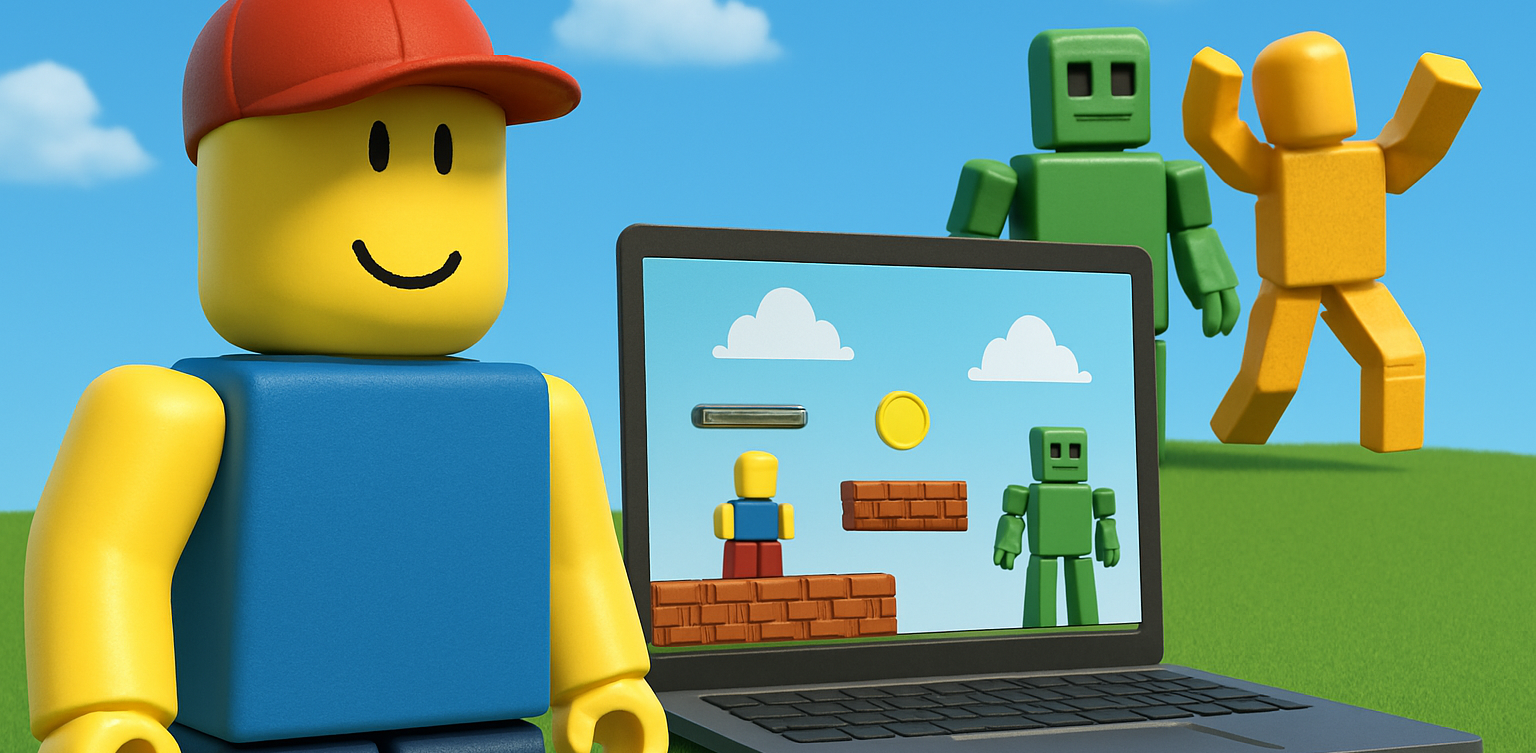
Roblox is a fantastic platform that allows kids to create, play, and share their own games. Learning how to create a game in Roblox can be a rewarding and fun experience for children, helping them develop creativity and basic coding skills. In this easy guide, we’ll walk you through step-by-step how your child can start creating their very own Roblox game. Creating Roblox Game For Kids Step 1: Setting Up Roblox Game Studio For Your Kids To create games, kids first need Roblox Game Studio. Here’s how to set it up: Log in to your Roblox account. Go to the Roblox Studio website and click on "Start Creating." Follow the simple instructions to install Roblox Studio on your computer. Step 2: Choose a Roblox Game Template For Your Kids Roblox Game offers several easy-to-use templates to help beginners: Open Roblox Studio. Select "New," and then choose a template like "Obby" (Obstacle Course) or "Baseplate." Step 3: Customize Your Roblox Game For Your Kids Encourage your child to personalize their roblox game: Drag and drop different objects from the Toolbox. Click objects to move, rotate, or resize them. Customize colors and textures to make the game visually appealing. Step 4: Add Simple Roblox Gameplay Elements For Your Kids Make the roblox game interactive: Add checkpoints or obstacles in an Obby game. Use scripts from the Toolbox to easily add functionality. Test the game frequently by clicking the "Play" button at the top. Step 5: Publish and Share Your Kids Roblox Game Once your roblox game is ready, follow these simple steps: Click "File" then select "Publish to Roblox." Enter a fun and descriptive name for the game. Choose settings like visibility (Public or Private). Click "Create" to publish your game. Tips for Kids Creating Roblox Game Start simple: Create a basic game and gradually add more features. Explore tutorials: Roblox provides great beginner tutorials. Experiment: Don’t be afraid to try new things Start Your Kids Roblox Game Journey Today! Creating Roblox games is an excellent way for kids to express creativity while learning valuable skills. Follow our simple steps and your child can easily build their first Roblox game today. Want more learning experiences? Timedoor Academy offers free classes to help your kids dive deeper into coding and game design. Join the Free Trial Class now and keep the fun going!
10 Best JavaScript Apps for Kids to Learn Coding in 2025
As we step into 2025, coding is no longer just for adults. Children are now learning programming through engaging tools that match their interests and age. One of the most effective ways to start is by using JavaScript apps for kids. These apps provide a fun and structured way for children to learn how to code while developing essential problem-solving and logical thinking skills. Whether your child is just starting out or already interested in tech, this list of JavaScript apps for kids in 2025 offers the perfect tools to support their coding journey.   10 Best JavaScript Apps for Kids to Learn Coding in 2025   1. CodeCombat Best for: Ages 10 to 15CodeCombat teaches real JavaScript through game-based adventures. Kids write actual code to control characters, solve puzzles, and progress through game levels. It is ideal for children who enjoy gaming and want to learn through action. What stands out: Real coding is combined with exciting missions that keep them motivated.   2. Tynker Best for: Ages 7 to 14Tynker offers lessons that grow with your child, starting with visual block coding and gradually introducing JavaScript and Python. It includes creative projects like Minecraft modding, storytelling, and space-themed challenges. What stands out: Smooth transition from beginner to real coding for long-term growth.   3. Grasshopper Best for: Ages 10 to 16Created by Google, Grasshopper is a mobile-friendly app that uses short, interactive lessons to teach JavaScript. It's excellent for older kids who are ready for more advanced program What stands out: Clean design, daily goals, and real code that builds confidence.   4. Kodable Best for: Ages 5 to 10Kodable begins with simple block coding concepts and introduces JavaScript later on. It focuses on early logic and computational thinking skills through colorful, engaging games. What stands out: Family dashboard for parents to support and track their child's progress.   5. Code.org’s App Lab Best for: Ages 11 to 16App Lab gives kids the freedom to build their own apps using JavaScript. It is perfect for students who are ready to apply their skills through hands-on projects. What stands out: Combines design tools and coding to promote both creativity and technical ability.   6. Bitsbox Best for: Ages 8 to 14Bitsbox is a unique service that sends coding projects to your home, teaching kids how to build apps using real JavaScript. It is ideal for learners who benefit from physical materials alongside digital practice. What stands out: Kids can test their creations on phones or tablets instantly.   7. Hopscotch (with JavaScript transition) Best for: Ages 9 to 13Hopscotch is a visual coding app that also encourages older users to explore JavaScript through community-driven projects and tutorials. It appeals to children who are artistic and love customizing their work. What stands out: Blend of art and code helps kids express creativity.   8. CodeMonkey’s Game Builder Best for: Ages 8 to 12CodeMonkey introduces kids to programming concepts with a JavaScript-style language and game-based learning. Later stages include real JavaScript coding as kids grow more confident. What stands out: Helpful support resources for both kids and educators.   9. LightBot: Code Hour + JavaScript Add-ons Best for: Ages 6 to 11LightBot uses puzzles to teach basic programming logic. It pairs well with JavaScript extensions that introduce actual syntax when the child is ready to move beyond the basics. What stands out: Offline play combined with logic-based challenges.   10. ScriptKit Junior Best for: Ages 10 to 14ScriptKit Junior is a lightweight coding app for iPads where kids can build basic apps using simplified JavaScript. It is ideal for those interested in app development without the complexity of a full IDE. What stands out: Combines touch interaction and coding for intuitive learning.   Why Use JavaScript Apps for Kids? These JavaScript apps for kids help young learners grasp real programming skills in a way that is accessible and exciting. They build a foundation for future learning in tech, engineering, and creative fields. Key benefits include: Developing logical thinking and focus Enhancing creativity through project-based tasks Preparing for future tech careers Boosting self-confidence in problem solving   Choosing the Right JavaScript Apps For Kids To get the most out of JavaScript apps for kids match the app to your child’s age, interests, and goals. Here are a few tips: Test the app yourself to ensure it is ad-free and safe Choose apps with structured learning paths Encourage regular use without overdoing screen time Combine coding with offline creative play or group activities   Support Their JavaScript Learning at Timedoor Academy At Timedoor Academy, we offer both online and offline classes that introduce kids to the world of coding through engaging lessons in JavaScript, Python, robotics, and more. Our structured programs help children build strong technical and critical thinking skills in a fun, supportive environment. Try a free class at Timedoor Academy and discover how we make coding accessible and meaningful for kids of all ages. Visit our website to learn more and start your child’s smart tech journey today.
Bagaimana Teknologi Meningkatkan Kreativitas Anak
How Technology Boosts Creativity for Kids
In today's digital age, technology plays a significant role in shaping children's lives, offering them not only entertainment but also endless opportunities to enhance their creativity. How technology boosts creativity for kids is not just about playing games or watching videos; it's about engaging with tools that encourage children to explore new ideas, express themselves through various forms of art, and solve complex problems in innovative ways. In this article, we’ll dive into the many ways how technology boosts creativity for kids, helping parents and educators harness the power of technology for creative development.   1. Digital Tools That Boost Creativity for Kids Technology offers a vast array of digital tools designed to stimulate creativity in children. Drawing apps like Procreate or Tayasui Sketches, for example, allow kids to create beautiful artworks on tablets, pushing their imagination and skills. Music production software, such as GarageBand, is another fantastic tool to help children explore their musical creativity by composing songs and learning about sound design. These tools don’t just teach technical skills; they encourage kids to think creatively. The immediate feedback and flexibility offered by these apps allow children to experiment with different styles and techniques, making it a fun and educational way how technology boosts creativity for kids.   2. Problem-Solving and Critical Thinking One of the most impactful ways how technology boosts creativity for kids is by enhancing their problem-solving and critical thinking abilities. Educational games and apps that challenge children to solve puzzles, plan strategies, and make decisions help develop their cognitive skills. Apps like Scratch or Tynker, which teach coding and logic, are excellent examples of how technology boosts creativity for kids. By engaging with these platforms, children not only learn to code but also learn to think critically, test solutions, and refine their ideas. This helps them become creative problem-solvers who are capable of thinking outside the box, which is an essential skill for both academic success and life in general.   3. Access to a Wealth of Creative Learning Resources The internet is a treasure trove of creative learning resources that can help how technology boosts creativity for kids. Platforms like YouTube, TED-Ed, and Khan Academy provide a wide variety of content that can spark children’s imaginations. From DIY craft tutorials to science experiments, there is no shortage of material to engage kids and fuel their creativity. Moreover, eBooks and audiobooks offer children new ways to experience stories that stimulate their imagination. These resources allow kids to engage with the arts, explore new concepts, and learn new skills in creative and interactive ways.   4. Collaborative Creativity and Social Interaction Technology also offers unique opportunities for kids to collaborate on creative projects with others. Online platforms and apps designed for group work allow children to share ideas, co-create, and provide feedback to one another, fostering both creativity and social skills. By working together, kids not only boost creativity but also learn how to communicate effectively, manage team dynamics, and develop empathy. For instance, children can participate in group art projects, write collaborative stories, or join virtual hackathons. These shared creative experiences are a great way to help children enhance their creativity while also developing valuable interpersonal skills.   5. Digital Storytelling for Creative Expression Digital storytelling is another powerful way how technology boosts creativity for kids. With easy-to-use platforms like Storybird, Adobe Spark, and even Instagram, children can write, illustrate, and share their stories in engaging ways. These platforms allow kids to take control of their narratives, helping them express their thoughts, ideas, and emotions creatively. Storytelling is not only a fun way to engage with creativity but also a valuable skill that supports literacy, critical thinking, and emotional development. By using digital tools to tell their stories, children can learn how to organize their ideas, use technology to enhance their creations, and communicate their thoughts in new and innovative ways.   6. Immersive Technologies: Virtual and Augmented Reality Virtual Reality (VR) and Augmented Reality (AR) technologies are increasingly being used to enhance creativity for kids. These immersive technologies provide children with the opportunity to engage with creative environments in ways that are not possible in the real world. With VR and AR, children can design virtual spaces, explore interactive 3D models, and engage in hands-on creative activities. For example, using VR headsets, children can participate in virtual learning experiences that incorporate art, design, and creativity. They can create 3D models, design virtual sculptures, or explore complex architectural structures. AR apps like Quiver bring children’s drawings to life, allowing them to see their artwork come to life in augmented spaces. These tools give kids a whole new world to explore, further showing how technology boosts creativity for kids.   7. Technology as a Gateway to STEM Creativity Another way how technology boosts creativity for kids is by inspiring them to pursue STEM (Science, Technology, Engineering, and Mathematics) fields, where creativity is a crucial component. Coding platforms, robotics kits, and 3D printing tools all encourage kids to create, innovate, and design in the realms of engineering and technology. Tools like LEGO Mindstorms or robotics kits allow kids to build and program their own creations, providing them with hands-on experience in both technology and design. These activities encourage kids to think creatively about how to solve problems, design solutions, and bring their ideas to life.   How Technology Boosts Creativity for Kids in Countless Ways Incorporating technology into your child’s life can have a profound impact on their creative development. From digital art and music tools to coding apps and immersive experiences, technology offers a vast range of opportunities for kids to explore, create, and learn. By using these tools, parents and educators can help nurture creativity, problem-solving skills, and innovation in children, setting them up for future success. At Timedoor Academy, we provide various online resources and learning tools designed to help your child develop their creativity through technology. Whether it’s interactive coding classes, virtual workshops, or personalized learning materials, we’re here to support your child’s creative journey. Start a free trial today and explore how technology can boost creativity for kids in exciting and engaging ways!
float button