May 02, 2025

The Role of Parents in Kids Digital Learning: Practical Tips for 2025

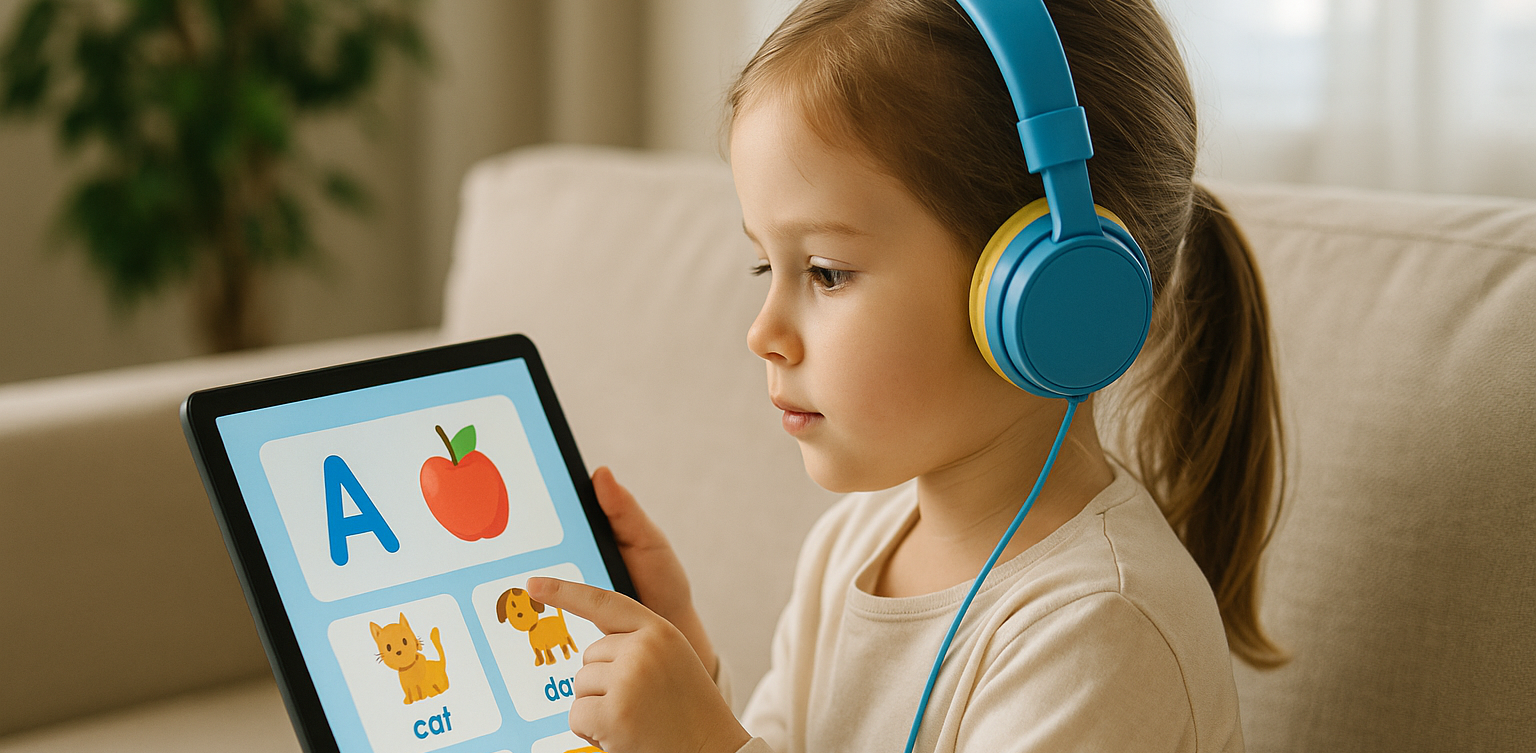
The Role of Parents in Kids Digital Learning: Practical Tips for 2025 image

Digital learning is now a core part of how kids learn. Since the pandemic, many have grown used to studying through screens, whether from school platforms or extra classes like coding, languages, or math. But behind the ease of technology, the role of parents in kids digital learning is still key to making learning effective.

Some might think digital learning makes kids more independent, but not all are ready to manage time, stay focused, or understand lessons on their own. This is where the role of parents in kids digital learning remains essential. Parents are not just supervisors but active guides who support and respond to their kids’ needs.

Setting a Healthy Learning Rhythm

role of parents in kids digital learning

Time management is one of the biggest challenges in digital learning. Without a teacher physically present, kids can get distracted easily when learning at home. Parents can help by building a consistent routine that balances study and rest.

This structure helps shape responsible habits early. It is one of the simplest ways to support the role of parents in kids digital learning and helps build long-term discipline.

Creating a Supportive Learning Space

Focus depends a lot on environment. At home, distractions like TV, traffic noise, or a younger sibling playing nearby can make learning harder. Parents should create a quiet, comfortable study spot where kids can focus better.

Make sure tools like laptops, headphones, and internet connections are working properly. These technical basics matter more than they seem. Helping with this setup is a key part of the role of parents in kids digital learning at home.

Offering Emotional Support

Digital learning can feel isolating. Kids may feel stuck, frustrated, or unsure who to talk to when lessons are hard. That is why emotional support is just as important as helping with assignments.

Simple questions like “Was today’s class fun?” or “Anything that confused you?” can make a big difference. Being emotionally available is a powerful part of the role of parents in kids digital learning, helping kids stay motivated and confident.

Guiding Tech Use with Balance

Technology can help learning, but it can also be distracting. Kids might be tempted to play games or watch videos during study time. That is why parents should stay involved by setting rules and limits that feel fair.

Use screen timers, focus modes, or parental control tools. More importantly, explain why these rules exist so kids see them as helpful, not harsh. Balanced tech use is part of the role of parents in kids digital learning that keeps learning on track.

Becoming a Learning Partner

Parents do not have to know everything their kid is learning. Just being involved by listening to a project explanation or joining an online session shows support.

Being a learning partner means exploring together and showing real interest. This shared effort makes learning more engaging and strengthens the role of parents in kids digital learning by building trust and motivation.

Why Parents Still Matter in Kids’ Digital Learning

Technology has made learning more flexible, but the role of parents in kids digital learning is still irreplaceable. From setting routines to offering encouragement, parents help make learning not only effective but enjoyable.

By staying engaged and present, you give your kid the best chance to succeed. You become the connection between digital tools and real growth.

Support Your Kid’s Digital Learning with Timedoor Academy

Looking for a better way to support your kid’s learning at home? Timedoor Academy offers fun and interactive online classes in coding, math, and robotics. All programs are designed specifically for kids.

 Image

Try a free class today and discover how we make your role of parents in kids digital learning easier and more meaningful.


Keep Reading

Rekomendasi 10 HP Murah Untuk Anak
10 Cheap Smartphones for Kids in 2025: Prices and Features
In today’s digital age, smartphones are not just entertainment tools. For many children, they serve as a bridge to learning, communication, and creativity. Choosing the right device can help your child stay connected in school, access educational apps, and explore digital skills in a fun and productive way. To help parents make smart and budget-friendly decisions, we have curated a list of the 10 best cheap smartphones for kids in 2025. These models offer great value, strong performance, and essential safety features that are perfect for young users. What to Consider When Buying a Cheap Smartphone for Kids When shopping for cheap smartphones for kids, it is important to think beyond the price tag. Here are key things every parent should consider before making a choice: PriceA good smartphone for kids does not need to be expensive. Many reliable devices under 180 dollars offer excellent features for school and everyday use. Parental ControlsSmartphones with built-in parental control settings make it easier to monitor your child’s activity, manage screen time, and ensure safe browsing. BatteryLook for phones with strong battery life that can support your child throughout a full day of studying, gaming, or video calling without frequent charging. DurabilityChildren can be rough with gadgets. A solid build or phone that works well with a protective case will help prevent costly accidents. PerformanceAt least 3 GB of RAM and 32 GB of storage is recommended for smooth learning app usage, media playback, and communication features. 10 Best Cheap Smartphones for Kids in 2025 1. Xiaomi Redmi Note 12 A favorite among cheap smartphones for kids, this model supports learning apps and video streaming with ease. Price: Around 170 USDDisplay: 6.67 inch AMOLEDProcessor: Snapdragon 4 Gen 1RAM and Storage: 4 GB RAM and 128 GBCamera: 50 MP triple rearBattery: 5000 mAh with 33W fast charging 2. Realme Narzo 50A Reliable and long-lasting, this phone is perfect for children attending full-day online classes or playing educational games. Price: Around 140 USDDisplay: 6.5 inch HD PlusProcessor: MediaTek Helio G85RAM and Storage: 4 GB RAM and 64 GBCamera: 50 MP rearBattery: 6000 mAh 3. Samsung Galaxy A14 A well-known brand delivering one of the most dependable cheap smartphones for kids with a simple interface. Price: Around 180 USDDisplay: 6.6 inch Full HD PlusProcessor: Exynos 850RAM and Storage: 4 GB RAM and 64 GBCamera: 50 MP triple rearBattery: 5000 mAh 4. Infinix Hot 12 This large-screen phone supports video learning and basic mobile games for children with curiosity. Price: Around 130 USDDisplay: 6.82 inch HD PlusProcessor: MediaTek Helio G85RAM and Storage: 4 GB RAM and 64 GBCamera: 13 MP rearBattery: 5000 mAh 5. Motorola Moto E40 A practical choice among cheap smartphones for kids with clean software and strong performance. Price: Around 150 USDDisplay: 6.5 inch HD PlusProcessor: Unisoc T700RAM and Storage: 4 GB RAM and 64 GBCamera: 48 MP triple rearBattery: 5000 mAh 6. OPPO A54 Stylish, dependable, and ideal for preteens who need extra storage for schoolwork and hobbies. Price: Around 155 USDDisplay: 6.51 inch HD PlusProcessor: MediaTek Helio P35RAM and Storage: 4 GB RAM and 128 GBCamera: 13 MP triple rearBattery: 5000 mAh 7. Tecno Spark 9 Simple and affordable, making it one of the easiest cheap smartphones for kids to learn with. Price: Around 130 USDDisplay: 6.6 inch HD PlusProcessor: MediaTek Helio G37RAM and Storage: 4 GB RAM and 64 GBCamera: 13 MP dual rearBattery: 5000 mAh 8. Huawei Y5p Compact and lightweight, this is great for younger kids who are just starting out with digital devices. Price: Around 110 USDDisplay: 5.45 inch LCDProcessor: MediaTek Helio P22RAM and Storage: 2 GB RAM and 32 GBCamera: 8 MP rearBattery: 3020 mAh 9. Samsung Galaxy M12 Trusted by many parents, this phone balances power and price well for a first smartphone. Price: Around 160 USDDisplay: 6.5 inch HD PlusProcessor: Exynos 850RAM and Storage: 4 GB RAM and 64 GBCamera: 48 MP quad rearBattery: 6000 mAh 10. Realme C55 With high storage and RAM, this phone is excellent for older children who like creative apps and multitasking. Price: Around 170 USDDisplay: 6.72 inch IPS LCDProcessor: MediaTek Helio G88RAM and Storage: 6 GB RAM and 128 GBCamera: 64 MP dual rearBattery: 5000 mAh Let Your Child Grow With Purpose A smartphone should not just be a toy. With the right guidance, it can be a tool that helps children grow their knowledge, confidence, and independence. Whether it is joining virtual classes, discovering coding, or connecting with mentors online, cheap smartphones for kids can open doors when used wisely. At Timedoor Academy, we believe that learning with technology should be meaningful. That is why we offer engaging online classes in coding, animation, and digital skills for children. If you want to help your child turn screen time into real learning, start with a free trial class. No pressure, just an open door to see what your child can create!
Aplikasi Belajar Anak SD
Top 10 Technology Tools for Elementary Students in 2025
As we step into 2025, technology tools for elementary students are more important than ever. These tools enhance creativity, improve learning outcomes, and foster engagement both inside and outside the classroom. With the help of these technology tools for elementary students, children can develop essential skills that will serve them throughout their academic careers and beyond. Here’s a list of 10 essential technology tools for elementary students to boost their educational experience in 2025. Top 10 Technology Tools for Elementary Students in 2025 1. Kahoot! Focus: Interactive learning and quizzes Kahoot! remains one of the most popular technology tools for elementary students because it turns learning into a fun and competitive experience. Teachers and students can create customized quizzes on subjects like math, science, and language arts, fostering active participation. How to Use It: By incorporating Kahoot! in lessons, educators can make learning feel like a game. Students can play individually or in teams, which makes learning not only engaging but also interactive. With real-time feedback, teachers can adjust their lessons based on students' performance, ensuring that every child stays on track. 2. Seesaw Focus: Digital portfolio and communication Seesaw is another fantastic example of technology tools for elementary students that focuses on student documentation and communication. It allows students to create digital portfolios where they can showcase their work through photos, videos, and drawings. This tool strengthens the bond between teachers and parents, as they can track the progress of the students in real-time. How to Use It: With Seesaw, students can upload images of their assignments or record their thoughts on projects. Teachers can provide feedback and conduct virtual lessons or activities, keeping students and parents connected in an efficient, digital space. 3. Google Classroom Focus: Classroom management and assignment tracking Google Classroom is essential for managing assignments, tracking progress, and organizing classroom materials. As one of the top technology tools for elementary students, it helps both teachers and students streamline their work. Teachers can assign tasks, grade assignments, and provide real-time feedback, while students can easily access learning materials and submit work in one centralized platform. How to Use It: Teachers can post assignments and resources to Google Classroom, making it easy for students to stay organized. Additionally, it integrates with Google Drive, enabling students to collaborate on documents and presentations. This makes it easier to stay on top of deadlines and receive instant feedback. 4. Scratch Focus: Coding and creativity Scratch is one of the most popular technology tools for elementary students when it comes to learning programming. Through visual coding, students can create interactive stories, games, and animations, sparking creativity while teaching them important skills in computational thinking. How to Use It: Scratch is beginner-friendly and offers a drag-and-drop interface for students to build their own projects. Teachers can incorporate Scratch into STEM lessons, teaching logic, sequencing, and problem-solving through interactive coding challenges. This tool is a great starting point for young learners to get familiar with coding and digital creation. 5. Epic! Focus: Digital library for young readers For young readers, Epic! is an invaluable tool in the world of technology tools for elementary students. Epic! offers access to thousands of books, audiobooks, and educational videos. Its interactive features like read-aloud and quizzes make reading more engaging for children. How to Use It: Teachers can assign reading materials directly from Epic! to keep students engaged with books that suit their level. Students can explore a vast library of e-books or listen to audiobooks that cater to their individual reading preferences. Epic! fosters a love for reading by offering a fun and interactive approach to literature. 6. ClassDojo Focus: Classroom behavior and communication ClassDojo is one of the best technology tools for elementary students when it comes to fostering positive behavior and classroom culture. It allows teachers to reward students for good behavior, accomplishments, and teamwork. How to Use It: Teachers can assign points to students based on specific behaviors, such as being on task, helping others, or staying focused. These points can be exchanged for rewards like extra break time or special privileges. ClassDojo is an excellent tool for teaching students about responsibility and positive reinforcement. 7. TinkerCAD Focus: 3D design and engineeringFor students interested in design and engineering, TinkerCAD is one of the leading technology tools for elementary students. This user-friendly 3D design platform allows children to create their own digital models. How to Use It: Students can start by designing simple objects like keychains or toys and gradually work their way up to more complex 3D projects. Teachers can use TinkerCAD to introduce students to engineering and design concepts, making it easier for them to visualize their ideas and understand the basics of 3D modeling and printing. 8. Google Earth Focus: Geography and exploration Google Earth opens up the world to elementary students by allowing them to explore every corner of the globe. Whether for geography lessons or environmental studies, this tool is an essential part of technology tools for elementary students. How to Use It: Teachers can use Google Earth to give virtual tours of countries, cities, landmarks, and natural wonders. Students can explore geographical features and learn about different cultures and ecosystems. This immersive tool makes learning about the world fun and interactive. 9. Duolingo Focus: Language learning As one of the leading technology tools for elementary students, Duolingo helps young learners acquire new languages in a fun, gamified format. This app is perfect for introducing kids to a new language, including popular languages like Spanish, French, and German. How to Use It: Duolingo presents lessons in bite-sized segments that are both fun and educational. Students can practice daily and track their progress. This tool offers rewards and challenges, motivating students to keep learning new words and phrases while building language proficiency. 10. BrainPOP Focus: Educational videos and quizzes BrainPOP is a popular educational platform that offers animated videos and interactive quizzes. It covers a wide range of subjects, including science, math, and social studies, making it one of the best technology tools for elementary students to enhance their learning. How to Use It: Teachers can use BrainPOP to introduce new concepts in a fun and visual way. After watching the videos, students can complete quizzes and discuss the material in class. This helps reinforce key ideas and assess student understanding in an engaging, interactive manner. Why Technology Tools Matter for Elementary Students In 2025, technology tools for elementary students are not just an enhancement to traditional learning; they are essential to developing digital literacy and critical thinking skills. These tools help provide personalized learning experiences that adapt to the needs of each student, whether they need extra support or more challenging material. By incorporating technology tools for elementary students into the classroom, teachers can create an environment that promotes engagement, creativity, and collaboration, preparing students for future success in an increasingly digital world. Start Your Digital Learning Journey Today! Want to make learning even more engaging for your child? Explore Timedoor Academy and try free trial class today and discover how our digital learning platform can support your child’s educational growth with interactive lessons and expert-curated content.
apps for kids learning english
10 Best Apps for Kids Learning English in 2025 (Fun and Effective Tools)
In today's digital age, many parents are turning to technology to support their child's education. If you're searching for apps for kids learning English, you are in the right place. The right apps can help children build their vocabulary, improve pronunciation, and master grammar while having fun through interactive games, songs, and storytelling. This article features the 10 best apps for kids learning English in 2025. Whether your child is a complete beginner or looking to sharpen their English skills, these apps offer engaging ways to learn at home or on the go.   10 Best Apps for Kids Learning English in 2025 (Fun and Effective Tools)   1. Duolingo Kids Why it’s great: Duolingo Kids simplifies English learning with bite-sized, gamified lessons. The colorful design and rewards system make it exciting for young learners. Key Features: Fun vocabulary practice with visual cues Audio support for correct pronunciation Progress tracking for parents Ideal for: Children aged 4 to 10 who enjoy playful, interactive learning.   2. Lingokids – Playlearning App Why it’s great: Lingokids offers a complete English learning experience for kids. It includes games, songs, and videos that cover grammar, vocabulary, and conversation skills. Key Features: Adaptive learning based on skill level Downloadable content for offline use Weekly progress reports for parents Ideal for: Preschool and elementary-aged children who learn best through play.   3. Endless Alphabet Why it’s great: This app uses adorable animated monsters to introduce English words in a fun and engaging way. It's great for building vocabulary and early literacy skills. Key Features: Animated word puzzles Clear voice narration No ads or distractions Ideal for: Toddlers and young children who are just starting with apps for kids learning English.   4. ABCmouse Why it’s great: ABCmouse offers a full curriculum, including reading, phonics, and grammar lessons in English. With thousands of activities, kids stay engaged while learning. Key Features: Structured learning paths Hundreds of English storybooks Built-in reward system for motivation Ideal for: Kids aged 2 to 8 who need a well-rounded learning app.   5. Fun English by Studycat Why it’s great: This app uses games and songs to teach kids English vocabulary, phrases, and sentence structures. It's fun and suitable for both beginners and bilingual learners. Key Features: Voice recognition to practice speaking Games covering numbers, colors, and animals Easy navigation for kids Ideal for: Children who want to learn English in a playful environment.   6. Reading Eggs Why it’s great: Focused on reading and comprehension, Reading Eggs offers phonics-based lessons that improve vocabulary and fluency. Key Features: Interactive reading games English storybooks and lessons Adaptive difficulty levels Ideal for: Early readers who want to improve their English comprehension.   7. Khan Academy Kids Why it’s great: This free app includes English reading lessons along with math, logic, and social-emotional learning. The friendly characters guide kids through interactive stories and games. Key Features: High-quality educational content Creative learning tools No ads and completely free Ideal for: Parents looking for high-value, free apps for kids learning English.   8. Monkey Stories Why it’s great: Monkey Stories features a vast library of animated stories in English. Kids can follow along with subtitles, improving listening and reading skills. Key Features: 1,000+ English books and stories Interactive reading mode Daily learning goals Ideal for: Children who enjoy learning through storytelling.   9. Speakia Why it’s great: Speakia focuses on improving speaking and conversational English skills. It uses AI to simulate dialogues, helping kids speak more confidently. Key Features: Speaking practice with instant feedback Real-life conversation simulations Progress tracking Ideal for: Kids who need extra help with speaking and listening in English.   10. Hello English Kids Why it’s great: Hello English Kids offers lessons in vocabulary, sentence structure, and everyday conversations. The app is simple to use and designed for young learners. Key Features: Games and videos for better engagement English tests and flashcards Child-friendly interface Ideal for: Beginners looking for simple and effective apps for kids learning English.   Tips of Choosing Apps for Kids Learning English Choosing the best apps for kids learning English depends on your child's: Age and learning level: Make sure the content is age-appropriate. Learning style: Some children prefer stories, while others enjoy games or visuals. Screen time: Pick apps that are ad-free and encourage short, productive sessions. Look for apps that allow offline access and offer progress reports so parents can stay involved.   Final Thoughts There are plenty of amazing apps for kids learning English, but the key is to find one that suits your child’s unique interests and learning pace. From storytelling apps to full learning platforms, each of the ten apps mentioned above offers a different approach to mastering English in a fun, engaging way. If your child enjoys using technology to learn, why not take the next step with Timedoor Academy’s online coding classes? While they explore apps to improve their English, learning to code can help them develop logical thinking, creativity, and problem-solving skills. These are essential abilities in today's digital world. Try a free coding class at Timedoor Academy today and empower your child for the future.
float button