Apr 21, 2025

Top 10 Technology Tools for Elementary Students in 2025
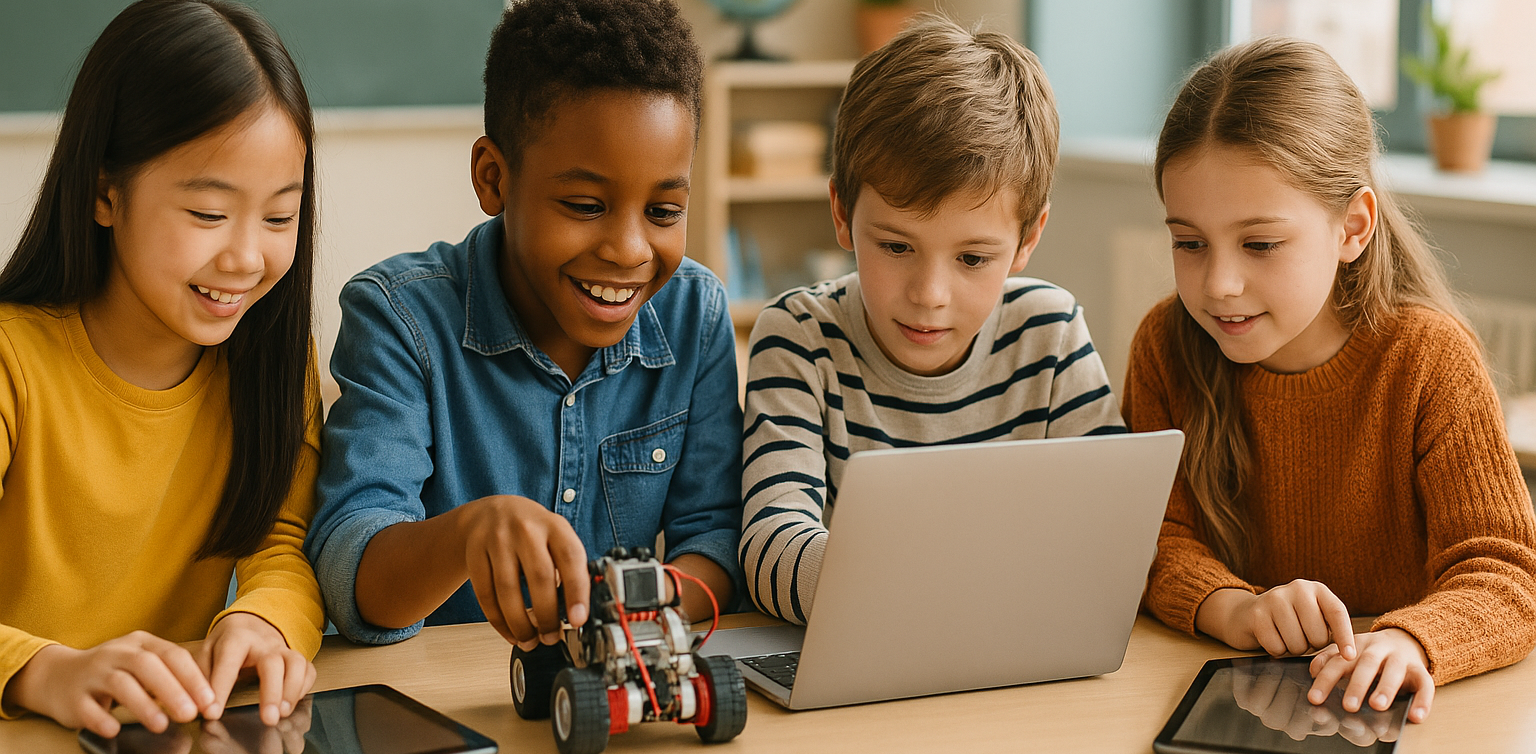
Top 10 Technology Tools for Elementary Students in 2025 image

As we step into 2025, technology tools for elementary students are more important than ever. These tools enhance creativity, improve learning outcomes, and foster engagement both inside and outside the classroom. With the help of these technology tools for elementary students, children can develop essential skills that will serve them throughout their academic careers and beyond. Here’s a list of 10 essential technology tools for elementary students to boost their educational experience in 2025.

Top 10 Technology Tools for Elementary Students in 2025

1. Kahoot!
Technology Tools for Elementary Students

Focus: Interactive learning and quizzes

Kahoot! remains one of the most popular technology tools for elementary students because it turns learning into a fun and competitive experience. Teachers and students can create customized quizzes on subjects like math, science, and language arts, fostering active participation.

How to Use It: By incorporating Kahoot! in lessons, educators can make learning feel like a game. Students can play individually or in teams, which makes learning not only engaging but also interactive. With real-time feedback, teachers can adjust their lessons based on students’ performance, ensuring that every child stays on track.

2. Seesaw

Focus: Digital portfolio and communication

Seesaw is another fantastic example of technology tools for elementary students that focuses on student documentation and communication. It allows students to create digital portfolios where they can showcase their work through photos, videos, and drawings. This tool strengthens the bond between teachers and parents, as they can track the progress of the students in real-time.

How to Use It: With Seesaw, students can upload images of their assignments or record their thoughts on projects. Teachers can provide feedback and conduct virtual lessons or activities, keeping students and parents connected in an efficient, digital space.

3. Google Classroom
Focus: Classroom management and assignment tracking

Google Classroom is essential for managing assignments, tracking progress, and organizing classroom materials. As one of the top technology tools for elementary students, it helps both teachers and students streamline their work. Teachers can assign tasks, grade assignments, and provide real-time feedback, while students can easily access learning materials and submit work in one centralized platform.

How to Use It: Teachers can post assignments and resources to Google Classroom, making it easy for students to stay organized. Additionally, it integrates with Google Drive, enabling students to collaborate on documents and presentations. This makes it easier to stay on top of deadlines and receive instant feedback.

4. Scratch

Focus: Coding and creativity

Scratch is one of the most popular technology tools for elementary students when it comes to learning programming. Through visual coding, students can create interactive stories, games, and animations, sparking creativity while teaching them important skills in computational thinking.

How to Use It: Scratch is beginner-friendly and offers a drag-and-drop interface for students to build their own projects. Teachers can incorporate Scratch into STEM lessons, teaching logic, sequencing, and problem-solving through interactive coding challenges. This tool is a great starting point for young learners to get familiar with coding and digital creation.

5. Epic!

Focus: Digital library for young readers

For young readers, Epic! is an invaluable tool in the world of technology tools for elementary students. Epic! offers access to thousands of books, audiobooks, and educational videos. Its interactive features like read-aloud and quizzes make reading more engaging for children.

How to Use It: Teachers can assign reading materials directly from Epic! to keep students engaged with books that suit their level. Students can explore a vast library of e-books or listen to audiobooks that cater to their individual reading preferences. Epic! fosters a love for reading by offering a fun and interactive approach to literature.

6. ClassDojo

Focus: Classroom behavior and communication

ClassDojo is one of the best technology tools for elementary students when it comes to fostering positive behavior and classroom culture. It allows teachers to reward students for good behavior, accomplishments, and teamwork.

How to Use It: Teachers can assign points to students based on specific behaviors, such as being on task, helping others, or staying focused. These points can be exchanged for rewards like extra break time or special privileges. ClassDojo is an excellent tool for teaching students about responsibility and positive reinforcement.

7. TinkerCAD
Focus: 3D design and engineering
For students interested in design and engineering, TinkerCAD is one of the leading technology tools for elementary students. This user-friendly 3D design platform allows children to create their own digital models.

How to Use It: Students can start by designing simple objects like keychains or toys and gradually work their way up to more complex 3D projects. Teachers can use TinkerCAD to introduce students to engineering and design concepts, making it easier for them to visualize their ideas and understand the basics of 3D modeling and printing.

8. Google Earth

Focus: Geography and exploration

Google Earth opens up the world to elementary students by allowing them to explore every corner of the globe. Whether for geography lessons or environmental studies, this tool is an essential part of technology tools for elementary students.

How to Use It: Teachers can use Google Earth to give virtual tours of countries, cities, landmarks, and natural wonders. Students can explore geographical features and learn about different cultures and ecosystems. This immersive tool makes learning about the world fun and interactive.

9. Duolingo
Focus: Language learning

As one of the leading technology tools for elementary students, Duolingo helps young learners acquire new languages in a fun, gamified format. This app is perfect for introducing kids to a new language, including popular languages like Spanish, French, and German.

How to Use It: Duolingo presents lessons in bite-sized segments that are both fun and educational. Students can practice daily and track their progress. This tool offers rewards and challenges, motivating students to keep learning new words and phrases while building language proficiency.

10. BrainPOP

Focus: Educational videos and quizzes

BrainPOP is a popular educational platform that offers animated videos and interactive quizzes. It covers a wide range of subjects, including science, math, and social studies, making it one of the best technology tools for elementary students to enhance their learning.

How to Use It: Teachers can use BrainPOP to introduce new concepts in a fun and visual way. After watching the videos, students can complete quizzes and discuss the material in class. This helps reinforce key ideas and assess student understanding in an engaging, interactive manner.

Why Technology Tools Matter for Elementary Students

In 2025, technology tools for elementary students are not just an enhancement to traditional learning; they are essential to developing digital literacy and critical thinking skills. These tools help provide personalized learning experiences that adapt to the needs of each student, whether they need extra support or more challenging material. By incorporating technology tools for elementary students into the classroom, teachers can create an environment that promotes engagement, creativity, and collaboration, preparing students for future success in an increasingly digital world.

Start Your Digital Learning Journey Today!

 Image

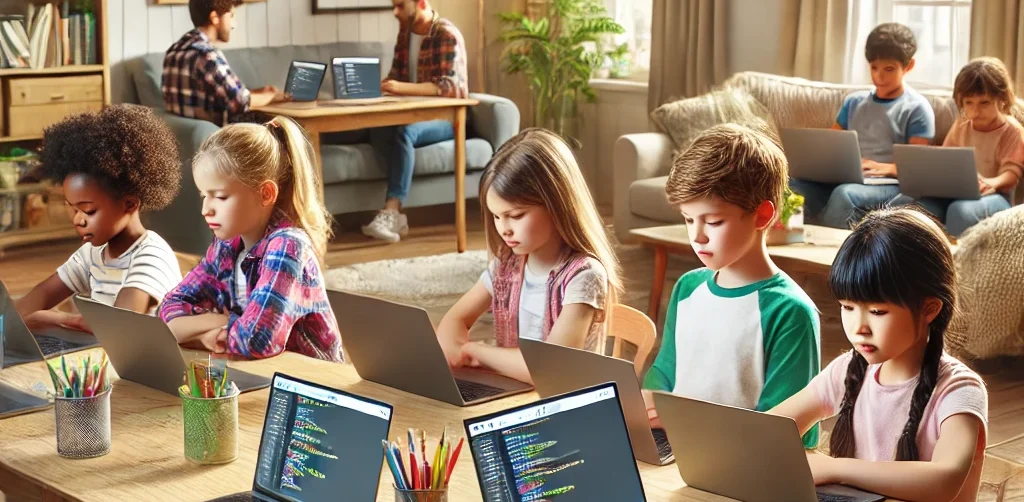
Want to make learning even more engaging for your child? Explore Timedoor Academy and try free trial class today and discover how our digital learning platform can support your child’s educational growth with interactive lessons and expert-curated content.

Keep Reading

cara membangun rasa percaya diri anak
How to Build Confidence for Kids: Fun Activities Using Technology and Coding
Learning how to build confidence for kids is one of the most important things parents and educators can do today. Confidence helps children try new activities, solve problems, and handle challenges with resilience. When we focus on how to build confidence for kids early, we prepare them to succeed in a rapidly changing, technology-driven world. In this article, we explore practical ways on how to build confidence for kids, especially by introducing technology and coding as fun, valuable tools. 1. Encourage Participation in Sports and Tech Competitions One of the proven ways on how to build confidence for kids is through healthy competition. Sports teach teamwork and leadership, while technology competitions like coding contests, robotics challenges, and game design tournaments also foster self-belief and perseverance. Participating in both physical sports and tech-based activities strengthens how to build confidence for kids by showing them their hard work can lead to real achievements, whether on the field or in the digital world. 2. Introduce Creative Arts and Digital Creation Creative expression plays a major role in how to build confidence for kids. Traditional arts like painting and music are important, but digital creativity is just as powerful. Kids can design digital art, create animations, or develop their own simple apps. Coding empowers them to build real projects they can proudly share. By blending creative arts with technology, we make how to build confidence for kids even more exciting and relevant to today's world. 3. Promote Public Speaking and Tech Presentations Another essential strategy for how to build confidence for kids is encouraging them to present ideas, especially tech-related projects. Whether it's demonstrating a coding project, showcasing a simple game they built, or explaining a robotics experiment, these presentations strengthen communication skills. When kids explain technology in their own words, they not only become more confident but also realize the value of their knowledge — an important part of how to build confidence for kids. 4. Teach Coding to Build Problem-Solving Skills Teaching coding is a highly effective method on how to build confidence for kids. Through coding, kids learn to break down complex problems, experiment with solutions, and celebrate successes when they see their projects come to life. Every error they fix and every program they build adds to their sense of achievement. Platforms like Scratch, Minecraft Education, and beginner coding classes allow children to experience firsthand how to build confidence for kids in a way that’s fun, interactive, and empowering. 5. Celebrate Tech-Driven Small Achievements Celebrating small wins is key to how to build confidence for kids. This could mean finishing their first coding project, debugging a tricky error, or creating their first animation. Recognizing achievements in the tech space shows kids that every step counts. Praising their effort in technology projects builds a habit of perseverance and reinforces how to build confidence for kids even when challenges arise. 6. Provide Leadership Opportunities in Technology Leadership experiences are essential when thinking about how to build confidence for kids. Letting kids mentor others in coding clubs, lead a small tech workshop, or present a group project boosts their self-esteem and teaches valuable collaboration skills. Being seen as a “tech leader” among their peers strengthens how to build confidence for kids and encourages them to take pride in their abilities. 7. Encourage Independent Tech Projects Encouraging kids to explore independent technology projects is another way on how to build confidence for kids. Whether it's coding their own mini-game, building a basic website, or programming a simple robot, independent projects help children develop critical thinking and ownership. Solving problems without heavy adult assistance shows them they are capable and resourceful — a huge part of how to build confidence for kids. Building Lifelong Confidence Through Technology and Experiences Understanding how to build confidence for kids means offering opportunities across many areas, especially in the digital world. Technology and coding empower kids to think creatively, solve problems, and take pride in their achievements. Whether it’s through sports, public speaking, creative arts, or tech projects, helping kids see their own potential is crucial. By focusing on how to build confidence for kids early, we prepare them to face the future with strength, curiosity, and joy. At Timedoor Academy, we specialize in helping children build confidence through fun coding and technology programs. If you want your child to experience firsthand how to build confidence for kids with exciting tech activities, sign up for a free trial class today!
Anak BeLajar coding di Rumah
DIY Coding Projects You Can Do with Your Kids at Home – Fun & Creative Learning Together!
If your kids are fascinated by the world of technology, they’ll be excited to explore coding and create something they can interact with. And guess what? Coding isn’t as intimidating as it may seem! It’s a fun and educational learning experience that both you and your kids can enjoy together. At Timedoor Academy, we believe in the power of hands-on learning. DIY coding projects not only teach kids essential coding skills but also spark creativity, problem-solving, and teamwork. Why not dive into the world of coding and engage your child in exciting learning activities today? To get started, we’ve compiled a list of fun coding activities that are perfect for kids aged 6 to 12. Let’s make learning and coding an adventure right at home! 1. Create a Simple Animation Using Scratch Learning by Coding Scratch is a beginner-friendly visual programming language that allows kids to create their own stories, games, and animations. This coding tool uses blocks of code that kids can drag and drop, making it easy to build interactive projects. Project Idea: • Create a simple animation where characters move across the screen or interact with one another. For example, you can create a story where a cat talks to a dog, or have a dancing sprite! Why It’s Great? • Scratch teaches kids basic concepts like sequencing, loops, and event handling. Plus, it’s a fun way to let their imagination run wild! 2. Build Your Own Interactive Coding Website with HTML & CSS Learning Want to introduce your child to the world of web development? Start with the basics of HTML (the structure of websites) and CSS (the styling). These simple tools lay the foundation for most websites and are an excellent way to teach coding while building something tangible. Project Idea: • Help your child design their first interactive website—perhaps a personal homepage, a family blog, or a site about their favorite hobbies. Add fun elements like color changes, buttons, and images to make it unique! Why It’s Great? • HTML and CSS are easy to learn and give kids a sense of accomplishment once they see their website live. It’s also a practical skill that could inspire future web development projects. 3. Create a Virtual Pet Game with Scratch or Python Coding Learning For a more advanced project, you can introduce your child to a text-based or graphical game. You can either start with Scratch for a simpler, drag-and-drop experience or move to Python for a more detailed, code-based game. Project Idea: • Make a simple virtual pet game where players can feed, play with, and take care of their pet. The game could involve a timer for pet care and scoring points for actions completed correctly. Why It’s Great? • This project teaches game design, logic, and conditionals (e.g., “If you feed the pet, it gets happier”). It’s a perfect introduction to more complex programming concepts, all while having fun creating a game! 4. Make a Digital Art Project by Coding with Tynker Learning Tynker is another great coding platform that teaches kids how to code using fun, interactive lessons. It’s perfect for visual learners and offers a wide range of activities, including digital art creation. Project Idea: • Use Tynker to create your own digital drawing or animation. You can have your child make a picture come to life by using basic coding blocks to animate shapes or objects. Why It’s Great? • Tynker makes learning coding feel like a creative art project. It’s also a wonderful way for children to combine their interest in drawing with coding! 5. Make a DIY Robot with Coding Kits Learning If you have access to coding kits such as LEGO Mindstorms, LittleBits, or other programmable robotics kits, this is a fantastic hands-on project to get kids into coding. Project Idea: • Build and program a robot that can move, detect objects, or follow simple commands. You can even create a challenge where the robot has to navigate a maze or complete a task, like picking up small objects. Why It’s Great? • Robotics introduces kids to both hardware and software, bridging the gap between the physical and digital worlds. It encourages problem-solving, critical thinking, and teamwork. 6. Create a Music Maker with Coding Learning If your child loves music, why not combine it with coding? There are several tools and platforms that allow kids to make music through programming. Project Idea: • Help your child create a simple music generator where different sounds or beats are played based on certain inputs. Platforms like Sonic Pi let kids create music with code, and they can even create rhythms and melodies! Why It’s Great? • This project combines creativity with coding and gives kids a fun way to engage with both music and technology. 7. Design a Choose-Your-Own-Adventure Story by Coding Learning A fun way to learn coding is by creating an interactive story, like a “Choose Your Own Adventure” game. You can use simple platforms like Twine, which allows kids to write stories with code-based choices. Project Idea: • Write an interactive story where the reader can make choices, and each choice leads to different outcomes. For example, “Should the character go left or right?” The story branches out from there! Why It’s Great? • This teaches kids logic, sequencing, and how their decisions in coding can affect the outcome. Plus, it’s a great way for kids to practice their writing and storytelling skills. Coding is Fun and Rewarding Learning! At Timedoor Academy, we believe that learning to code is not only about the technical skills—it’s also about sparking curiosity, creativity, and critical thinking. By taking on these DIY coding projects, you’ll not only teach your child valuable programming skills but also bond through shared, creative experiences. So, gather your tools, start coding, and most importantly, have fun with your child! Remember, the best way to learn is by doing—and what better way to learn together than through fun, hands-on projects? Ready to dive deeper into coding learning? Join one of Timedoor Academy's online coding classes and support your child's learning journey in a structured, fun and supportive environment. We offer a Free Trial to provide a no-cost first learning experience, so your child can try our classes before deciding to continue.  Our courses are designed to help children develop their coding skills while still enjoying every step of the way. Visit our website for more information here!
10 Practical Tips to Set Up a Comfortable and Productive Home Learning Space for Kids
In today’s digital age, children are not only learning at school but also through various online platforms from the comfort of home. That’s why setting up a home learning space for kids that is both comfortable and productive has become increasingly important. A well-organized learning environment supports better focus, enhances motivation, and encourages independent study habits from an early age. Here are ten simple yet effective tips to help parents create an ideal home learning space that supports both comfort and academic success. 10 Practical Tips to Set Up a Comfortable and Productive Home Learning Space for Kids 1. Choose a Quiet Spot with Minimal Distractions Start by picking a location that isn’t heavily trafficked throughout the day. Ideally, a home learning space for kids should be away from TVs, the kitchen, or play areas. If you don’t have a dedicated room, convert a quiet corner of the bedroom or living room into a learning zone. Use a bookshelf or lightweight divider to create a clear separation between study time and leisure time. 2. Ensure Good Lighting Lighting has a direct impact on mood and focus. Make sure the home learning space for kids has access to natural light during the day. For evening sessions, provide a desk lamp with bright but soft white lighting. Avoid dim lights, as they can cause drowsiness and reduce attention. 3. Provide Ergonomic Furniture A comfortable setup goes a long way. Use a chair and desk that match your child’s height to encourage proper posture. Add cushions or a footrest if needed, so your child can sit comfortably for longer study sessions. 4. Minimize Visual and Audio Distractions Overly bright or busy decor can be distracting in home learning space for kids. Stick to neutral or calming colors for the walls and furniture. Keep toys and unrelated devices out of reach during study hours. If noise from outside interrupts your child’s focus, consider using noise-cancelling headphones, especially during online classes. 5. Keep All Learning Materials Within Reach Equip the space with all the essentials: stationery, books, a laptop or tablet, headphones, and a reliable internet connection. Having everything nearby prevents unnecessary movement and keeps the child focused. Use storage bins or small shelves to keep the desk tidy and clutter-free. 6. Display a Daily Schedule Help your child develop a routine by creating a visual schedule. Post it on the wall near their desk using colorful charts or illustrations. The schedule can include study time, breaks, meals, and creative activities. Visual structure supports time management and builds responsibility. 7. Involve Your Child in the Setup Let your child have a say in how the space looks. Allow them to choose the colors, arrange the desk, or decorate with their favorite items. When kids feel ownership over their home learning space, they are more likely to use it enthusiastically and keep it tidy. 8. Ensure Good Air Circulation and Room Temperature A cool, fresh room helps maintain energy and concentration. Open windows regularly or use a fan or air conditioner if needed. Scent can also influence mood — try light, calming scents like lavender to create a relaxed environment. 9. Match the Setup to Your Child’s Digital Learning Needs If your child is involved in digital learning, make sure the equipment works smoothly. Check the laptop or tablet, webcam, microphone, and internet connection before class begins. Also, make sure their chair and desk setup supports good posture for screen-based learning. 10. Add Motivational Personal Touches Showcase your child’s artwork, awards, or inspiring quotes on the wall. Personal touches can boost confidence and make the space feel more welcoming and meaningful to them. Maximize Your Child’s Home Learning Space with the Right Learning Program Creating a home learning space for kids is a strong start, but it becomes truly effective when paired with the right learning content. Timedoor Academy offers a wide range of interactive online classes to help children grow academically and creatively — all from their home learning space. With subjects like coding, robotics, math, and digital creativity, your child can explore their interests in a fun and structured way. Sign up for a free trial class at Timedoor Academy today and give your child the opportunity to build skills for the future while learning comfortably at home.
float button