Jul 30, 2024

Tech Festival 2024 Timedoor Academy

Tech Festival 2024 Timedoor Academy image

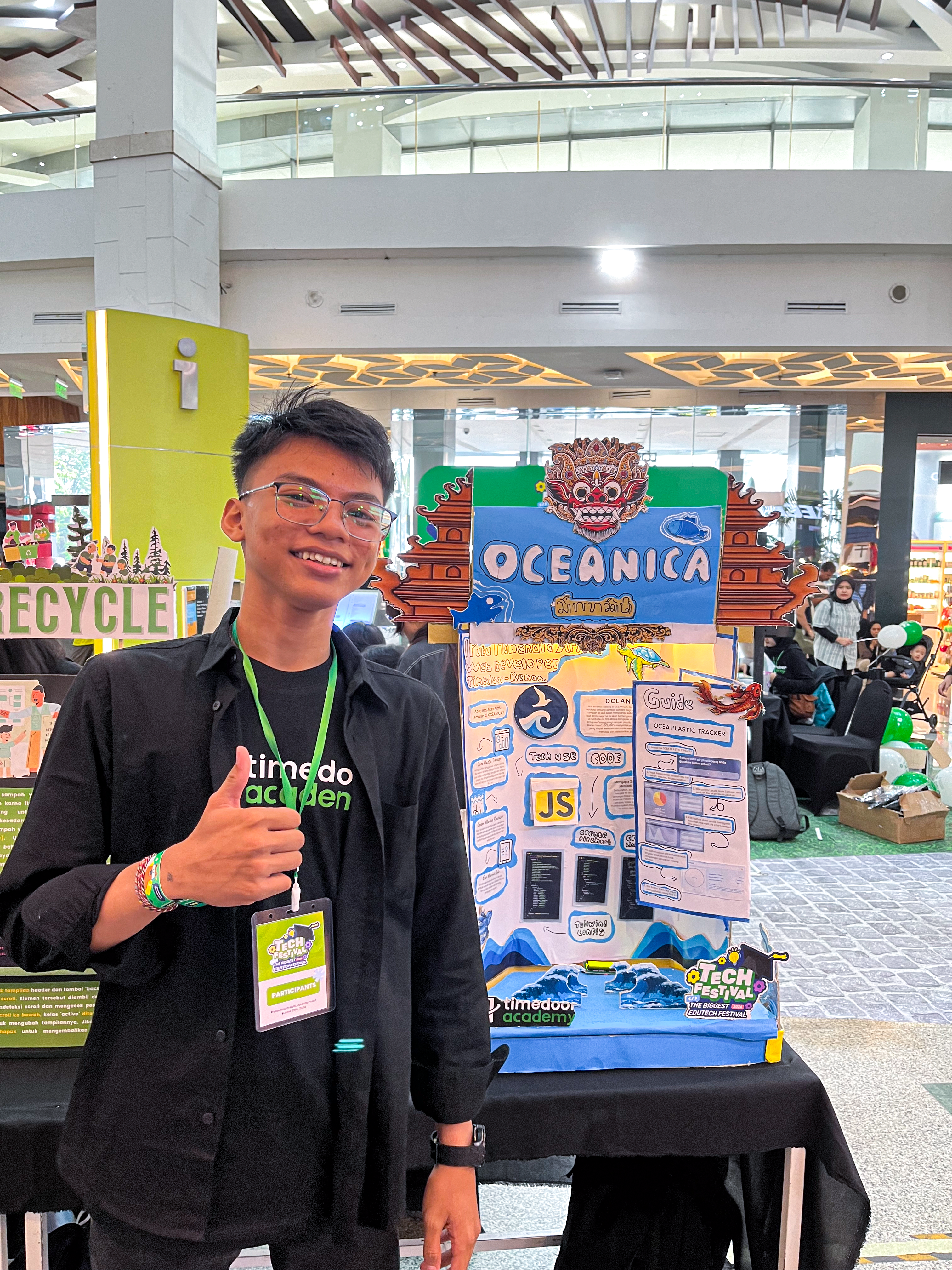
Tech Festival 2024 Event at Timedoor Academy Draws Over 500 Visitors at Millennium Mall Jakarta on June 23, 2024

Exciting Activities at Tech Festival 2024

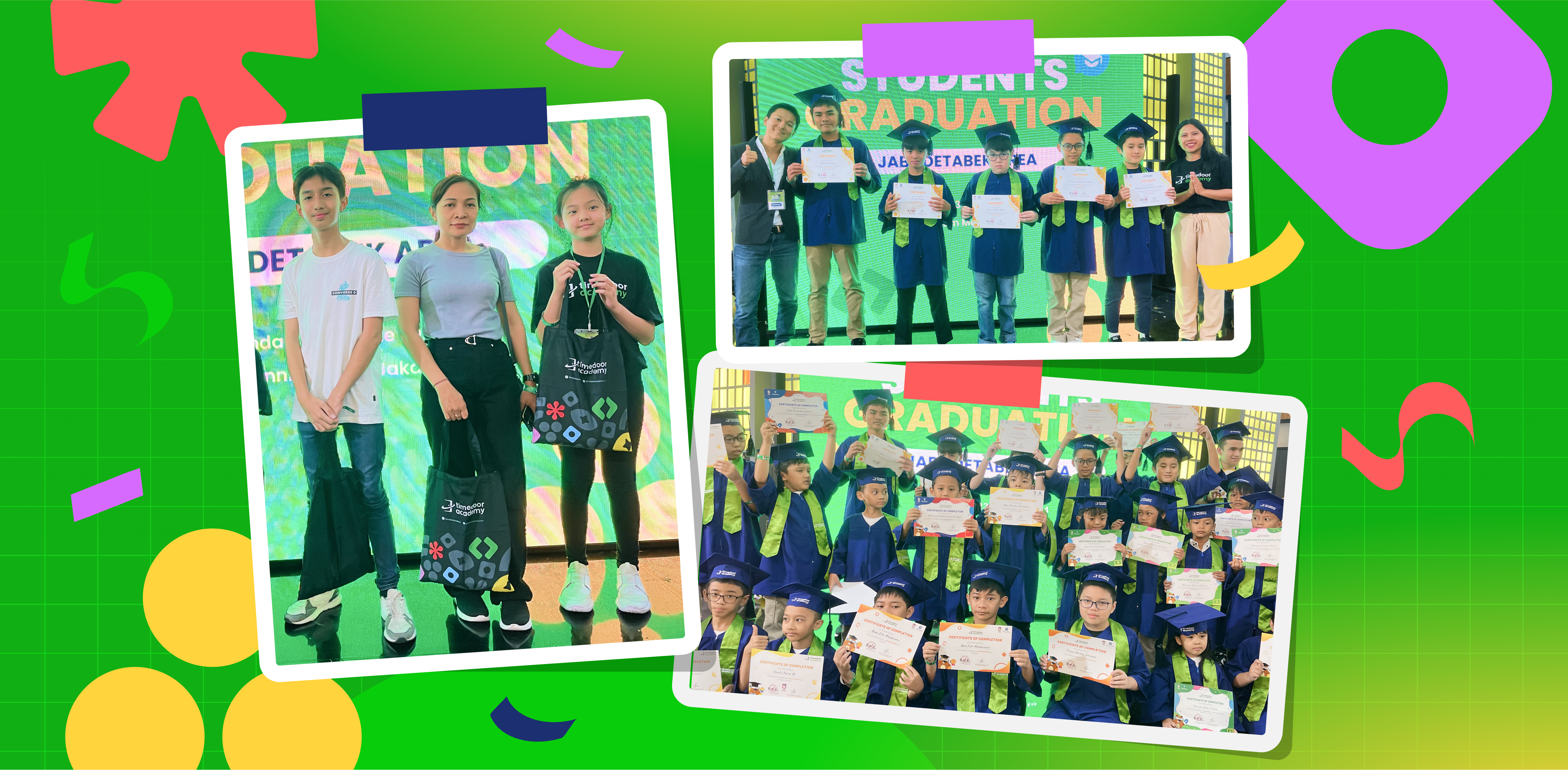
The event offered a variety of engaging activities, including trial booths for VR/AR, Robotics, Gaming, AI, and more. Visitors had the opportunity to experience these technologies firsthand, showcased by the students of Timedoor Academy. Additionally, the festival featured a student graduation ceremony for students from the Greater Jakarta area (Jabodetabek), along with an exhibition of student projects that reached the finals in the coding competition.

exhibitor-tech-festival

This event was a great opportunity for students to showcase their achievements in programming and technology. With a large turnout, Tech Festival 2024 aimed to provide a valuable experience for the people of Jakarta interested in education and technology. The event also demonstrated Timedoor Academy’s commitment to educating children and teens through innovative coding programs.


Keep Reading

apps for kids learning english
10 Best Apps for Kids Learning English in 2025 (Fun and Effective Tools)
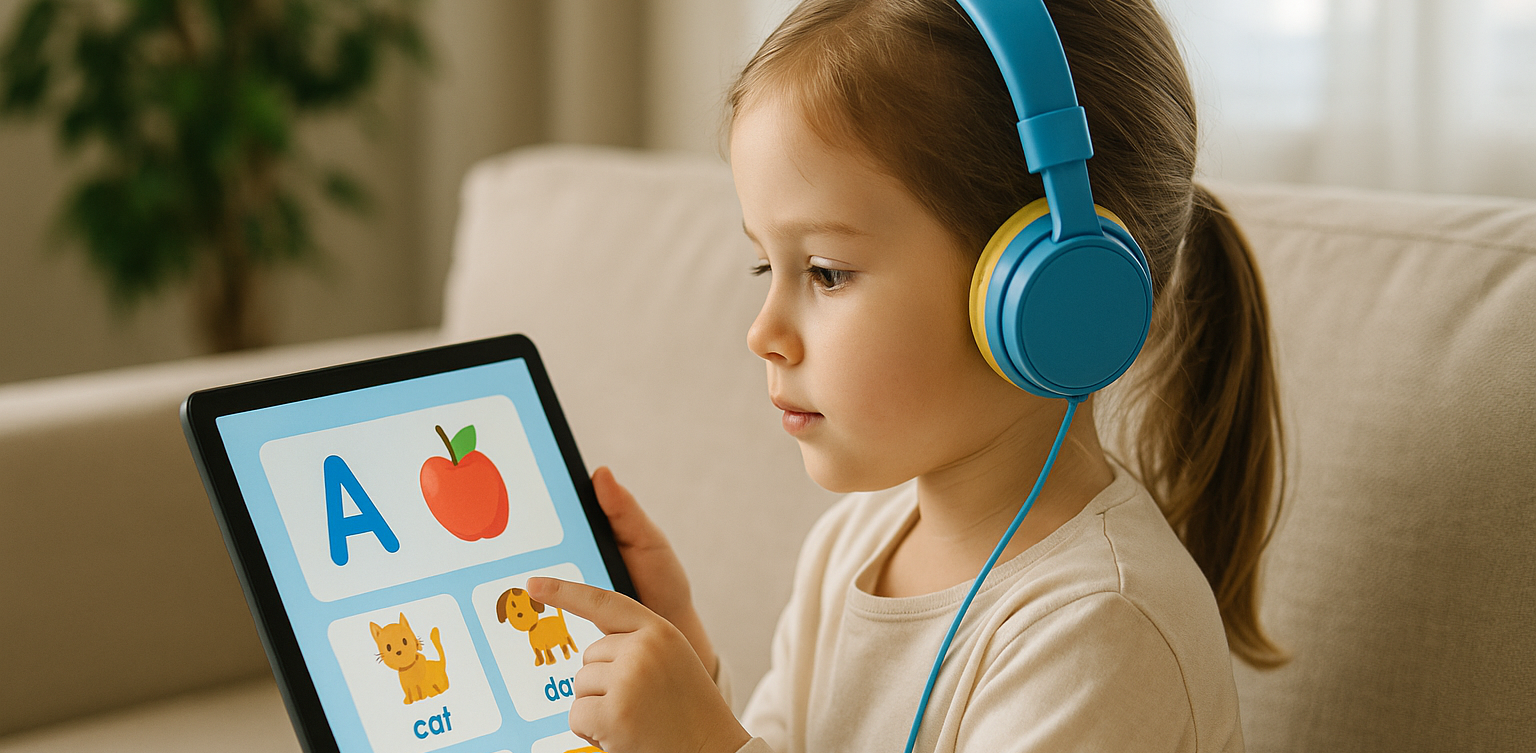
In today's digital age, many parents are turning to technology to support their child's education. If you're searching for apps for kids learning English, you are in the right place. The right apps can help children build their vocabulary, improve pronunciation, and master grammar while having fun through interactive games, songs, and storytelling. This article features the 10 best apps for kids learning English in 2025. Whether your child is a complete beginner or looking to sharpen their English skills, these apps offer engaging ways to learn at home or on the go.   10 Best Apps for Kids Learning English in 2025 (Fun and Effective Tools)   1. Duolingo Kids Why it’s great: Duolingo Kids simplifies English learning with bite-sized, gamified lessons. The colorful design and rewards system make it exciting for young learners. Key Features: Fun vocabulary practice with visual cues Audio support for correct pronunciation Progress tracking for parents Ideal for: Children aged 4 to 10 who enjoy playful, interactive learning.   2. Lingokids – Playlearning App Why it’s great: Lingokids offers a complete English learning experience for kids. It includes games, songs, and videos that cover grammar, vocabulary, and conversation skills. Key Features: Adaptive learning based on skill level Downloadable content for offline use Weekly progress reports for parents Ideal for: Preschool and elementary-aged children who learn best through play.   3. Endless Alphabet Why it’s great: This app uses adorable animated monsters to introduce English words in a fun and engaging way. It's great for building vocabulary and early literacy skills. Key Features: Animated word puzzles Clear voice narration No ads or distractions Ideal for: Toddlers and young children who are just starting with apps for kids learning English.   4. ABCmouse Why it’s great: ABCmouse offers a full curriculum, including reading, phonics, and grammar lessons in English. With thousands of activities, kids stay engaged while learning. Key Features: Structured learning paths Hundreds of English storybooks Built-in reward system for motivation Ideal for: Kids aged 2 to 8 who need a well-rounded learning app.   5. Fun English by Studycat Why it’s great: This app uses games and songs to teach kids English vocabulary, phrases, and sentence structures. It's fun and suitable for both beginners and bilingual learners. Key Features: Voice recognition to practice speaking Games covering numbers, colors, and animals Easy navigation for kids Ideal for: Children who want to learn English in a playful environment.   6. Reading Eggs Why it’s great: Focused on reading and comprehension, Reading Eggs offers phonics-based lessons that improve vocabulary and fluency. Key Features: Interactive reading games English storybooks and lessons Adaptive difficulty levels Ideal for: Early readers who want to improve their English comprehension.   7. Khan Academy Kids Why it’s great: This free app includes English reading lessons along with math, logic, and social-emotional learning. The friendly characters guide kids through interactive stories and games. Key Features: High-quality educational content Creative learning tools No ads and completely free Ideal for: Parents looking for high-value, free apps for kids learning English.   8. Monkey Stories Why it’s great: Monkey Stories features a vast library of animated stories in English. Kids can follow along with subtitles, improving listening and reading skills. Key Features: 1,000+ English books and stories Interactive reading mode Daily learning goals Ideal for: Children who enjoy learning through storytelling.   9. Speakia Why it’s great: Speakia focuses on improving speaking and conversational English skills. It uses AI to simulate dialogues, helping kids speak more confidently. Key Features: Speaking practice with instant feedback Real-life conversation simulations Progress tracking Ideal for: Kids who need extra help with speaking and listening in English.   10. Hello English Kids Why it’s great: Hello English Kids offers lessons in vocabulary, sentence structure, and everyday conversations. The app is simple to use and designed for young learners. Key Features: Games and videos for better engagement English tests and flashcards Child-friendly interface Ideal for: Beginners looking for simple and effective apps for kids learning English.   Tips of Choosing Apps for Kids Learning English Choosing the best apps for kids learning English depends on your child's: Age and learning level: Make sure the content is age-appropriate. Learning style: Some children prefer stories, while others enjoy games or visuals. Screen time: Pick apps that are ad-free and encourage short, productive sessions. Look for apps that allow offline access and offer progress reports so parents can stay involved.   Final Thoughts There are plenty of amazing apps for kids learning English, but the key is to find one that suits your child’s unique interests and learning pace. From storytelling apps to full learning platforms, each of the ten apps mentioned above offers a different approach to mastering English in a fun, engaging way. If your child enjoys using technology to learn, why not take the next step with Timedoor Academy’s online coding classes? While they explore apps to improve their English, learning to code can help them develop logical thinking, creativity, and problem-solving skills. These are essential abilities in today's digital world. Try a free coding class at Timedoor Academy today and empower your child for the future.
4 Bahasa Pemrograman Terbaik Untuk Anak
Top 4 Programming Languages for Kids
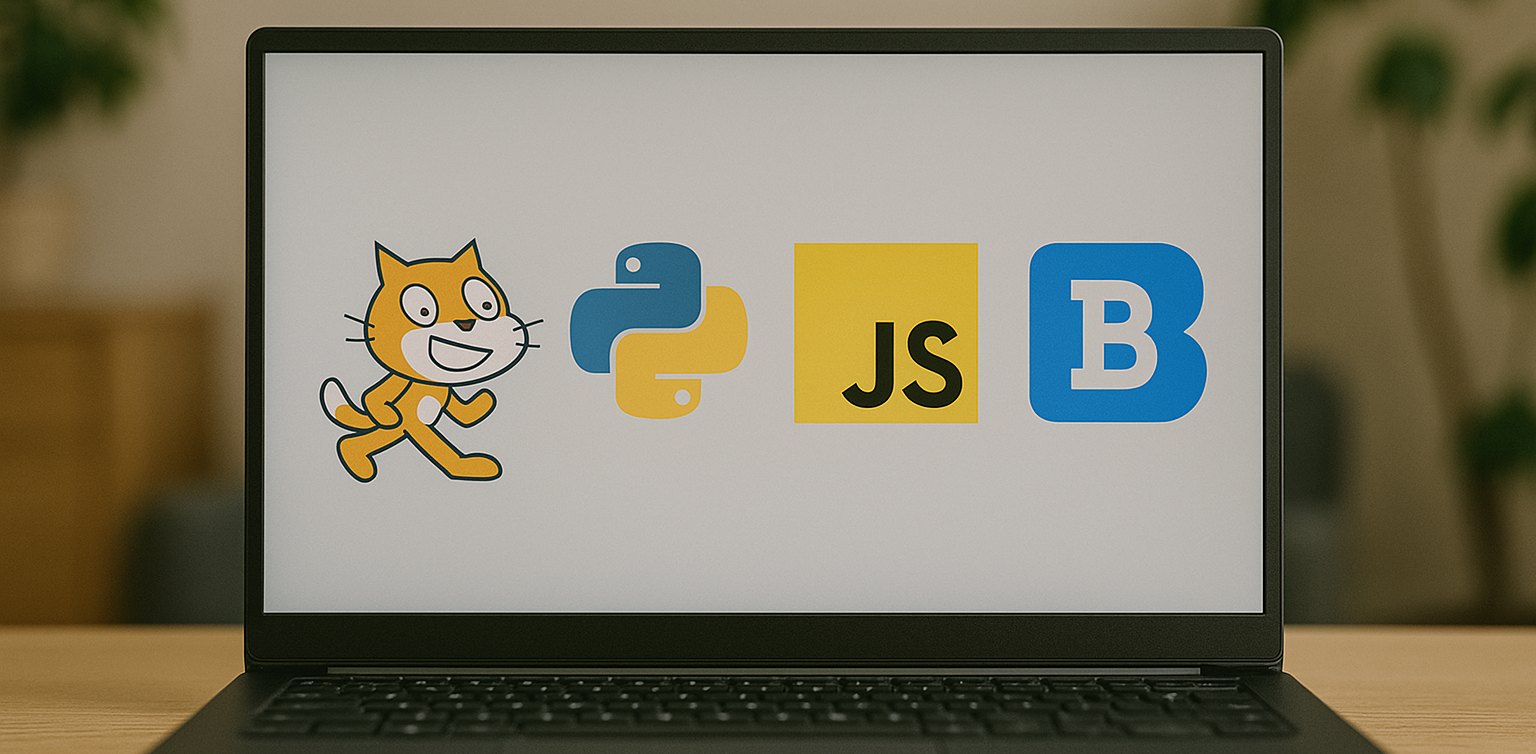
In today’s digital-first world, teaching children how to code is becoming just as essential as teaching them math, reading, or science. Coding builds logical thinking, creativity, and problem-solving skills. These are abilities that are crucial for success in any future career. But with so many programming languages out there, many parents wonder: Where should my child start? The answer depends on your child’s age, interests, and learning style. Some languages are visual and beginner-friendly, while others offer more complexity for older or advanced learners. In this article, we’ll break down the top 4 programming languages for kids, explaining what makes each of them great and how to choose the right one for your child’s coding journey.   Why Should Kids Learn Programming Language In Coding? Before we jump into the list, let’s quickly look at why coding is so valuable for children: Boosts logical thinking and analytical skills Strengthens creativity and imagination Improves academic performance, especially in STEM subjects Builds persistence and resilience through problem-solving Prepares them for a future in a tech-driven world Coding also helps children become creators of technology, not just passive users.   1. Programming Language In Coding: Scratch Best for Kids Aged 6 to 12 Scratch is a block-based programming language developed by MIT, specifically for children and beginners. Instead of typing code, kids drag and drop visual blocks to build animations, games, and interactive stories. Why it’s great: No previous coding knowledge needed Highly visual and engaging Encourages storytelling, creativity, and experimentation Free and web-based Scratch is ideal for young learners who enjoy art, games, or creative play. It’s fun, easy to understand, and extremely rewarding.   2. Programming Language In Coding: Python Best for Kids Aged 10 and Up Python is one of the world’s most popular programming languages and a great choice for kids who are ready to move beyond visual coding. Its syntax is clean and readable, making it one of the easiest text-based languages to learn. Why it’s great: Beginner-friendly with real-world applications Used in data science, AI, game development, and automation Loads of free resources and tutorials available Great for building games, quizzes, and mini apps Python is perfect for curious kids who enjoy solving problems and want to dive deeper into the tech world.   3. Programming Language In Coding: JavaScript Best for Kids Aged 11 and Up JavaScript is the go-to language for web development. If your child is interested in how websites work or wants to build their own online games or tools, JavaScript is an exciting and rewarding option. Why it’s great: Teaches how to make websites interactive Encourages real-time experimentation in the browser Can be combined with HTML and CSS for full website building Great for creative projects like online games and visual effects JavaScript is ideal for tweens and teens who are internet-savvy and want to bring their ideas to life on the web.   4. Programming Language In Coding: Blockly Best for Kids Aged 7 to 10 Blockly is a visual coding language like Scratch but with a twist. It also shows the actual code behind the blocks. It’s designed to help children transition from block-based programming to real text-based coding. Why it’s great: Easy to use with a visual interface Builds understanding of programming logic Bridges the gap between Scratch and Python Often used in educational robots and coding kits Blockly is excellent for kids who are ready to go beyond simple blocks but not quite ready for full typing-based code.   Quick Guide by Age For Kids To Choose Programming Language Age Group Recommended Language 6 to 8 Scratch or Blockly 9 to 12 Scratch, then Python 12+ Python or JavaScript   How Can Parents Support Their Kids Coding Journey? Explore coding platforms together such as Timedoor Academy Choose fun, project-based learning activities Encourage creativity by allowing your child to build what they love Celebrate progress at every step, no matter how small   Ready to Help Your Kids Start Coding? The best programming language for your child is the one that fits their age, interest, and learning pace. Whether they’re creating their first animation in Scratch or developing a game in Python, every coding experience empowers them with skills for the future. At Timedoor Academy, we provide structured and engaging online coding classes for children of all ages. Our programs are designed to turn beginners into confident young coders through hands-on learning and creative projects. Ready to start your child’s coding journey? Check out our courses and free trial at Timedoor Academy and unlock your child’s potential in tech.
How to Choose Coding Course for Kids: A Step-by-Step Guide In 2025
In today’s digital era, coding is becoming a vital skill for children to learn early. Whether they are interested in games, animation, or just curious about how technology works, finding the right course can shape their learning journey. If you are wondering how to choose coding course for kids, this guide will walk you through the essential steps every parent should know. It covers what to consider, how to evaluate a course, and how platforms like Timedoor Academy make it easier than ever to get started. 1. Understand Your Child's Interests and Learning Style The first step in how to choose coding course for kids is to understand what motivates your child. Do they enjoy building things, telling stories, or playing logic games? A child who loves art might enjoy animation-focused coding, while one interested in tech may love learning how apps work. Choosing a course that connects to their personal interests makes it easier to keep them engaged and excited about learning. 2. Match the Course to Their Age and Skill Level Another important step in how to choose coding course for kids is making sure the difficulty fits your child’s current level. Younger children do better with visual tools like Scratch or Blockly, which help them understand basic logic without typing code. Older kids or those with some experience may benefit more from Python or JavaScript. Timedoor Academy provides coding programs grouped by age and ability, so children can learn comfortably at their own pace. 3. Look for Strong Curriculum and Project-Based Learning When exploring how to choose coding course for kids, the course structure matters. A good program should combine clear explanations with plenty of opportunities to build projects. Kids learn best by doing, so check if they’ll be creating apps, games, or animations. Timedoor Academy follows a project-based approach where each lesson builds toward a hands-on goal, helping children stay focused and feel proud of their work. 4. Decide Between Online or In-Person Formats Your child’s learning environment can impact their progress. As you consider how to choose coding course for kids, think about whether online or in-person learning works better for your family. Online courses are flexible and accessible from anywhere, while in-person classes may provide more direct support. Timedoor Academy offers live online sessions with real instructors and small class sizes, blending structure with flexibility. 5. Evaluate the Teachers and Student Support One of the key factors in how to choose coding course for kids is the quality of the teaching staff. Great instructors are not just skilled in programming—they also know how to communicate with children. Look for teachers who are patient, encouraging, and responsive. At Timedoor Academy, instructors are carefully trained to work with young learners and guide them with a friendly, easy-to-follow approach. 6. Try a Free Trial to See What Works Before making a commitment, it is helpful to try a class. This is one of the smartest ways in how to choose coding course for kids. A trial session lets your child experience the lesson format, meet the teacher, and decide if they enjoy it. Timedoor Academy offers free trial classes where children can explore coding firsthand, ask questions, and complete a mini project. This can be the difference between guessing and choosing a course with confidence. Ready to Begin Your Child’s Coding Journey? If you’re still wondering how to choose coding course for kids, the best way is to let them experience it. Timedoor Academy offers interactive and engaging online coding classes made for kids of all ages. With expert instructors, hands-on projects, and a flexible schedule, your child will not only learn coding but also grow in confidence and creativity. Sign up for a free class today and see how fun learning to code can be.
float button