Apr 28, 2025

7 Top Programming Languages for Kids: A Comprehensive Guide for Young Learners
7 Top Programming Languages for Kids: A Comprehensive Guide for Young Learners image

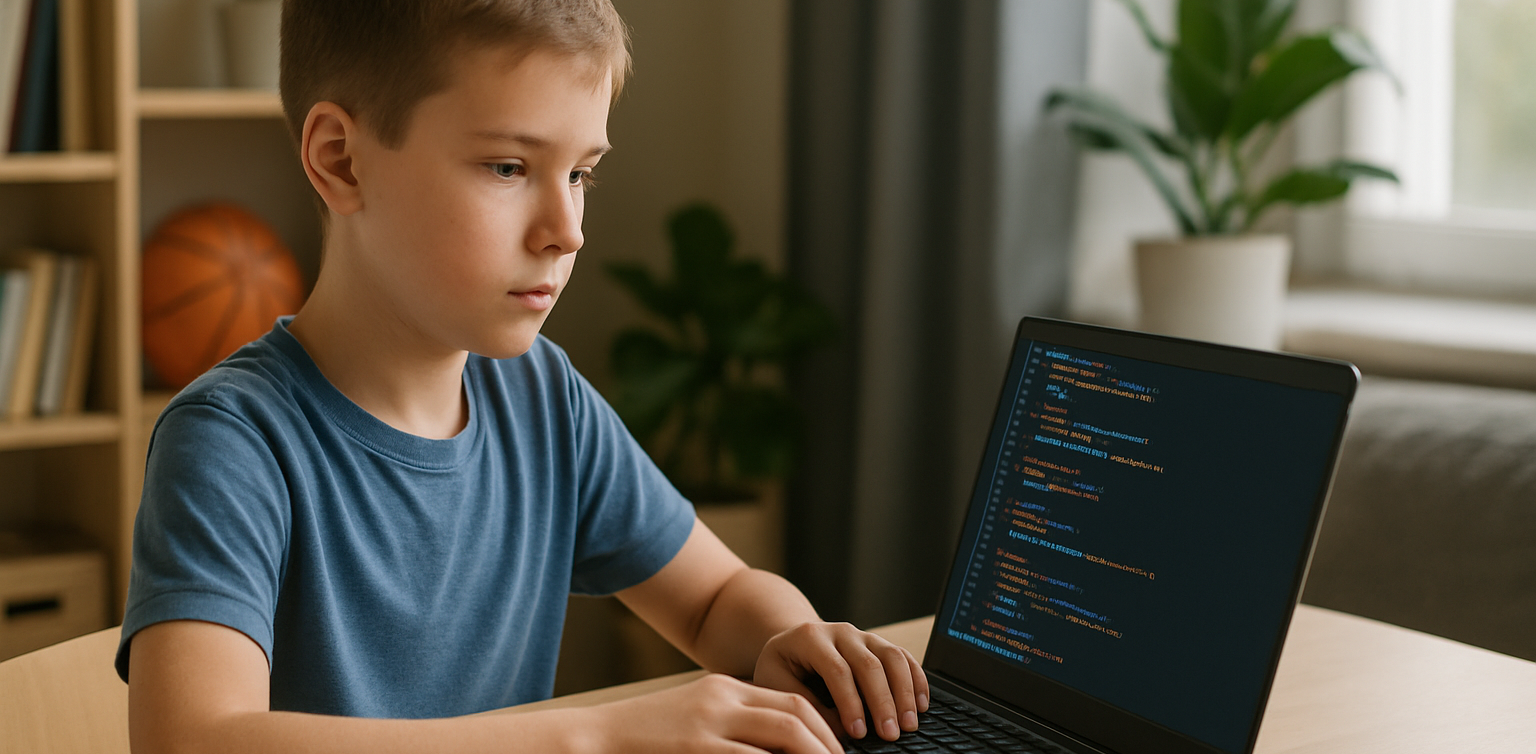
In today’s tech-driven world, learning how to code is an essential skill, especially for young learners. The best programming languages for kids help introduce coding concepts in an engaging and accessible way. When choosing the best programming languages for kids, it’s important to focus on languages that are easy to understand, fun to learn, and open up opportunities for creative projects. In this guide, we will explore some of the best programming languages for kids and why they are excellent choices for young learners eager to start coding.

Why Should Kids Learn Programming?

Programming isn’t just about learning to code; it’s about developing problem-solving skills, creativity, and logical thinking. The best programming languages for kids teach children how to think critically and break down problems into smaller, manageable tasks. Additionally, coding offers children the opportunity to build their own games, websites, and apps, providing a sense of accomplishment as they bring their ideas to life.

Let’s look at some of the best programming languages for kids that can help them begin their coding journey.

1. Scratch
programming languages for kids

Scratch is often considered one of the best programming languages for kids due to its visual interface and simple drag-and-drop functionality. It allows children to create animations, games, and interactive stories without needing to write any complex code. Scratch introduces children to programming logic, such as loops, conditionals, and variables, while keeping things fun and creative.

The best programming languages for kids should focus on visual learning, and Scratch is a perfect example. It’s an excellent stepping stone for kids who are new to coding and want to explore the basics of programming in an interactive and playful way.

2. Python
programming languages for kids

Python is one of the best programming languages for kids because it has simple syntax and is very readable, making it easier for young learners to pick up. Python is used in many real-world applications, including web development, data analysis, and game design, which makes it a versatile language to learn. With its broad use in the tech industry, learning Python at a young age gives kids a valuable skill that they can build upon as they grow older.

Among the best programming languages for kids, Python stands out for its flexibility and ease of use, allowing children to start building more complex projects as they advance in their coding journey.

3. JavaScript
programming languages for kids

For kids interested in creating websites and online games, JavaScript is one of the best programming languages for kids. It’s the primary language used for adding interactivity to websites, and learning it will allow kids to create dynamic and engaging online experiences. JavaScript is a bit more advanced than Scratch or Python, but it’s still one of the best programming languages for kids because it’s in high demand and offers a hands-on way to build real-world applications.

By learning JavaScript, kids gain the foundational knowledge needed to work in web development and understand how websites function, making it a great choice among the best programming languages for kids.

4. Swift Playgrounds
programming languages for kids

Swift Playgrounds is a unique app that teaches children how to code in Swift, which is Apple’s programming language used to build iOS and macOS apps. As one of the best programming languages for kids, Swift is powerful yet accessible, allowing kids to learn coding while solving fun, interactive puzzles. Swift Playgrounds offers an exciting, game-like experience that keeps kids engaged while learning how to code.

For kids interested in app development, Swift Playgrounds is one of the best programming languages for kids to learn, as it provides a hands-on way to create mobile apps for iPhones and iPads.

5. HTML/CSS

HTML (HyperText Markup Language) and CSS (Cascading Style Sheets) are fundamental languages for web development, and they’re also some of the best programming languages for kids to learn. HTML is used to structure content on the web, while CSS is used to style that content and make it look visually appealing. By learning HTML and CSS, kids can start building their own websites from scratch, gaining a deeper understanding of how the internet works.

As two of the best programming languages for kids, HTML and CSS provide kids with a solid foundation in web development that will be useful if they want to learn more advanced languages in the future.

6. Blockly
Blockly is a visual programming language developed by Google that teaches programming concepts through a drag-and-drop interface. Blockly is an excellent choice among the best programming languages for kids because it allows kids to focus on logic and problem-solving without worrying about complex syntax. It’s perfect for young learners who want to understand the fundamentals of coding before transitioning to text-based programming languages.

For a fun introduction to coding, Blockly is one of the best programming languages for kids, helping kids develop the skills needed to progress to more advanced languages like Python or JavaScript.

7. Roblox Studio
Roblox Studio is one of the best programming languages for kids who are passionate about gaming. It uses Lua, a scripting language that’s easy to learn and widely used in game development. With Roblox Studio, kids can create their own games, design interactive environments, and even monetize their creations. It’s an ideal platform for young learners interested in both coding and game design, making it one of the best programming languages for kids.

Roblox Studio provides an engaging way for kids to learn programming while also fostering creativity, teamwork, and critical thinking.

Kickstart Your Coding Journey with the Best Programming Languages for Kids

 Image

Choosing the best programming languages for kids is an important step in setting them on the path to learning how to code. Whether they start with Scratch for simple game creation, move on to Python for general programming, or dive into JavaScript for web development, there are plenty of options to explore. Each of the best programming languages for kids offers unique learning opportunities and allows kids to create exciting projects while developing essential problem-solving skills.

At Timedoor Academy, we offer coding courses designed specifically for kids, teaching them the best programming languages for kids in a fun and interactive way. Help your child discover the exciting world of coding by signing up for a free trial class at Timedoor Academy!
Keep Reading

Top 10 Educational Apps For Kids
Top 10 Educational Apps for Kids in 2025 – Learning Meets Fun!
How often do your kids ask, 'Mom, can I play with your phone?' It’s a question many parents hear daily. But what if that screen time could be transformed into a chance for kids to learn, grow, and explore through educational apps? At Timedoor Academy, we believe fun learning shouldn’t end when the school day does. With the right fun learning apps, your child can develop new skills, spark curiosity, and fall in love with education—all while having fun. To help you make the most of screen time, we’ve curated a list of the Top 10 Educational Apps for Kids in 2025—designed for children ages 4 to 12! Top 10 Educational Fun Learning Apps for Kids in 2025 1. Khan Academy Kids: Best Educational App for Kids’ Fun Learning • Age: 2–8 | Free - This all-time favorite keeps growing smarter. In 2025, Khan Academy Kids features more personalized learning paths and emotional learning tools, helping kids improve not just academically—but socially too. The app offers a broad range of subjects, from math and reading to social-emotional skills, making it ideal for holistic development. • Timedoor Tip: Great for early learners who enjoy story-based learning! 2. Duolingo ABC: Best Educational App for Kids’ Fun Learning • Age: 3–7 | Free - A charming spin-off from Duolingo, this app is now powered by AI-driven reading tutors. It helps young kids master the alphabet, phonics, and basic reading skills through interactive play. The app’s bright and engaging visuals keep children interested as they learn essential language skills step by step. • Encourages early literacy in both native and foreign languages. 3. Toca Life World: Best Educational App for Kids’ Fun Learning • Age: 6–12 | Freemium - More than just a game, Toca Life is a creative sandbox for storytelling, roleplaying, and problem-solving. In 2025, it includes educational missions designed by child psychologists and educators to foster creativity and teach key skills like emotional intelligence, cooperation, and critical thinking. • Great for building creativity and emotional intelligence. 4. Prodigy Math Game: Best Educational App for Kids’ Fun Learning • Age: 6–12 | Free with premium option - Prodigy gamifies math using an RPG-style format. The 2025 version introduces adaptive difficulty, so kids are constantly challenged at the right level. With multiplayer features, kids can “battle” with friends while solving math problems, turning learning into an interactive adventure. • Fun, fantasy, and fractions—all rolled into one! 5. CodeSpark Academy: Best Educational App for Kids’ Fun Learning • Age: 5–9 | Subscription - A coding app with no words! Kids learn the logic behind coding through puzzles, games, and story creation. In 2025, CodeSpark Academy introduces collaborative coding projects, allowing kids to work together and solve problems, making it even more engaging for young digital creators. • Perfect for young digital creators and future programmers! Read our another articles:https://staging.timedooracademy.com/blog/winners-announcement-of-bootcamp-december-2024https://staging.timedooracademy.com/blog/timedoor-academy-sea-coding-competition 6. Sago Mini World: Best Educational App for Kids’ Fun Learning • Age: 2–5 | Subscription - This charming app bundle includes over 40 educational games designed for toddlers, each focused on foundational concepts such as shapes, colors, and problem-solving. In 2025, the app adds new science and nature-themed adventures to spark curiosity and introduce environmental awareness. • Ideal for learning through play—especially in early childhood. 7. Elmo Loves ABCs: Best Educational App for Kids’ Fun Learning • Age: 2–5 | Paid - Beloved Elmo helps kids learn alphabets and counting through songs, games, and drawing. A timeless favorite, Elmo’s cheerful presence makes learning numbers fun and accessible for even the youngest learners. The app offers age-appropriate challenges that promote early math skills. • A great bonding activity for parents and toddlers. 8. Endless Alphabet: Best Educational App for Kids’ Fun Learning • Age: 3–7 | Paid - This delightful app uses playful animations and adorable characters to teach kids the alphabet and vocabulary. Each word is brought to life through fun puzzles, with vibrant visuals and friendly creatures that help reinforce each letter and its sound. It’s an excellent way to build literacy skills in young children. • Great for early literacy and word recognition skills. 9. Monkey Preschool Lunchbox: Best Educational App for Kids’ Fun Learning • Age: 2–5 | Paid - This app introduces young children to a variety of foundational concepts such as colors, shapes, numbers, and letters, all through engaging mini-games. The app’s friendly characters make the learning process playful and entertaining, providing a fun, hands-on way to practice essential skills. • Perfect for toddlers to build early math and reading skills in a fun way. 10. Epic!: Best Educational App for Kids’ Fun Learning • Age: 3–12 | Subscription - Epic! offers an extensive digital library of books, audiobooks, and educational videos, making reading more exciting for kids. The app adapts to your child’s interests and reading level, providing them with personalized recommendations and a wide variety of reading material that encourages independent learning. • Ideal for developing reading habits and expanding vocabulary. Turn Kids Curiosity Into Capable Fun Learning In 2025, the world of educational apps is more exciting than ever. Whether your child wants to build stories, solve puzzles, explore new languages, or code their first game—there’s an app waiting to spark that passion. As parents, we don’t just want our kids to be tech-savvy—we want them to be thoughtful, creative learners. The right apps, used with guidance, can be powerful tools for just that. Want to take your kids learning to the next level? Join one of Timedoor Academy's online coding classes and support their development in a structured, fun, and nurturing Llearning environment. Visit our website or contact our team to find the best course for your child.
dampak positif dan negatif ai terhadap anak
Positive & Negative Effects of AI on Kids
Artificial Intelligence (AI) is becoming a regular part of children's lives, from voice assistants and learning apps to smart toys and educational platforms. As this technology continues to shape the way children learn and interact with the world, parents and educators are beginning to ask an important question: what are the positive & negative effects of AI on kids? While AI can provide engaging and personalized learning experiences, it also raises concerns about screen time, privacy, and social development. In this article, we’ll explore both sides of the story and help you better understand how to manage AI in your child’s life. What Are the Positive & Negative Effects of AI on Kids? Understanding the positive & negative effects of AI on kids starts with identifying how AI is used in their daily routines. Many children today interact with AI-powered tools at home, in school, or even while playing. AI helps personalize lessons based on learning speed and style. It can adjust content difficulty, give instant feedback, and keep children motivated with gamified progress tracking. However, relying too much on AI can reduce face-to-face interactions and lead to excessive screen exposure. As we explore each aspect, keep in mind that moderation and parental guidance are essential to maximizing the benefits of AI while avoiding its downsides. Positive Effects of AI on Kids’ Learning and Development One of the major positive effects of AI on kids is how it transforms the learning process. AI can create personalized learning paths that help students progress at their own pace. This is especially useful for children who need more time with certain subjects or want to advance beyond the standard curriculum. Some common benefits include: Personalized education: Platforms like Duolingo, Khan Academy Kids, and Google’s Read Along adapt to a child’s learning speed and interests. Interactive engagement: AI-powered tools can make learning fun. Children feel like they are playing a game, which boosts motivation and retention. Support for special needs: AI can assist children with learning difficulties, such as dyslexia or ADHD, by providing tailored content and feedback. Language development: Tools like ChatGPT or AI-powered story apps can help kids practice conversation skills, learn vocabulary, and explore creative writing. When used thoughtfully, AI can support cognitive development, encourage independent learning, and make education more accessible to all children. Negative Effects of AI on Kids’ Behavior and Health While the benefits are impressive, the negative effects of AI on kids should not be overlooked. Increased screen time and constant engagement with digital devices can affect children in many ways. Here are some of the concerns: Reduced social interaction: Over-reliance on AI tools can limit kids' real-world communication and collaboration with peers. Privacy and data concerns: AI tools often collect personal data. Parents must stay aware of how and where their child’s information is stored and used. Impaired creativity: When kids rely too much on automated answers or suggestions, it may reduce their problem-solving and critical thinking skills. Health risks: Excessive screen time is linked to eye strain, poor posture, and decreased physical activity. These negative effects of AI on kids highlight the importance of setting boundaries and ensuring that AI is used as a supplement, not a replacement, for real-life experiences. Balancing the Positive & Negative Effects of AI on Kids at Home and School Finding the right balance between the positive & negative effects of AI on kids is the key to ensuring that technology supports rather than harms their development. Here are some strategies: Set clear screen time limits: Encourage breaks and schedule offline activities like outdoor play or reading. Choose high-quality apps: Use tools that offer educational value and avoid those filled with ads or mindless content. Stay involved: Talk to your child about what they’re learning, and encourage them to ask questions or reflect on what they discover. Encourage a mix of learning methods: Combine AI-based tools with traditional learning and hands-on activities. Teach digital responsibility: Help kids understand the importance of online privacy, respectful communication, and balanced usage. By creating a healthy digital environment at home and working with educators to do the same in schools, we can maximize the positive impact of AI while reducing the risks. Managing the Positive & Negative Effects of AI on Kids AI is here to stay, and its role in children's lives will only continue to grow. As with any technology, the key is to use it intentionally. When guided properly, the positive & negative effects of AI on kids can be managed in a way that supports learning, creativity, and healthy development. Parents, teachers, and caregivers all have a role in helping kids develop strong digital habits and a balanced approach to technology. With the right support, AI can be a powerful tool for growth rather than a source of distraction or harm. Make AI Work for Your Child at Timedoor Academy At Timedoor Academy, we believe in using technology the smart way. Our live, interactive coding and digital classes are designed to help kids explore AI, robotics, and programming while developing communication and critical thinking skills. Looking for a healthy way to introduce tech into your child’s routine? Try our free class and see how we guide students to grow in a structured and inspiring environment. Visit our website to learn more and start your child’s smart tech journey today!
Fun Ways to Help Kids Learn Math In 2025: Tips and Trick
For many kids, math can feel intimidating, boring, or just plain confusing. But with the right approach, it doesn’t have to be that way. When math is taught in a way that connects with how kids think and play, it can become one of their favorite subjects. In this article, we’ll explore fun ways to help kids learn math that you can try at home. These ideas are designed to build confidence, make learning enjoyable, and show kids that math is more than just numbers and formulas. Why Fun Matters in Learning Math Every child learns differently. Some understand best through visuals, while others learn by doing. Unfortunately, math is often taught through drills or worksheets that don’t speak to every child’s strengths. That’s why fun ways to help kids learn math are so important. When math is presented through games, stories, or real-life situations, it becomes more accessible and less stressful. It also helps kids build a positive attitude toward learning, especially for a subject that often gets a bad reputation. Turn Learning into Playtime One of the most effective ways to help children grasp math concepts is through play. When kids are having fun, they’re more likely to stay engaged and retain what they learn. Games like number bingo, card games with math challenges, or interactive apps make learning feel like part of everyday life. You don’t need expensive tools either. What matters most is creating a space where children feel excited, not pressured, to explore math. Simple Math Games to Try at Home Number Card ChallengeUse regular playing cards to practice addition or subtraction. Flip two cards and have your child call out the total. Make it a race to keep things fun. Hopscotch MathDraw a hopscotch board and add math problems to each square. Ask your child to solve the problem before hopping on. Math in the KitchenCooking is full of measurement and timing. Let your child help measure flour, count spoonfuls, or figure out how many cookies each person gets. Toy-Based CountingUse building blocks or toy cars to teach grouping, multiplication, or division. It’s especially helpful for visual learners. All these activities offer fun ways to help kids learn math without making it feel like a school assignment. Your Role as a Parent Many children struggle with math not because they can’t do it, but because they believe they can’t. That belief often comes from pressure, fear of mistakes, or a lack of confidence. As a parent, you can shift this mindset by encouraging effort and curiosity. Celebrate progress, no matter how small. With fun ways to help kids learn math, your support matters just as much as the method. Use Technology in a Positive Way Today’s technology offers tons of educational tools designed specifically for children. There are countless apps and websites that teach math through stories, games, and interactive challenges. Platforms like Timedoor Academy offer structured online classes that combine fun with effective learning. With the right tools, fun ways to help kids learn math become easier to find and apply in daily life. Make Math Social Kids often enjoy learning more when they can do it with others. Consider setting up math challenges between siblings or friends. You can also try a family game night with a math twist. Learning with others creates a sense of excitement and reduces pressure. It’s another fun way to help kids learn math while also building teamwork and communication skills. Make Math Part of Everyday Life Math is everywhere. It’s in the money you use at the store, the recipe you follow for dinner, and the clock you check every morning. Involving your child in these daily tasks can make math feel useful and natural. Let your child count change, estimate grocery costs, or track time before bedtime. When kids see math in action, they understand that it's a skill, not just a subject. Let Kids Find What Works for Them There is no one-size-fits-all method in learning. Some kids love singing math songs, while others enjoy solving puzzles. The key is to let your child explore different ways and figure out what helps them feel most confident. Fun ways to help kids learn math often come from trial and error. Give them room to experiment, and be there to cheer them on throughout the process. Make Learning Math Fun with Timedoor Academy If you're looking for guided, interactive math learning that your child will actually enjoy, Timedoor Academy offers online classes designed especially for kids. The lessons are built around engaging activities that teach core math skills in fun and creative ways. Try a free class today at Timedoor Academy and help your child discover fun ways to learn math at home with confidence and joy.
float button