Apr 24, 2025

10 Best JavaScript Apps for Kids to Learn Coding in 2025

10 Best JavaScript Apps for Kids to Learn Coding in 2025 image

As we step into 2025, coding is no longer just for adults. Children are now learning programming through engaging tools that match their interests and age. One of the most effective ways to start is by using JavaScript apps for kids. These apps provide a fun and structured way for children to learn how to code while developing essential problem-solving and logical thinking skills.

Whether your child is just starting out or already interested in tech, this list of JavaScript apps for kids in 2025 offers the perfect tools to support their coding journey.

10 Best JavaScript Apps for Kids to Learn Coding in 2025

1. CodeCombat

JavaScript Apps for Kids

Best for: Ages 10 to 15
CodeCombat teaches real JavaScript through game-based adventures. Kids write actual code to control characters, solve puzzles, and progress through game levels. It is ideal for children who enjoy gaming and want to learn through action.

What stands out: Real coding is combined with exciting missions that keep them motivated.

2. Tynker
python apps for kids

Best for: Ages 7 to 14
Tynker offers lessons that grow with your child, starting with visual block coding and gradually introducing JavaScript and Python. It includes creative projects like Minecraft modding, storytelling, and space-themed challenges.

What stands out: Smooth transition from beginner to real coding for long-term growth.

3. Grasshopper

Best for: Ages 10 to 16
Created by Google, Grasshopper is a mobile-friendly app that uses short, interactive lessons to teach JavaScript. It’s excellent for older kids who are ready for more advanced program

What stands out: Clean design, daily goals, and real code that builds confidence.

4. Kodable
Best for: Ages 5 to 10
Kodable begins with simple block coding concepts and introduces JavaScript later on. It focuses on early logic and computational thinking skills through colorful, engaging games.

What stands out: Family dashboard for parents to support and track their child’s progress.

5. Code.org’s App Lab

Best for: Ages 11 to 16
App Lab gives kids the freedom to build their own apps using JavaScript. It is perfect for students who are ready to apply their skills through hands-on projects.

What stands out: Combines design tools and coding to promote both creativity and technical ability.

6. Bitsbox

Best for: Ages 8 to 14
Bitsbox is a unique service that sends coding projects to your home, teaching kids how to build apps using real JavaScript. It is ideal for learners who benefit from physical materials alongside digital practice.

What stands out: Kids can test their creations on phones or tablets instantly.

7. Hopscotch (with JavaScript transition)
Best for: Ages 9 to 13
Hopscotch is a visual coding app that also encourages older users to explore JavaScript through community-driven projects and tutorials. It appeals to children who are artistic and love customizing their work.

What stands out: Blend of art and code helps kids express creativity.

8. CodeMonkey’s Game Builder

Best for: Ages 8 to 12
CodeMonkey introduces kids to programming concepts with a JavaScript-style language and game-based learning. Later stages include real JavaScript coding as kids grow more confident.

What stands out: Helpful support resources for both kids and educators.

9. LightBot: Code Hour + JavaScript Add-ons

Best for: Ages 6 to 11
LightBot uses puzzles to teach basic programming logic. It pairs well with JavaScript extensions that introduce actual syntax when the child is ready to move beyond the basics.

What stands out: Offline play combined with logic-based challenges.

10. ScriptKit Junior

JavaScript Apps for Kids

Best for: Ages 10 to 14
ScriptKit Junior is a lightweight coding app for iPads where kids can build basic apps using simplified JavaScript. It is ideal for those interested in app development without the complexity of a full IDE.

What stands out: Combines touch interaction and coding for intuitive learning.

Why Use JavaScript Apps for Kids?

These JavaScript apps for kids help young learners grasp real programming skills in a way that is accessible and exciting. They build a foundation for future learning in tech, engineering, and creative fields.

Key benefits include:

  • Developing logical thinking and focus
  • Enhancing creativity through project-based tasks
  • Preparing for future tech careers
  • Boosting self-confidence in problem solving

Choosing the Right JavaScript Apps For Kids

To get the most out of JavaScript apps for kids match the app to your child’s age, interests, and goals. Here are a few tips:

  • Test the app yourself to ensure it is ad-free and safe
  • Choose apps with structured learning paths
  • Encourage regular use without overdoing screen time
  • Combine coding with offline creative play or group activities

Support Their JavaScript Learning at Timedoor Academy

At Timedoor Academy, we offer both online and offline classes that introduce kids to the world of coding through engaging lessons in JavaScript, Python, robotics, and more. Our structured programs help children build strong technical and critical thinking skills in a fun, supportive environment.

 Image

Try a free class at Timedoor Academy and discover how we make coding accessible and meaningful for kids of all ages. Visit our website to learn more and start your child’s smart tech journey today.

Keep Reading

Fun Ways to Help Kids Learn Math In 2025: Tips and Trick
For many kids, math can feel intimidating, boring, or just plain confusing. But with the right approach, it doesn’t have to be that way. When math is taught in a way that connects with how kids think and play, it can become one of their favorite subjects. In this article, we’ll explore fun ways to help kids learn math that you can try at home. These ideas are designed to build confidence, make learning enjoyable, and show kids that math is more than just numbers and formulas. Why Fun Matters in Learning Math Every child learns differently. Some understand best through visuals, while others learn by doing. Unfortunately, math is often taught through drills or worksheets that don’t speak to every child’s strengths. That’s why fun ways to help kids learn math are so important. When math is presented through games, stories, or real-life situations, it becomes more accessible and less stressful. It also helps kids build a positive attitude toward learning, especially for a subject that often gets a bad reputation. Turn Learning into Playtime One of the most effective ways to help children grasp math concepts is through play. When kids are having fun, they’re more likely to stay engaged and retain what they learn. Games like number bingo, card games with math challenges, or interactive apps make learning feel like part of everyday life. You don’t need expensive tools either. What matters most is creating a space where children feel excited, not pressured, to explore math. Simple Math Games to Try at Home Number Card ChallengeUse regular playing cards to practice addition or subtraction. Flip two cards and have your child call out the total. Make it a race to keep things fun. Hopscotch MathDraw a hopscotch board and add math problems to each square. Ask your child to solve the problem before hopping on. Math in the KitchenCooking is full of measurement and timing. Let your child help measure flour, count spoonfuls, or figure out how many cookies each person gets. Toy-Based CountingUse building blocks or toy cars to teach grouping, multiplication, or division. It’s especially helpful for visual learners. All these activities offer fun ways to help kids learn math without making it feel like a school assignment. Your Role as a Parent Many children struggle with math not because they can’t do it, but because they believe they can’t. That belief often comes from pressure, fear of mistakes, or a lack of confidence. As a parent, you can shift this mindset by encouraging effort and curiosity. Celebrate progress, no matter how small. With fun ways to help kids learn math, your support matters just as much as the method. Use Technology in a Positive Way Today’s technology offers tons of educational tools designed specifically for children. There are countless apps and websites that teach math through stories, games, and interactive challenges. Platforms like Timedoor Academy offer structured online classes that combine fun with effective learning. With the right tools, fun ways to help kids learn math become easier to find and apply in daily life. Make Math Social Kids often enjoy learning more when they can do it with others. Consider setting up math challenges between siblings or friends. You can also try a family game night with a math twist. Learning with others creates a sense of excitement and reduces pressure. It’s another fun way to help kids learn math while also building teamwork and communication skills. Make Math Part of Everyday Life Math is everywhere. It’s in the money you use at the store, the recipe you follow for dinner, and the clock you check every morning. Involving your child in these daily tasks can make math feel useful and natural. Let your child count change, estimate grocery costs, or track time before bedtime. When kids see math in action, they understand that it's a skill, not just a subject. Let Kids Find What Works for Them There is no one-size-fits-all method in learning. Some kids love singing math songs, while others enjoy solving puzzles. The key is to let your child explore different ways and figure out what helps them feel most confident. Fun ways to help kids learn math often come from trial and error. Give them room to experiment, and be there to cheer them on throughout the process. Make Learning Math Fun with Timedoor Academy If you're looking for guided, interactive math learning that your child will actually enjoy, Timedoor Academy offers online classes designed especially for kids. The lessons are built around engaging activities that teach core math skills in fun and creative ways. Try a free class today at Timedoor Academy and help your child discover fun ways to learn math at home with confidence and joy.
Children Using AI In Esducation
How to Use AI in Kids Education: A Step-by-Step Guide to Revolutionizing Learning
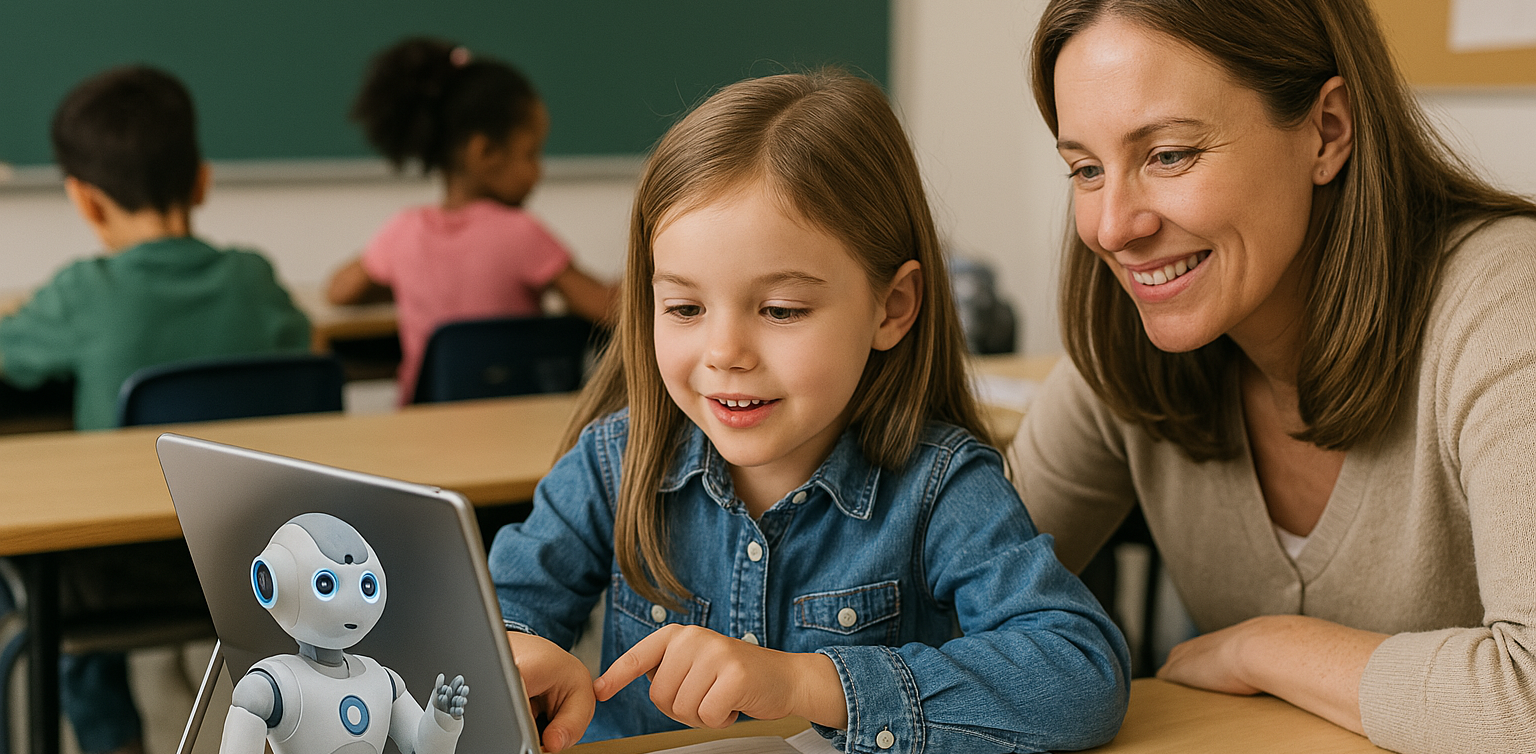
AI in kids education is transforming the way kids learn by offering personalized, engaging, and effective learning experiences. Whether you're an educator, parent, or guardian, using AI-powered tools in children's education can make a significant impact on their academic success. This step-by-step guide will show you how to incorporate AI in kids education from understanding its role to effectively using it in everyday learning settings. Step 1: Understand The Benefit of AI in Kids Education The first step in using AI in kids education is to understand its potential benefits. AI-powered tools can: Personalize learning by adapting to each child’s pace and needs. Provide instant feedback to help children improve faster. Offer a variety of learning resources, such as videos, quizzes, and games, that keep kids engaged. Support children with special needs by providing tailored learning tools. These benefits create a dynamic and effective learning environment, enabling kids to excel at their own pace. Step 2: Choose the Right AI-Powered Learning Apps to Support AI in Kids Education Choosing the right AI-powered learning apps is essential to support your AI in kids education. Here are some popular options: Khan Academy Kids: Offers personalized learning paths for children aged 2-8 in subjects like math, reading, and problem-solving. DreamBox: A math-focused app for kids in kindergarten through 8th grade that adjusts difficulty based on the child’s learning pace. Scratch: A visual programming language for children to learn coding through interactive games and animations. Duolingo: An AI-driven language learning app that helps kids learn new languages with immediate feedback. By selecting the best apps, you can ensure that your kid receives the most effective AI-enhanced education. Step 3: Implement AI in Kids Education For Daily Learning Routines Now that you have the right tools, to support AI in kids education, it’s time to integrate AI-powered educational tools into your child’s daily routine: Daily practice: Encourage daily use of AI apps for short sessions to reinforce what they’ve learned. Homework help: Use Socratic by Google for assistance with homework and to provide explanations for complex problems. Interactive learning: Incorporate fun, hands-on activities using Tynker for coding or Osmo for interactive learning games. Integrating AI into daily routines helps children make steady progress while keeping learning fun. Step 4: Track Progress and Adjust Learning Paths of AI in Kids Education One key benefit of using AI in kids education is its ability to track progress. Most AI-powered tools provide built-in analytics that monitor a child’s performance. Here’s how to track and adjust: Review progress reports: Apps like DreamBox and Khan Academy Kids provide reports that show areas of strength and where improvement is needed. Adjust learning paths: Based on progress reports, you can adjust your child’s learning path to focus on areas where they need more practice. Set goals: Work with your child to set goals and use AI data to track their achievements and motivate them to reach milestones. Regularly reviewing progress ensures the learning experience remains effective and keeps your children challenged. Step 5: Use AI in Kids Education to Support Special Education Needs AI in Kids Education can significantly support children with special educational needs. Personalized learning tools cater to the unique needs of each child, providing a more inclusive educational experience. Examples include: Speech recognition tools for children with hearing impairments or speech delays. Visual aids for children with autism spectrum disorders to better understand concepts. Cognitive training apps to improve focus and memory for children with ADHD. AI-powered tools designed for special education help create an inclusive learning environment where every child can thrive. Step 6: Foster Collaboration with Group Learning of AI in Kids Education AI is not just for individual learning—it also supports group learning. Many AI-powered apps allow children to collaborate on projects. Here’s how: Group challenges: Apps like Scratch and Tynker allow children to collaborate on coding projects, fostering teamwork and creative problem-solving. Peer learning: Platforms like Google Classroom foster group discussions and collaborative learning with real-time AI feedback. Teacher-student collaboration: AI tools assist teachers in monitoring group projects and providing personalized feedback to each student. Group learning with AI promotes communication and teamwork while enhancing learning outcomes. Step 7: Monitor Safety and Well-being of AI in Kids Education It’s essential to ensure that AI in Kids Education uses AI tools in a safe environment. Here are some key safety measures: Limit screen time: Set time limits for using AI apps to avoid overuse and encourage breaks. Monitor activity: Track the content your child engages with to ensure it is age-appropriate. Privacy settings: Ensure the apps have proper privacy settings and don’t collect unnecessary personal data. By monitoring your child’s use of AI tools, you can ensure a safe and productive learning experience. The Future of Learning with AI in Kids Education Using AI in kids education is revolutionizing the way kids learn, offering personalized, engaging, and inclusive learning experiences. By following these steps—understanding AI’s benefits, choosing the right tools, implementing them in daily routines, tracking progress, and ensuring safety—you can help your child make the most of AI-powered education. At Timedoor Academy, we leverage AI to enhance children's learning experiences, helping them develop critical skills like coding, problem-solving, and creativity. Join our free trial class and give your child the tools they need to succeed in the future of education.
How to Choose Coding Course for Kids: A Step-by-Step Guide In 2025
In today’s digital era, coding is becoming a vital skill for children to learn early. Whether they are interested in games, animation, or just curious about how technology works, finding the right course can shape their learning journey. If you are wondering how to choose coding course for kids, this guide will walk you through the essential steps every parent should know. It covers what to consider, how to evaluate a course, and how platforms like Timedoor Academy make it easier than ever to get started. 1. Understand Your Child's Interests and Learning Style The first step in how to choose coding course for kids is to understand what motivates your child. Do they enjoy building things, telling stories, or playing logic games? A child who loves art might enjoy animation-focused coding, while one interested in tech may love learning how apps work. Choosing a course that connects to their personal interests makes it easier to keep them engaged and excited about learning. 2. Match the Course to Their Age and Skill Level Another important step in how to choose coding course for kids is making sure the difficulty fits your child’s current level. Younger children do better with visual tools like Scratch or Blockly, which help them understand basic logic without typing code. Older kids or those with some experience may benefit more from Python or JavaScript. Timedoor Academy provides coding programs grouped by age and ability, so children can learn comfortably at their own pace. 3. Look for Strong Curriculum and Project-Based Learning When exploring how to choose coding course for kids, the course structure matters. A good program should combine clear explanations with plenty of opportunities to build projects. Kids learn best by doing, so check if they’ll be creating apps, games, or animations. Timedoor Academy follows a project-based approach where each lesson builds toward a hands-on goal, helping children stay focused and feel proud of their work. 4. Decide Between Online or In-Person Formats Your child’s learning environment can impact their progress. As you consider how to choose coding course for kids, think about whether online or in-person learning works better for your family. Online courses are flexible and accessible from anywhere, while in-person classes may provide more direct support. Timedoor Academy offers live online sessions with real instructors and small class sizes, blending structure with flexibility. 5. Evaluate the Teachers and Student Support One of the key factors in how to choose coding course for kids is the quality of the teaching staff. Great instructors are not just skilled in programming—they also know how to communicate with children. Look for teachers who are patient, encouraging, and responsive. At Timedoor Academy, instructors are carefully trained to work with young learners and guide them with a friendly, easy-to-follow approach. 6. Try a Free Trial to See What Works Before making a commitment, it is helpful to try a class. This is one of the smartest ways in how to choose coding course for kids. A trial session lets your child experience the lesson format, meet the teacher, and decide if they enjoy it. Timedoor Academy offers free trial classes where children can explore coding firsthand, ask questions, and complete a mini project. This can be the difference between guessing and choosing a course with confidence. Ready to Begin Your Child’s Coding Journey? If you’re still wondering how to choose coding course for kids, the best way is to let them experience it. Timedoor Academy offers interactive and engaging online coding classes made for kids of all ages. With expert instructors, hands-on projects, and a flexible schedule, your child will not only learn coding but also grow in confidence and creativity. Sign up for a free class today and see how fun learning to code can be.
float button