Apr 21, 2025

10 Best Python Apps for Kids to Learn Coding in 2025
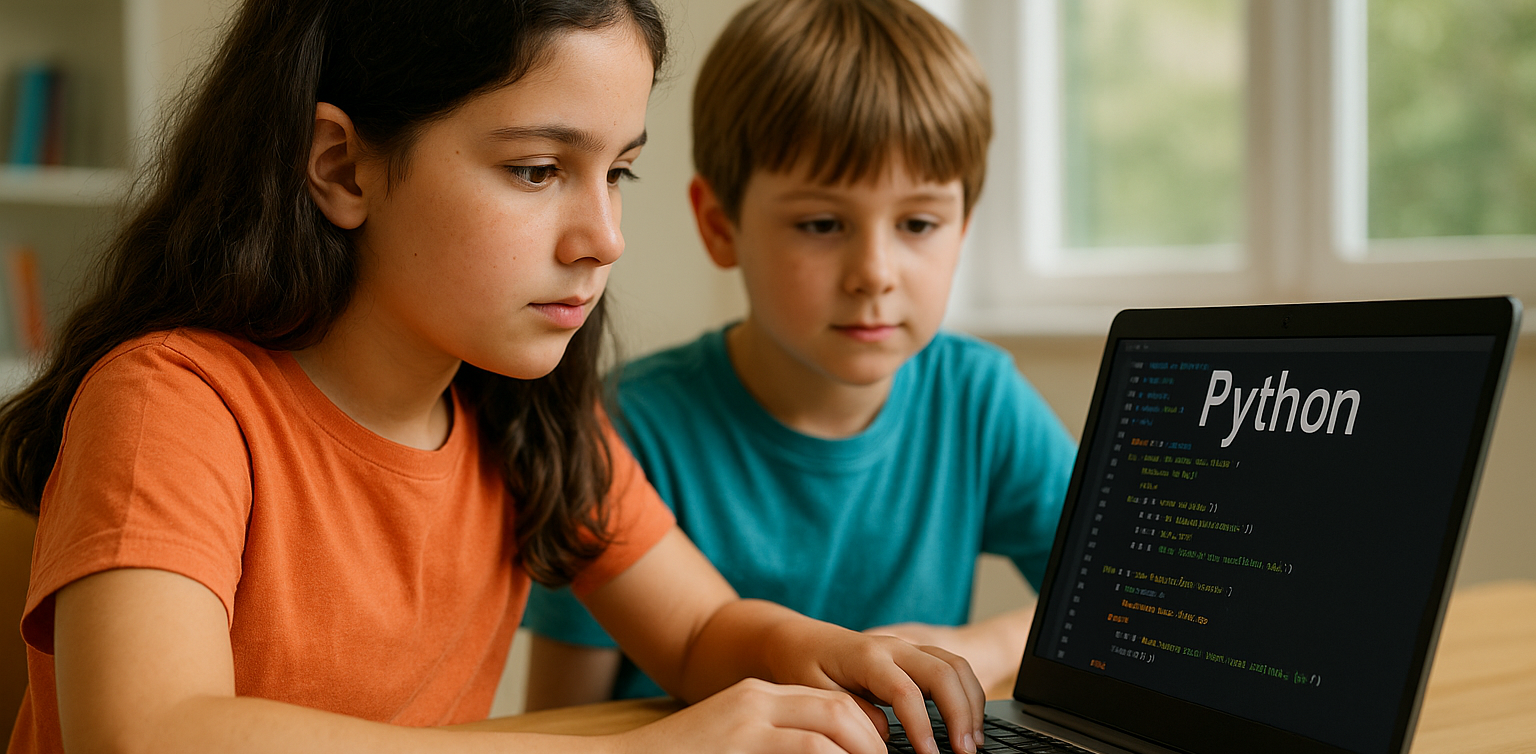
10 Best Python Apps for Kids to Learn Coding in 2025 image

In 2025, programming has become one of the most important skills for children to learn. With the rise of digital education, more parents and educators are introducing coding at an early age. Among the many programming languages, Python stands out for its readability and beginner-friendly structure, making it an ideal language for young learners. Today, there are plenty of Python apps for kids that make learning fun, interactive, and suitable for different age groups.

These Python apps for kids are designed to simplify complex concepts and teach children how to think logically and solve problems creatively. Many of these apps use games, animation, and step-by-step challenges to help children build a strong foundation in Python coding. Whether your child is new to programming or already curious about how games and websites work, these apps will help them take their first steps into the world of technology.

Here are the 10 best Python apps for kids that you can explore in 2025!

10 Best Python Apps for Kids to Learn Coding in 2025

1. Tynker
python apps for kids

Focus: Learn Python through games and puzzles
Tynker is a highly recommended platform that offers a range of beginner to advanced courses, including Python. Its game-based lessons make learning Python enjoyable for kids and easy for parents to follow.

How to Use It: Kids can choose a Python learning path, solve challenges, and build their own mini projects with guided instructions and instant feedback.

2. CodeCombat
Focus: Coding adventure game with real Python code
CodeCombat combines learning with adventure. Kids control characters in a game by writing actual Python code. It’s one of the best Python apps for kids who enjoy storytelling and gaming.

How to Use It: Children choose their characters, learn spells (code), and battle through levels by solving real coding problems using Python.

3. Trinket

Focus: Write and share live Python code online
Trinket is a coding tool that allows kids to write, run, and share Python code directly from their browser without installing anything. It’s simple and ideal for beginners.

How to Use It: Children can explore beginner-friendly Python projects, experiment with code, and instantly see the output. Great for school use or homeschooling.

4. SoloLearn
Focus: Mobile learning app for Python basics
SoloLearn is a mobile app that provides bite-sized Python lessons. While it’s suitable for learners of all ages, kids who are in upper elementary or middle school can benefit from its beginner courses.

How to Use It: Kids can log in daily, go through short lessons, take quizzes, and interact with a global community of learners.

5. Pythonista (iOS Only)
Focus: Real coding in Python for iPad users
Pythonista is one of the more advanced Python apps for kids who are ready to try real-world coding environments. It features a full Python IDE on iOS.

How to Use It: Young learners can build small apps, run scripts, and explore how Python works on mobile devices. Best for kids with prior coding experience.

6. EduBlocks
Focus: Visual to text-based Python coding
EduBlocks bridges the gap between block-based coding and text-based Python. It is perfect for transitioning from platforms like Scratch to actual Python code.

How to Use It: Kids drag and drop visual blocks that automatically translate into real Python code, helping them understand syntax while building confidence.

7. PyGame
Focus: Build games using Python If your child loves gaming, PyGame is one of the most engaging Python apps for kids. It is a set of Python modules used to make video games, and kids can create their own projects from scratch.

How to Use It: Children can follow tutorials to build simple games such as pong or snake and then level up to more advanced interactive games.

8. Programming Hero

Focus: Gamified learning and storytelling in Python
Programming Hero teaches Python through colorful storytelling and missions. This makes it a great tool for children who enjoy visuals and creativity.

How to Use It: Kids complete quests and unlock achievements while learning Python concepts like variables, loops, and functions in a game-like environment.

9. Blockly for Python

Focus: Visual blocks to learn Python syntax
Blockly is a drag-and-drop visual coding app that helps kids learn the syntax of Python before they start writing the actual code.

How to Use It: Kids create Python programs by dragging and arranging blocks to represent Python code, gradually transitioning to actual text-based coding.

10. Timedoor Academy’s Python Course for Kids
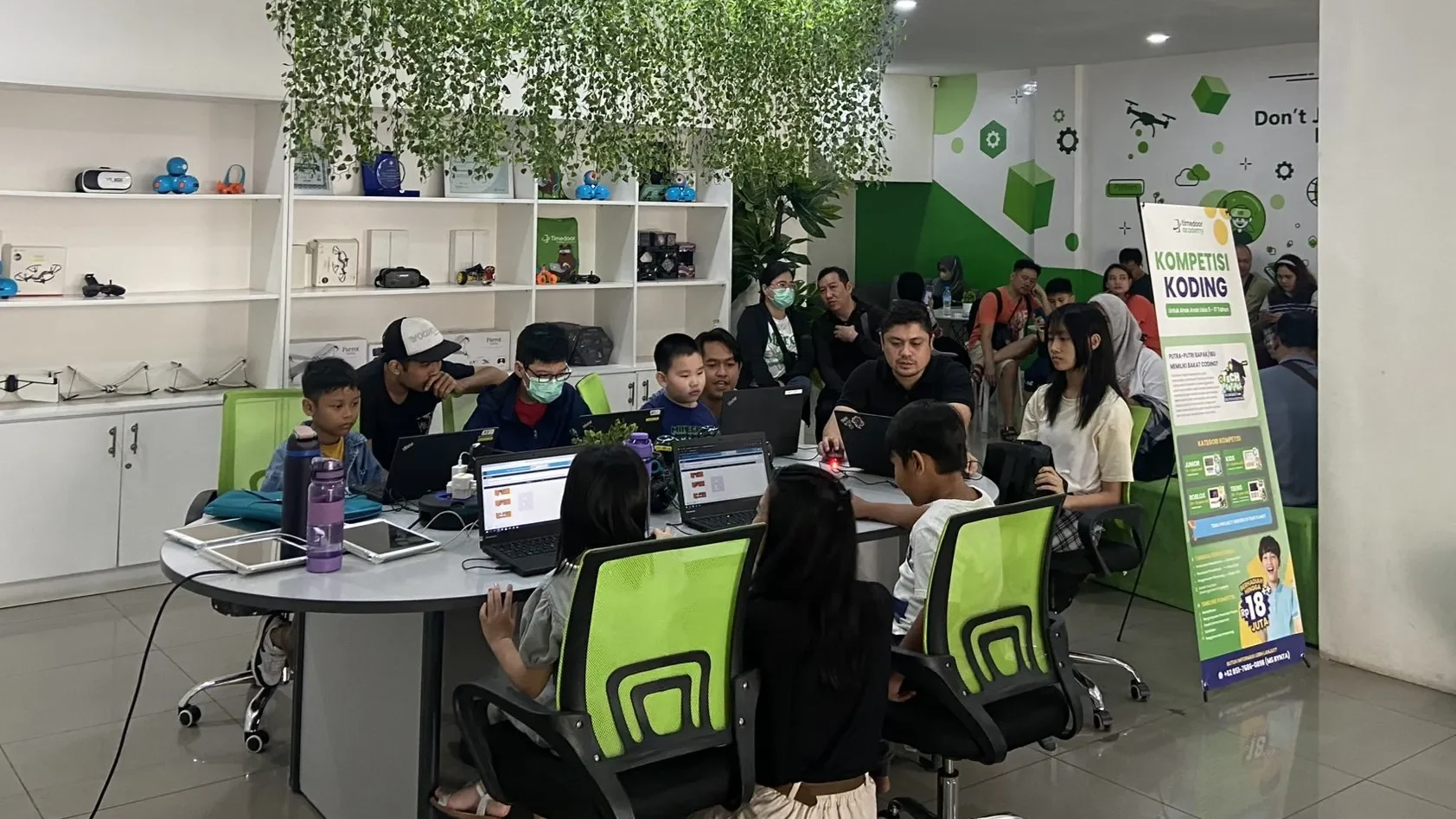
Focus: Structured online classes with live mentorship
Timedoor Academy offers a fun and guided learning experience for kids who want to master Python. Lessons are designed by expert instructors who make programming fun and practical.

How to Use It: Kids can join a free trial class, explore Python basics, and build real projects such as games and animations with a mentor’s help.

Why Use Python Apps for Kids?

Python apps for kids are more than just learning tools. They are platforms that encourage curiosity, support creativity, and teach valuable skills in problem-solving, logic, and digital literacy. Unlike traditional learning methods, these apps allow children to experiment, make mistakes, and learn through interactive challenges.

Python also offers a clean and easy-to-read syntax, which makes it perfect for beginners. Many schools and educators now include Python in their curriculum because it provides a strong foundation for learning other programming languages and STEM subjects in the future.

By using Python apps for kids, your child can learn at their own pace, explore their interests, and even develop confidence in tech-related skills that may become essential in their careers later on.

Join a Free Trial with Timedoor Academy

 Image

Looking for a structured yet fun way to help your child learn Python? Timedoor Academy provides interactive online coding classes that are tailored for kids. With live mentorship and project-based learning, children can build their own games, websites, and animations while learning real Python skills.

Try a free trial class today and start your child’s coding journey with one of the best tech education platforms in Asia.
Keep Reading

Aplikasi Belajar Anak SD
Top 10 Technology Tools for Elementary Students in 2025
As we step into 2025, technology tools for elementary students are more important than ever. These tools enhance creativity, improve learning outcomes, and foster engagement both inside and outside the classroom. With the help of these technology tools for elementary students, children can develop essential skills that will serve them throughout their academic careers and beyond. Here’s a list of 10 essential technology tools for elementary students to boost their educational experience in 2025. Top 10 Technology Tools for Elementary Students in 2025 1. Kahoot! Focus: Interactive learning and quizzes Kahoot! remains one of the most popular technology tools for elementary students because it turns learning into a fun and competitive experience. Teachers and students can create customized quizzes on subjects like math, science, and language arts, fostering active participation. How to Use It: By incorporating Kahoot! in lessons, educators can make learning feel like a game. Students can play individually or in teams, which makes learning not only engaging but also interactive. With real-time feedback, teachers can adjust their lessons based on students' performance, ensuring that every child stays on track. 2. Seesaw Focus: Digital portfolio and communication Seesaw is another fantastic example of technology tools for elementary students that focuses on student documentation and communication. It allows students to create digital portfolios where they can showcase their work through photos, videos, and drawings. This tool strengthens the bond between teachers and parents, as they can track the progress of the students in real-time. How to Use It: With Seesaw, students can upload images of their assignments or record their thoughts on projects. Teachers can provide feedback and conduct virtual lessons or activities, keeping students and parents connected in an efficient, digital space. 3. Google Classroom Focus: Classroom management and assignment tracking Google Classroom is essential for managing assignments, tracking progress, and organizing classroom materials. As one of the top technology tools for elementary students, it helps both teachers and students streamline their work. Teachers can assign tasks, grade assignments, and provide real-time feedback, while students can easily access learning materials and submit work in one centralized platform. How to Use It: Teachers can post assignments and resources to Google Classroom, making it easy for students to stay organized. Additionally, it integrates with Google Drive, enabling students to collaborate on documents and presentations. This makes it easier to stay on top of deadlines and receive instant feedback. 4. Scratch Focus: Coding and creativity Scratch is one of the most popular technology tools for elementary students when it comes to learning programming. Through visual coding, students can create interactive stories, games, and animations, sparking creativity while teaching them important skills in computational thinking. How to Use It: Scratch is beginner-friendly and offers a drag-and-drop interface for students to build their own projects. Teachers can incorporate Scratch into STEM lessons, teaching logic, sequencing, and problem-solving through interactive coding challenges. This tool is a great starting point for young learners to get familiar with coding and digital creation. 5. Epic! Focus: Digital library for young readers For young readers, Epic! is an invaluable tool in the world of technology tools for elementary students. Epic! offers access to thousands of books, audiobooks, and educational videos. Its interactive features like read-aloud and quizzes make reading more engaging for children. How to Use It: Teachers can assign reading materials directly from Epic! to keep students engaged with books that suit their level. Students can explore a vast library of e-books or listen to audiobooks that cater to their individual reading preferences. Epic! fosters a love for reading by offering a fun and interactive approach to literature. 6. ClassDojo Focus: Classroom behavior and communication ClassDojo is one of the best technology tools for elementary students when it comes to fostering positive behavior and classroom culture. It allows teachers to reward students for good behavior, accomplishments, and teamwork. How to Use It: Teachers can assign points to students based on specific behaviors, such as being on task, helping others, or staying focused. These points can be exchanged for rewards like extra break time or special privileges. ClassDojo is an excellent tool for teaching students about responsibility and positive reinforcement. 7. TinkerCAD Focus: 3D design and engineeringFor students interested in design and engineering, TinkerCAD is one of the leading technology tools for elementary students. This user-friendly 3D design platform allows children to create their own digital models. How to Use It: Students can start by designing simple objects like keychains or toys and gradually work their way up to more complex 3D projects. Teachers can use TinkerCAD to introduce students to engineering and design concepts, making it easier for them to visualize their ideas and understand the basics of 3D modeling and printing. 8. Google Earth Focus: Geography and exploration Google Earth opens up the world to elementary students by allowing them to explore every corner of the globe. Whether for geography lessons or environmental studies, this tool is an essential part of technology tools for elementary students. How to Use It: Teachers can use Google Earth to give virtual tours of countries, cities, landmarks, and natural wonders. Students can explore geographical features and learn about different cultures and ecosystems. This immersive tool makes learning about the world fun and interactive. 9. Duolingo Focus: Language learning As one of the leading technology tools for elementary students, Duolingo helps young learners acquire new languages in a fun, gamified format. This app is perfect for introducing kids to a new language, including popular languages like Spanish, French, and German. How to Use It: Duolingo presents lessons in bite-sized segments that are both fun and educational. Students can practice daily and track their progress. This tool offers rewards and challenges, motivating students to keep learning new words and phrases while building language proficiency. 10. BrainPOP Focus: Educational videos and quizzes BrainPOP is a popular educational platform that offers animated videos and interactive quizzes. It covers a wide range of subjects, including science, math, and social studies, making it one of the best technology tools for elementary students to enhance their learning. How to Use It: Teachers can use BrainPOP to introduce new concepts in a fun and visual way. After watching the videos, students can complete quizzes and discuss the material in class. This helps reinforce key ideas and assess student understanding in an engaging, interactive manner. Why Technology Tools Matter for Elementary Students In 2025, technology tools for elementary students are not just an enhancement to traditional learning; they are essential to developing digital literacy and critical thinking skills. These tools help provide personalized learning experiences that adapt to the needs of each student, whether they need extra support or more challenging material. By incorporating technology tools for elementary students into the classroom, teachers can create an environment that promotes engagement, creativity, and collaboration, preparing students for future success in an increasingly digital world. Start Your Digital Learning Journey Today! Want to make learning even more engaging for your child? Explore Timedoor Academy and try free trial class today and discover how our digital learning platform can support your child’s educational growth with interactive lessons and expert-curated content.
6 Best Free Coding Resources for Kids in 2025
In today’s digital era, coding is becoming one of the most essential skills kids can learn for the future. It is not just about creating computer programs, but also about building logical thinking, creativity, and problem-solving abilities. Fortunately, there are now many free coding resources for kids that can be accessed easily from home. For parents who want to introduce programming early on, this article shares a variety of platforms, apps, and websites that offer free, fun, and kid-friendly coding lessons. Why Should Kids Learn to Code Early? Learning to code is not only for those who want to become programmers. It helps sharpen important cognitive skills like critical thinking, persistence, and collaboration. In addition, coding teaches kids how to face failure and try again, as they learn to troubleshoot and improve their work. Introducing coding at an early age also gives kids a chance to explore their interests in technology and create things they can be proud of, such as simple games, animations, or interactive stories. What Makes a Coding Resource Kid-Friendly? When choosing a free coding resource for kids, it is important to look for the following: Clear, simple language that is easy to understand Engaging and interactive visuals Gradual, age-appropriate learning paths Gamified elements to keep kids motivated Safe and ad-free learning environments Here are some great platforms and tools to try out. 6 Best Free Coding Resources for Kids in 2025 1. Scratch Scratch is an introductory coding platform developed by MIT for kids ages 8 and up. Using colorful code blocks, kids can create animations, stories, or interactive games without needing to write code. Scratch encourages creativity and features a global community where kids can safely share their projects. It is also available in Bahasa Indonesia, making it even more accessible for Indonesian families. 2. Code.org Code.org is one of the best free coding resources for kids worldwide. It offers a wide range of free courses with varying difficulty levels, from beginner to advanced. Kids can even learn with their favorite characters like Elsa from Frozen or Steve from Minecraft. The platform also provides age-specific curriculums for elementary to high school students, with a fun, project-based approach. 3. Tynker Tynker is another popular platform recommended for kids. While the premium version is paid, Tynker offers free access to several well-structured introductory modules. Kids can learn basic coding concepts through games, build animations, and even get a taste of drones and robotics in a simplified way. 4. Khan Academy – Computer Programming Khan Academy is widely recognized for offering free educational content, and its programming section is no exception. It provides beginner-friendly coding lessons, especially for older kids and teens who are starting to understand text-based programming logic. The videos are interactive and well-paced, making Khan Academy a great choice for slightly more advanced learners. 5. Blockly Games Blockly Games is a collection of educational games that teach basic coding concepts using block-based visual programming. It is perfect for kids who are just starting out and want to learn while having fun. With a simple and functional interface, Blockly Games is a solid first step into the world of coding for elementary-aged kids. 6. Timedoor Academy In addition to these global platforms, there is also a great local option: Timedoor Academy. Timedoor offers interactive online coding classes for kids, using a fun and structured approach guided by experienced instructors. Timedoor Academy understands the unique needs of children potential. It tailors its lessons to local language, uses project-based learning, and provides flexible schedules. A free trial class is also available, making it easy for parents and kids to try it out before committing. Tips for Supporting Kids Coding at Home To make the most of your child’s coding journey, here are a few helpful tips for parents: Be there to guide them when they try a new platform, especially younger kids Set a regular learning schedule, like 30 minutes per day Give small creative challenges, such as making a simple game or animation Celebrate their achievements, no matter how small Keep screen time balanced with physical and social activities Ready to Start Coding from Home? Here’s the First Step: Learning to code has never been more accessible, thanks to the growing number of free coding resources for kids. Parents can introduce programming in a fun, engaging way through platforms designed with kids in mind. But to make learning more structured and effective, it helps to choose the right method and guidance. Timedoor Academy offers kid-focused online coding classes with a creative and organized approach. Led by experienced instructors and adapted to different age levels, Timedoor is ready to support your child’s coding journey. Try a free class today and help your child start learning to code from home in a fun and meaningful way.
Why Coding for Kids Is Necessary in 2025?
With the rapid growth of technology, many parents are beginning to wonder if learning to code is becoming as essential as reading or math. As we approach 2025, nearly every aspect of life is increasingly connected to the digital world. That brings up a big question for families: is coding for kids something they really need to prioritize? We all want to prepare our children for the future. In this context, coding for kids is not just about preparing them for careers in tech. It’s also about helping them build useful life skills like critical thinking, problem-solving, and digital confidence. Coding for Kids Is Not Just for Future Programmers One common misconception is that only kids who want to become programmers should learn to code. In reality, coding helps children develop logical thinking and structured problem-solving skills. When kids learn coding, they are training their brains to approach problems step by step and think clearly. These skills are useful far beyond technology. Children who think in an organized way often do better in school subjects like math and science. So when we talk about the benefits of coding for kids, we’re also talking about building stronger thinking habits for life. The Future Job Market Will Rely on Technology We may not know exactly what jobs will look like in the future. But one thing is certain—technology will be part of nearly every profession. Understanding coding for kids means giving them a foundation that allows them to adapt to change and take advantage of new opportunities. Even in creative or non-tech careers, basic digital literacy is essential. Teaching coding for kids at a young age gives them a strong foundation that can apply across a wide range of future possibilities. Coding Builds Patience and Resilience Learning to code involves lots of trial and error. Children learn how to fix problems, try again, and improve their work. These are real-life lessons in patience and resilience. Through coding for kids, they develop the ability to stay calm and focused even when things don’t work perfectly. These soft skills are just as important as academic ones. Children who code learn to accept mistakes as part of the process, and they become better problem solvers because of it. Start with Simple and Fun Activities Not every child has to start writing complex code right away. There are many playful and creative ways to introduce coding for kids, especially at early ages. It can begin with games, logic puzzles, or interactive apps that teach the basics in an enjoyable way. The key is to create positive experiences. When coding feels fun and engaging, kids are more likely to continue learning. Parents don’t need to be tech experts—they just need to be supportive and encouraging as their kids explore. Coding for Kids Doesn’t Have to Be Expensive A big myth about learning to code is that it requires expensive tools or lessons. Today, there are many online platforms that offer quality coding for kids programs at affordable prices, or even for free. Timedoor Academy, for example, provides online classes designed specifically for children, with friendly mentors and fun projects. It’s a simple and effective way to introduce kids to the world of coding from the comfort of home. Why Coding for Kids Is a Smart Investment More than a trend, coding for kids is a long-term investment in your child’s development. It strengthens both technical and personal skills. From building logic to growing confidence, the value goes far beyond the screen. As technology continues to evolve, helping kids understand it early on will empower them to not just consume digital tools, but also create and innovate with them. Make Learning to Code Fun with Timedoor Academy If you’re ready to get your child started on a fun and meaningful tech journey, Timedoor Academy offers engaging online classes tailored for kids. With hands-on projects and expert guidance, your child will learn to code in a way that is exciting and age-appropriate. Try a free class today and explore how coding for kids can open the door to a confident and creative future.
float button