Apr 07, 2025

What Children Should Learn in the Age of AI

What Children Should Learn in the Age of AI image

Growing up today, children are surrounded by artificial intelligence – from voice assistants that answer their questions to apps that personalize learning. This rapid change can feel daunting, but it also opens exciting opportunities. Global experts note that nearly 44% of job skills will shift in the next five years due to AI. In demand are skills like critical thinking, creativity, and social intelligence – the very human qualities that AI cannot easily replicate. In other words, to thrive in the age of AI, children need a mix of tech know-how and human-centric skills.

An illustration of the top 10 job skills predicted for 2023. Many of the leading skills are cognitive or social-emotional (such as analytical thinking, creativity, and empathy), highlighting the growing importance of human strengths in an AI-driven world.

So what should kids learn, exactly? This article will explore three areas: formal education (what schools should teach), extracurricular activities, and things parents can do at home. By focusing on these, we can help our elementary and middle schoolers grow into curious, capable, and compassionate individuals in a high-tech world.


Formal Education: New Basics for the AI Age
Formal Education: New Basics for the AI Age

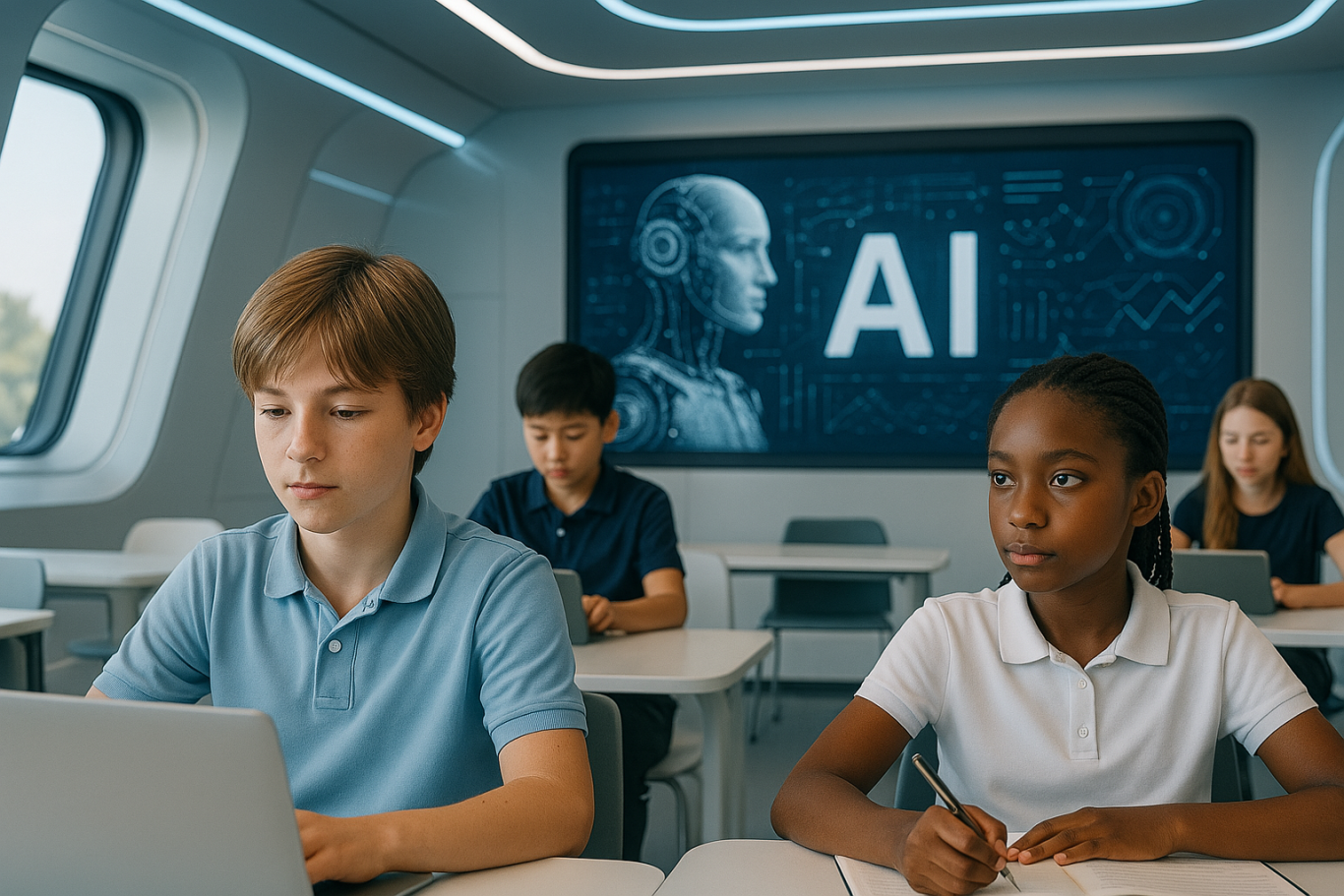
Schools still teach the ABCs and 123s, but in the AI era the curriculum must expand to new areas. As UNESCO notes, adding skills like empathy, creativity, and critical thinking into lessons is essential. Important areas schools should cover include:

  • Coding and AI Literacy: The basics of coding (even simple drag-and-drop coding or robotics) help kids understand how technology works. Coding teaches logic and problem-solving. Many countries now introduce coding in elementary school, and some even start AI concepts early. Learning how a computer “thinks” empowers children to go from tech consumers to creators.
  • Digital Literacy and Ethics: Children must learn to use digital tools safely and responsibly. This includes understanding online privacy, cyberbullying, and how to spot misinformation. As AI tools (like chatbots or deepfakes) appear, students should discuss ethics and fairness in technology. Early lessons in digital citizenship help kids navigate an AI-filled world with wisdom and care.
  • Critical Thinking: Instead of memorizing facts, kids need to learn how to think. Schools can nurture this by tackling open-ended problems and encouraging questions. When children practice analyzing situations and learn from small failures, they become flexible thinkers. This skill is key in a future where they’ll constantly need to adapt and solve new challenges (often alongside AI tools).
  • Creativity and Innovation: AI is good at following patterns, but human imagination is still unmatched. Through projects in art, writing, science, or coding, schools can spark creativity. Whether it’s writing a story or building a gadget, creative tasks teach students to experiment and innovate. By “thinking outside the box,” children learn to come up with fresh ideas – a trait that will help them stand out in an AI-driven future.
  • Collaboration and Social Skills: Working well with others is a skill that never goes out of style. Group projects in class teach kids how to communicate, cooperate, and resolve conflicts. These experiences also build empathy – understanding and respecting others. In the future, most jobs will require teamwork (often human-AI teams), so learning to collaborate early on gives children a huge advantage.

Not all schools have updated their curricula yet. In fact, only a few countries have launched formal AI lessons in K-12 education, while many others are still catching up. Parents can advocate for these changes, but learning doesn’t only happen at school. That’s where after-school experiences can help fill the gaps.


Learning Beyond the Classroom: Extracurriculars and Hobbies
Learning Beyond the Classroom: Extracurriculars and Hobbies

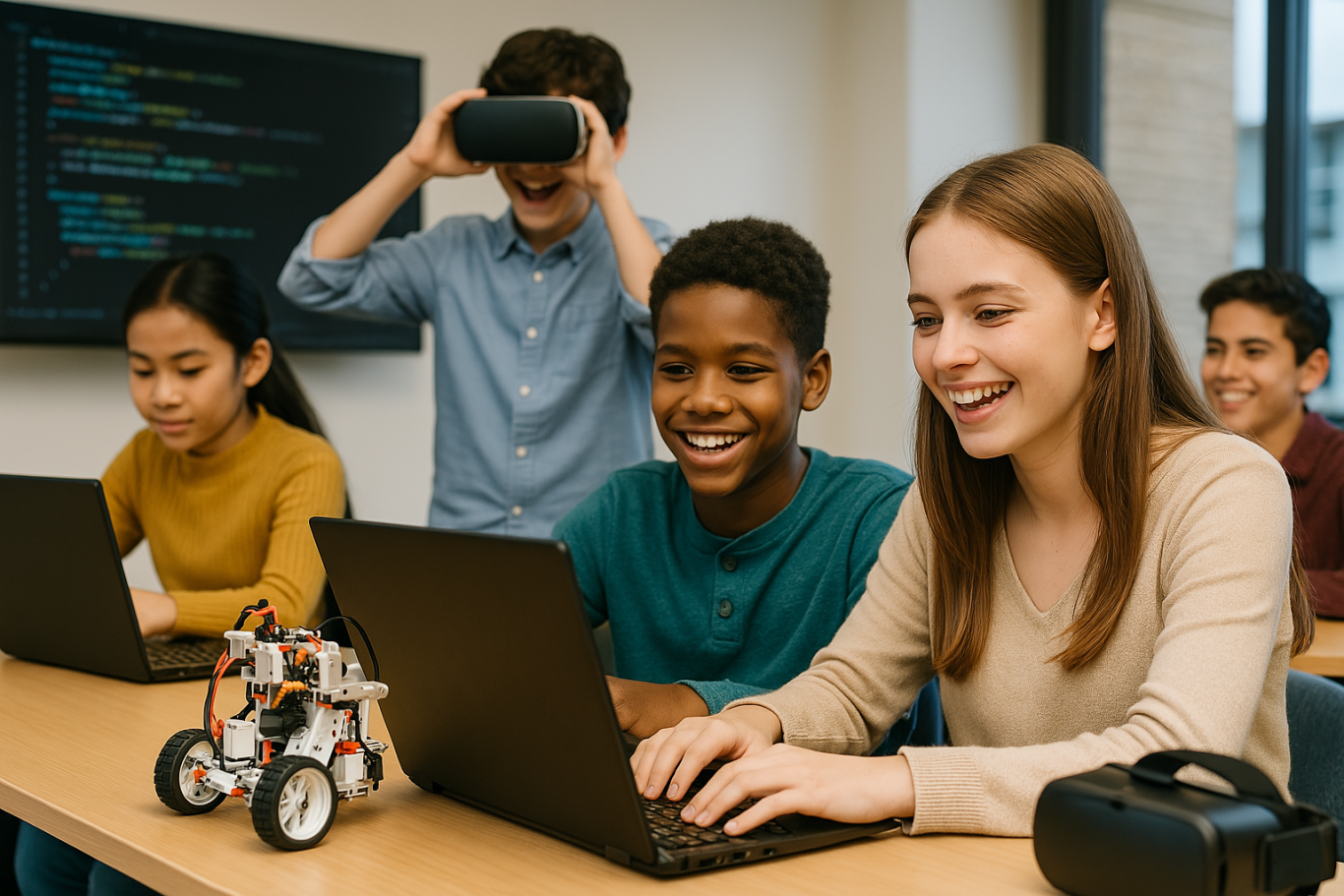
Beyond the classroom, extracurricular activities give kids a chance to explore and build skills in fun ways:

  • Coding & Robotics: Many communities have coding classes or robotics teams for kids. In a coding club, children might create simple games or program robots, practicing logic and persistence as they debug problems. Robotics competitions get kids working together to solve challenges. These activities show them they can build technology, not just use it.
  • STEM Clubs and Camps: Programs focused on science, technology, engineering, or math let kids dive into hands-on projects. They might design a gadget, launch a model rocket, or even experiment with a simple AI-powered game. The informal setting makes learning fun and fuels their curiosity. Tackling STEM challenges outside class also teaches kids to be resourceful and think on their feet with peers.
  • Creative Arts & Making: Activities like art, music, drama, or creative writing nurture imagination and innovation – qualities machines can’t replicate. Joining a theater group or art class helps kids express themselves and think creatively. Maker workshops (like tinkering with crafts, coding a gadget, or 3D printing) encourage problem-solving from a fresh angle. By creating something of their own – a story, a song, a piece of art – children learn to think outside the box.
  • Team Sports & Groups: Sports teams, scouting, or any group activity teach teamwork and perseverance. When kids play on a team or do a group project, they learn to communicate, solve conflicts, and bounce back from setbacks. These experiences build character and resilience. They also mirror the collaborative spirit needed in most workplaces. Knowing how to cooperate and lead will help your child no matter what career they pursue.

Extracurriculars often ignite passions that carry into adult life. Whether your child loves coding, soccer, or painting, these activities complement academics with practical skills and confidence. Just as importantly, children see that learning can happen anywhere – not just in a classroom – keeping their love of discovery alive.


Parenting in the Age of AI: Fostering Skills at Home

Parenting in the Age of AI: Fostering Skills at Home

Home is where children develop habits and attitudes that last a lifetime. Here are a few ways parents can instill important skills:

  • Encourage Curiosity: Embrace your child’s “why” and “how” questions. When they ask something, explore the answer together – look it up or do a quick experiment. Show them how you find information and think through problems. By feeding their curiosity, you teach them that learning is a fun, ongoing process. A child who knows how to learn will adapt more easily to new technology and ideas.
  • Nurture Creativity: Provide opportunities for unstructured play and creative projects. Give them art supplies, blocks, or even cardboard boxes to invent games or stories. This kind of play develops creativity and problem-solving. It shows kids they can have fun and be imaginative without a screen. By encouraging make-believe and projects at home, you help your child practice thinking in original ways – a skill that leads to innovation.
  • Model Lifelong Learning: Let your child see you learning new things too. Talk about a book you read, a recipe you tried, or a problem you solved. Show that adults also face challenges and figure things out. For example, say, “I didn’t know how to fix the Wi-Fi, so I watched a tutorial and now it works!”. This teaches kids that it’s okay not to know everything and that perseverance pays off. If a new app or gadget confuses you, learn it with your child – you might even ask them for help. Your example will teach them that learning never stops.
  • Set Tech Boundaries: Establish healthy tech habits early – for example, no screens at dinner or no phones after 8 PM – and explain why (screen time can affect sleep, and family time is important). Teach basic online safety: don’t share personal info or talk to strangers online, and ask a parent if something seems odd. As they get older, discuss using the internet and AI responsibly. If they use a homework-help chatbot, remind them it’s for hints, not copying answers. By guiding them, you help your child develop a balanced relationship with technology – they’ll enjoy the benefits without the harms.
  • Teach Empathy and Social Skills: Make kindness and communication a daily practice. Encourage your child to think about others’ feelings (“How do you think your friend felt when you said that?”). Practice listening and taking turns during family conversations. When conflicts happen, help your child talk through the situation calmly and see the other person’s perspective. These exercises build emotional intelligence. Kids who learn to manage emotions, be considerate, and resolve disagreements will have a big advantage working with others in the future.

By nurturing curiosity, creativity, kindness, and responsible tech use at home, you’re giving your child a solid foundation. They will grow up comfortable with technology but not overdependent on it, and tech-savvy yet also empathetic and adaptable. In a world full of smart machines, those human qualities will set them up for success.


Conclusion: Preparing Kids for a High-Tech Future

The age of AI is here to stay, and our children will grow up with technologies we can only imagine. As parents, we don’t have to predict the future; we just need to equip our kids with adaptable skills and strong values. By ensuring they learn both technical skills (like coding and digital literacy) and human skills (like creativity, critical thinking, empathy, and teamwork), we empower them to use AI as a tool and not be overshadowed by it.

In many ways, the heart of parenting remains the same. Encouraging your child’s curiosity, supporting their dreams, teaching them right from wrong, and providing love and support will always be crucial. These foundations, combined with opportunities to learn about technology and the world, will help your child thrive no matter how things change. They’ll be tech-savvy but also creative, digitally literate but also kind. With that balance, your child won’t just be prepared for the future – they’ll be ready to shape it.


Glossary of Key Terms

  • Artificial Intelligence (AI): Technology allowing computers or machines to perform tasks that typically require human intelligence, such as learning, reasoning, and problem-solving.

  • Coding: Writing instructions for computers to execute tasks; fundamental for building software, apps, and robotics.

  • Digital Literacy: The ability to effectively find, evaluate, use, and create information using digital technologies and tools.

  • Digital Ethics: Understanding and applying ethical principles when interacting in digital environments, including respect for privacy and prevention of cyberbullying.

  • Critical Thinking: Analyzing facts to form a judgment, solve problems effectively, and make informed decisions.

  • Creativity and Innovation: The ability to produce original ideas, approaches, and solutions that are valuable in various contexts.

  • Collaboration: Working effectively with others toward a common goal, emphasizing communication, teamwork, and problem-solving.

  • Empathy: The capacity to understand and share the feelings of others, critical for emotional intelligence and successful relationships.

  • STEM: Acronym for Science, Technology, Engineering, and Mathematics; an interdisciplinary approach to learning.

  • Digital Citizenship: Responsible and ethical behavior when using technology, including understanding privacy, online etiquette, and digital safety.


Frequently Asked Questions (FAQ)

What age should children start learning about AI and coding?

Children can begin learning the basics of coding and AI concepts as early as elementary school. Simple visual coding languages and robotic toys are age-appropriate ways to introduce these topics and build foundational skills.

How important is creativity in an AI-driven world?

Creativity is crucial, as it allows humans to envision and develop original ideas and solutions. While AI excels at repetitive tasks and pattern recognition, human creativity remains unmatched in problem-solving and innovation, making it a highly valuable skill for the future.

Can after-school programs really enhance my child’s readiness for an AI-driven future?

Yes, after-school programs provide hands-on, practical experiences that complement classroom learning. Activities like robotics clubs, STEM camps, arts programs, and team sports help children develop critical thinking, creativity, teamwork, and resilience—skills highly valued in the AI age.

How can parents teach children digital ethics effectively at home?

Parents can teach digital ethics by openly discussing online behaviors, setting clear rules about screen time, and modeling responsible technology use. Regularly talking about topics such as online privacy, cyberbullying, and misinformation helps children navigate digital environments safely and responsibly.

What can parents do to foster emotional intelligence?

Parents can encourage emotional intelligence by regularly discussing feelings, modeling empathy, resolving conflicts constructively, and encouraging their children to see things from another person’s perspective. Regular communication and open dialogue build strong emotional skills.

Is critical thinking more important than memorization in education now?

Yes, in the AI era, critical thinking is becoming increasingly essential. While memorization has its place, critical thinking skills enable students to analyze information, make informed decisions, and adapt to rapidly changing scenarios, helping them thrive in a dynamic and uncertain future.

Keep Reading

How Virtual Reality in Kids Education Changes Learning
As technology becomes more embedded in daily life, education continues to evolve alongside it. One of the most exciting developments is the use of virtual reality in kids education, a concept that is no longer just futuristic. From classrooms to living rooms, VR is now used to enhance how children explore, understand, and retain knowledge. This article explores how VR is transforming the way kids learn, its benefits, real-world applications, and how parents and schools can embrace this shift.   What Is Virtual Reality in an Educational Context? Virtual reality is a digital simulation that allows users to interact with a 3D environment. In educational settings, it means that students can immerse themselves in topics such as history, science, art, and space in ways that were never possible before. Instead of reading about ancient civilizations, children can walk through virtual ruins. Rather than imagining the solar system, they can experience it in full scale. This hands-on approach to learning is what makes virtual reality in kids education so impactful.   From Passive Learning to Immersive Exploration Traditional learning often relies on reading, note-taking, and static visuals. While these methods are effective, they are not always engaging for every type of learner. Virtual reality enables multisensory learning experiences that feel more like exploration than instruction. For example, a child learning about volcanoes can virtually step inside one to see lava flow and tectonic plate movement. This type of experiential learning boosts curiosity and helps children grasp abstract or complex topics much faster.   Key Benefits of Virtual Reality in Kids Education 1. Increased Engagement and Motivation VR transforms lessons into adventures. Children are naturally more engaged when learning feels like play. This makes it easier to hold their attention and deepen their focus on the subject matter. 2. Better Knowledge Retention When children interact with content instead of simply reading or listening, their brains form stronger memory connections. VR helps students retain information through direct experience, not just memorization. 3. Safe Exploration of Real-World Concepts Certain experiments or field trips may be too dangerous, expensive, or inaccessible in real life. Virtual reality allows students to simulate these experiences safely. From exploring deep ocean ecosystems to observing chemical reactions, VR enables safe and repeatable learning. 4. Encourages Independent Learning Virtual reality in kids education supports autonomy. Children can learn at their own pace, repeat difficult lessons, and explore topics that interest them deeply. This fosters independent thinking and self-directed learning. 5. Inclusion for Different Learning Styles Some children learn visually, others through movement or sound. VR incorporates multiple modes of learning, helping educators reach students who might otherwise struggle with standard teaching formats.   Examples of VR Use in Real Classrooms Many educational institutions and platforms are already applying virtual reality in kids education. Some noteworthy tools include: Google Expeditions: Offers virtual field trips to locations such as the Great Wall of China or the surface of Mars. VictoryXR: Creates full science labs and virtual classrooms where students can conduct experiments. ClassVR: Provides ready-made curriculum-aligned content for schools to use with their students. These examples demonstrate how virtual reality in kids education is already improving outcomes in subjects like science, history, and geography.   How Parents and Teachers Can Get Started Adopting VR technology for learning doesn’t have to be expensive or difficult. Many educational VR platforms are compatible with smartphones and entry-level headsets. Parents can start by: Downloading trusted educational VR apps Using cardboard VR viewers with supported apps Setting screen time guidelines and offering support during learning sessions Teachers can integrate VR into their lesson plans by using tools that align with existing curriculum. It is important to ensure that content is age-appropriate and has clear learning objectives.   Things to Consider While the benefits are clear, there are a few considerations before adopting VR for children’s learning: Supervision: Younger kids need adult guidance to navigate VR content safely. Screen Time: Use VR as a supplement, not a replacement for human interaction or physical play. Content Quality: Not all VR apps are educational. Review each platform and select those developed by educators or trusted publishers. Equipment Requirements: Make sure devices are compatible and safe for children’s use. With thoughtful implementation, virtual reality in kids education can be a highly positive tool for both home and school environments.   The Future of Learning Is Immersive In 2025, virtual reality in kids education is no longer a novelty. It is becoming a core part of how children learn new skills, discover the world, and stay engaged in school. The technology is helping transform learning from something passive into something active, memorable, and exciting. As the cost of VR continues to decrease and content improves, more families and schools will be able to offer students this immersive learning experience.   Support Your Child’s Learning Journey with Timedoor Academy Looking for an engaging and tech-friendly way to support your child’s education? Timedoor Academy offers interactive online courses in coding, robotics, math, and digital creativity. While not all our classes use VR, they are designed with innovation and child engagement at the core. Sign up for a free trial class today and see how your child can build future-ready skills in a fun and structured environment — all from the comfort of home.
bahasa pemrograman terbaik untuk anak
7 Top Programming Languages for Kids: A Comprehensive Guide for Young Learners
In today’s tech-driven world, learning how to code is an essential skill, especially for young learners. The best programming languages for kids help introduce coding concepts in an engaging and accessible way. When choosing the best programming languages for kids, it’s important to focus on languages that are easy to understand, fun to learn, and open up opportunities for creative projects. In this guide, we will explore some of the best programming languages for kids and why they are excellent choices for young learners eager to start coding. Why Should Kids Learn Programming? Programming isn’t just about learning to code; it’s about developing problem-solving skills, creativity, and logical thinking. The best programming languages for kids teach children how to think critically and break down problems into smaller, manageable tasks. Additionally, coding offers children the opportunity to build their own games, websites, and apps, providing a sense of accomplishment as they bring their ideas to life. Let’s look at some of the best programming languages for kids that can help them begin their coding journey. 1. Scratch Scratch is often considered one of the best programming languages for kids due to its visual interface and simple drag-and-drop functionality. It allows children to create animations, games, and interactive stories without needing to write any complex code. Scratch introduces children to programming logic, such as loops, conditionals, and variables, while keeping things fun and creative. The best programming languages for kids should focus on visual learning, and Scratch is a perfect example. It’s an excellent stepping stone for kids who are new to coding and want to explore the basics of programming in an interactive and playful way. 2. Python Python is one of the best programming languages for kids because it has simple syntax and is very readable, making it easier for young learners to pick up. Python is used in many real-world applications, including web development, data analysis, and game design, which makes it a versatile language to learn. With its broad use in the tech industry, learning Python at a young age gives kids a valuable skill that they can build upon as they grow older. Among the best programming languages for kids, Python stands out for its flexibility and ease of use, allowing children to start building more complex projects as they advance in their coding journey. 3. JavaScript For kids interested in creating websites and online games, JavaScript is one of the best programming languages for kids. It’s the primary language used for adding interactivity to websites, and learning it will allow kids to create dynamic and engaging online experiences. JavaScript is a bit more advanced than Scratch or Python, but it’s still one of the best programming languages for kids because it’s in high demand and offers a hands-on way to build real-world applications. By learning JavaScript, kids gain the foundational knowledge needed to work in web development and understand how websites function, making it a great choice among the best programming languages for kids. 4. Swift Playgrounds Swift Playgrounds is a unique app that teaches children how to code in Swift, which is Apple’s programming language used to build iOS and macOS apps. As one of the best programming languages for kids, Swift is powerful yet accessible, allowing kids to learn coding while solving fun, interactive puzzles. Swift Playgrounds offers an exciting, game-like experience that keeps kids engaged while learning how to code. For kids interested in app development, Swift Playgrounds is one of the best programming languages for kids to learn, as it provides a hands-on way to create mobile apps for iPhones and iPads. 5. HTML/CSS HTML (HyperText Markup Language) and CSS (Cascading Style Sheets) are fundamental languages for web development, and they’re also some of the best programming languages for kids to learn. HTML is used to structure content on the web, while CSS is used to style that content and make it look visually appealing. By learning HTML and CSS, kids can start building their own websites from scratch, gaining a deeper understanding of how the internet works. As two of the best programming languages for kids, HTML and CSS provide kids with a solid foundation in web development that will be useful if they want to learn more advanced languages in the future. 6. Blockly Blockly is a visual programming language developed by Google that teaches programming concepts through a drag-and-drop interface. Blockly is an excellent choice among the best programming languages for kids because it allows kids to focus on logic and problem-solving without worrying about complex syntax. It’s perfect for young learners who want to understand the fundamentals of coding before transitioning to text-based programming languages. For a fun introduction to coding, Blockly is one of the best programming languages for kids, helping kids develop the skills needed to progress to more advanced languages like Python or JavaScript. 7. Roblox Studio Roblox Studio is one of the best programming languages for kids who are passionate about gaming. It uses Lua, a scripting language that’s easy to learn and widely used in game development. With Roblox Studio, kids can create their own games, design interactive environments, and even monetize their creations. It’s an ideal platform for young learners interested in both coding and game design, making it one of the best programming languages for kids. Roblox Studio provides an engaging way for kids to learn programming while also fostering creativity, teamwork, and critical thinking. Kickstart Your Coding Journey with the Best Programming Languages for Kids Choosing the best programming languages for kids is an important step in setting them on the path to learning how to code. Whether they start with Scratch for simple game creation, move on to Python for general programming, or dive into JavaScript for web development, there are plenty of options to explore. Each of the best programming languages for kids offers unique learning opportunities and allows kids to create exciting projects while developing essential problem-solving skills. At Timedoor Academy, we offer coding courses designed specifically for kids, teaching them the best programming languages for kids in a fun and interactive way. Help your child discover the exciting world of coding by signing up for a free trial class at Timedoor Academy!
How to Use Figma for Kids: A Fun and Simple Digital Design Guide
In today’s digital era, graphic design has become an increasingly essential skill, even for kids. Design is not just about drawing or creating illustrations. It also helps children develop creativity, visual logic, and systematic thinking. One of the most popular and beginner-friendly design tools to introduce early on is Figma. This article will guide you on how to use Figma for kids in a fun and easy-to-follow way. Figma is a web-based design platform widely used by UI/UX professionals and graphic designers. But because of its intuitive interface and real-time collaboration features, Figma can also be a great learning tool for children, especially those curious about digital design, posters, invitations, app layouts, or even simple games. Why Kids Should Learn Digital Design Digital design is not only about aesthetics, but also about communication. Kids who learn design early tend to express ideas visually, organize information clearly, and feel more confident experimenting with their creativity. Design skills also open doors to other fields like illustration, app development, animation, and branding. By learning how to use Figma for kids, the design process becomes more engaging. They can instantly try, rearrange, and explore design elements without needing to install any additional software. What to Prepare Before Using Figma Before your child starts designing, here are some things to set up: Figma account: Create a free account at figma.com. Use a parent’s email and assist during setup. Device: A laptop or desktop with a stable internet connection works best. Simple design theme: Start with fun, easy projects like a birthday card or character illustration. Benefits of Using Figma for Kids Here are some of the main benefits of using Figma as a learning tool for kids: Enhances creativity and visual aesthetics Builds logical thinking through layout structure Boosts confidence through hands-on creation Encourages teamwork and collaboration in online settings Step-by-Step Guide: How to Use Figma for Kids Below are specific steps on how to use Figma for kids, including core features and how to guide them: 1. Introduce the Interface and Basic Tools After logging in to a Figma account, walk your child through the main elements of the workspace: Canvas: the blank area where they’ll build designs Top toolbar: includes tools like Move, Frame, Shape, and Text Left panel: shows the object structure (layers) Right panel: used to adjust color, size, position, and effects Let them freely draw circles, squares, or stars and experiment with colors. This unstructured play helps them get familiar with Figma naturally. This is also a great starting point in how to use Figma for kids in a stress-free way. 2. Start a New Project Click New Design File and let your child name it something fun like “My Poster” or “Cute Cat Project.” Then: Create a Frame using A4 size or mobile screen dimensions Add shapes via the Shape tool, then change colors on the right panel Add text with the Text Tool, and adjust font size, color, and position This step of how to use Figma for kids feels like drawing on a digital piece of paper—fun and intuitive. 3. Add Images and Illustrations To make their design more dynamic, help them insert images: Click File > Place Image and choose from your computer Or simply drag and drop into the canvas Use the Unsplash plugin to find royalty-free images directly inside Figma This makes it easier for kids to create digital greeting cards, collages, or mood boards. These small projects are practical examples of how to use Figma for kids in real-life situations. 4. Create Simple App or Game Layouts For older kids, try introducing them to basic app layout design: Use Frames sized for iPhone or Android Add titles, icons, and buttons Turn elements into Components for duplication Use Prototype mode to simulate screen transitions This is a creative and exciting way to teach design logic and basic UX thinking. It’s also a more advanced stage in how to use Figma for kids who want to go deeper. 5. Collaborate and Present Figma is perfect for collaborative learning. Kids can: Click Share to invite parents, teachers, or friends Use Presentation Mode to view their design full-screen Receive comments directly on the canvas and learn from feedback These interactions help kids learn how to present and improve their ideas. How to use Figma for kids can extend into valuable lessons on teamwork and communication. Combine with Online Design Classes To support their learning journey, consider enrolling your child in an online design course. Timedoor Academy offers kid-friendly design programs based on fun projects and personalized learning. Learning how to use Figma for kids is much easier when supported by friendly mentors and structured activities. Tips for Parents to Support Learning To make the learning process smoother, parents can: Be present during the early stages, then give room to explore Ask about their designs and encourage storytelling Avoid focusing on perfection—celebrate creativity instead Try designing together as a bonding activity Ready to Introduce the World of Design? Introducing your child to digital creativity can begin with simple tools like Figma. With the right guidance and playful approach, how to use Figma for kids becomes a fun activity that sharpens logic, builds visual confidence, and sparks interest in technology. Timedoor Academy is here to support your journey. With interactive online classes and friendly instructors, your child can learn to design with confidence. Try a free class today and help your child discover their design potential from an early age.
float button