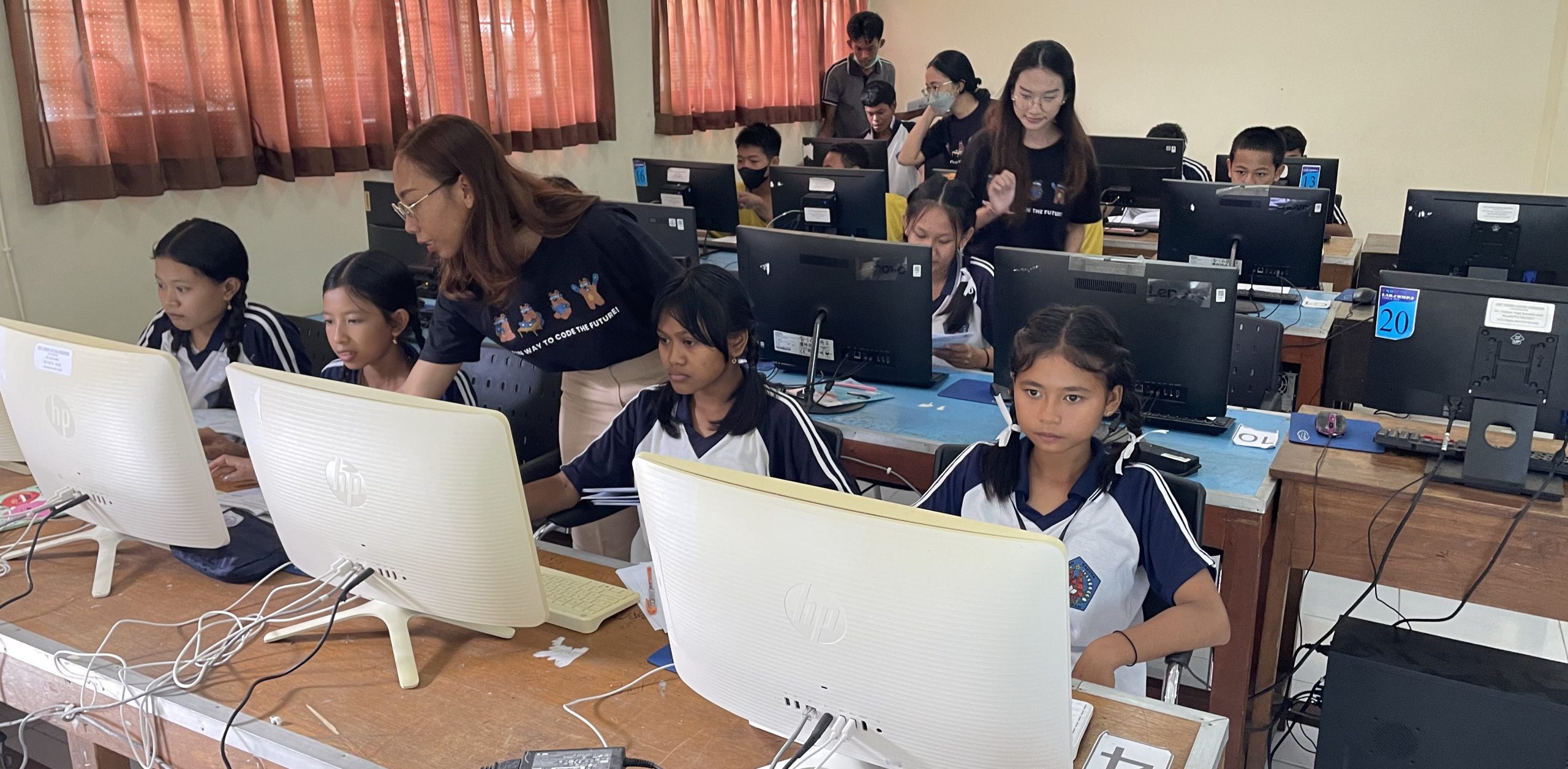
Why Coding for Kids Is Necessary in 2025?

Why Coding for Kids Is Necessary in 2025?

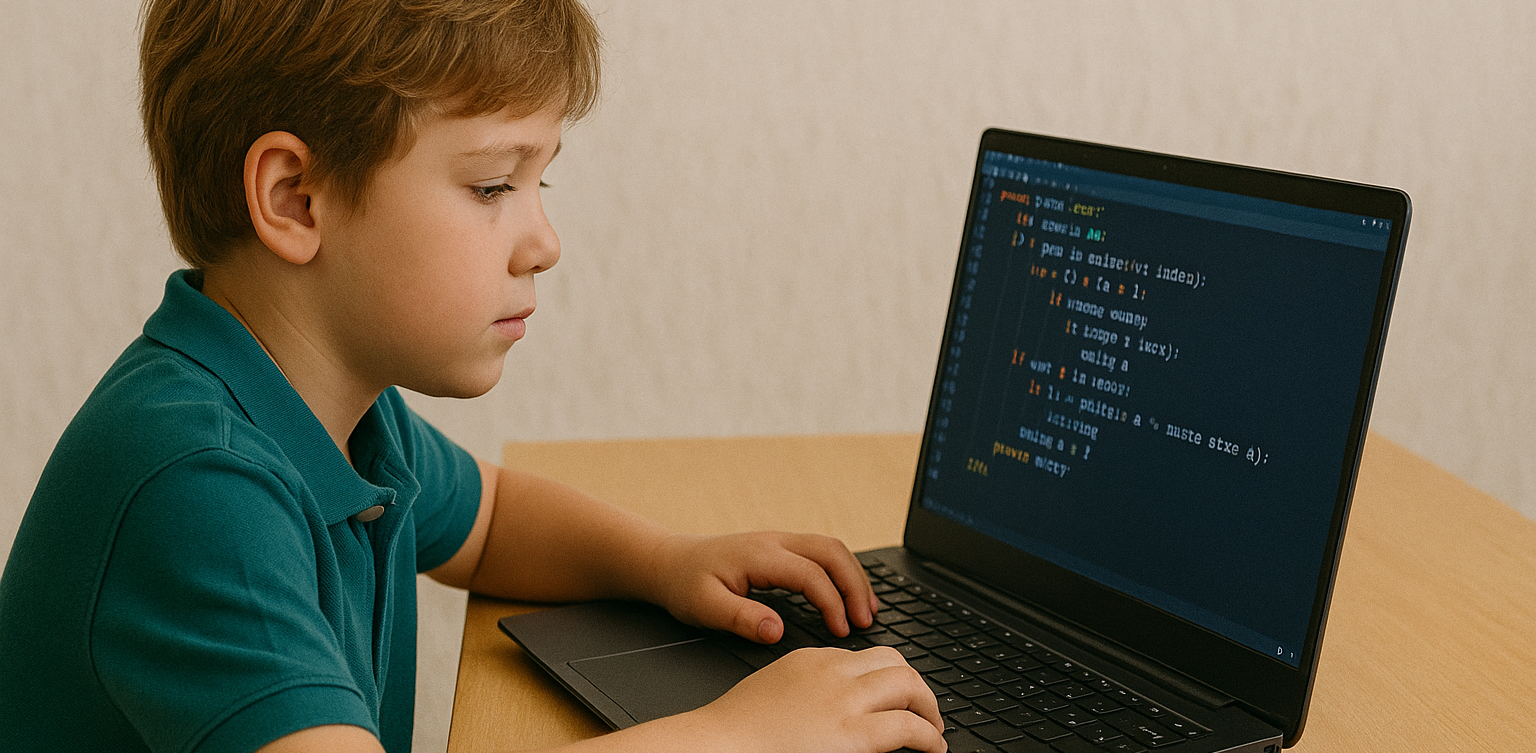
With the rapid growth of technology, many parents are beginning to wonder if learning to code is becoming as essential as reading or math. As we approach 2025, nearly every aspect of life is increasingly connected to the digital world. That brings up a big question for families: is coding for kids something they really need to prioritize? We all want to prepare our children for the future. In this context, coding for kids is not just about preparing them for careers in tech. It’s also about helping them build useful life skills like critical thinking, problem-solving, and digital confidence. Coding for Kids Is Not Just for Future Programmers One common misconception is that only kids who want to become programmers should learn to code. In reality, coding helps children develop logical thinking and structured problem-solving skills. When kids learn coding, they are training their brains to approach problems step by step and think clearly. These skills are useful far beyond technology. Children who think in an organized way often do better in school subjects like math and science. So when we talk about the benefits of coding for kids, we’re also talking about building stronger thinking habits for life. The Future Job Market Will Rely on Technology We may not know exactly what jobs will look like in the future. But one thing is certain—technology will be part of nearly every profession. Understanding coding for kids means giving them a foundation that allows them to adapt to change and take advantage of new opportunities. Even in creative or non-tech careers, basic digital literacy is essential. Teaching coding for kids at a young age gives them a strong foundation that can apply across a wide range of future possibilities. Coding Builds Patience and Resilience Learning to code involves lots of trial and error. Children learn how to fix problems, try again, and improve their work. These are real-life lessons in patience and resilience. Through coding for kids, they develop the ability to stay calm and focused even when things don’t work perfectly. These soft skills are just as important as academic ones. Children who code learn to accept mistakes as part of the process, and they become better problem solvers because of it. Start with Simple and Fun Activities Not every child has to start writing complex code right away. There are many playful and creative ways to introduce coding for kids, especially at early ages. It can begin with games, logic puzzles, or interactive apps that teach the basics in an enjoyable way. The key is to create positive experiences. When coding feels fun and engaging, kids are more likely to continue learning. Parents don’t need to be tech experts—they just need to be supportive and encouraging as their kids explore. Coding for Kids Doesn’t Have to Be Expensive A big myth about learning to code is that it requires expensive tools or lessons. Today, there are many online platforms that offer quality coding for kids programs at affordable prices, or even for free. Timedoor Academy, for example, provides online classes designed specifically for children, with friendly mentors and fun projects. It’s a simple and effective way to introduce kids to the world of coding from the comfort of home. Why Coding for Kids Is a Smart Investment More than a trend, coding for kids is a long-term investment in your child’s development. It strengthens both technical and personal skills. From building logic to growing confidence, the value goes far beyond the screen. As technology continues to evolve, helping kids understand it early on will empower them to not just consume digital tools, but also create and innovate with them. Make Learning to Code Fun with Timedoor Academy If you’re ready to get your child started on a fun and meaningful tech journey, Timedoor Academy offers engaging online classes tailored for kids. With hands-on projects and expert guidance, your child will learn to code in a way that is exciting and age-appropriate. Try a free class today and explore how coding for kids can open the door to a confident and creative future.
How to Introduce AI to Kids: Tips and Trick 2025

How to Introduce AI to Kids: Tips and Trick 2025

Artificial Intelligence, or AI, is no longer just a concept of the future. From voice assistants on smartphones to video recommendations on YouTube, AI is part of our everyday lives. That’s why learning how to introduce AI to kids is so important. When kids understand the basics, they can grow from passive users into confident, curious thinkers in a tech-driven world. Many parents worry that AI sounds too complicated for young minds. In reality, it can be introduced in very simple and engaging ways. Using relatable examples and interactive methods helps children understand how this powerful technology works. Use Everyday Examples The easiest way to begin is by pointing out how AI already exists around your child. When they ask questions to Google Assistant or talk to Siri, explain that they are interacting with AI systems that are designed to understand and respond to human language. You can also show them how platforms like YouTube suggest videos based on what they usually watch. This helps children understand that AI can observe patterns and make decisions, which is a great starting point in how to introduce AI to kids. Turn Learning into Stories Kids naturally connect with stories. You can create short tales about friendly robots that learn from their experiences, or animated characters who grow smarter over time. These narratives make AI feel more familiar and less abstract. Use simple examples in the story to show that AI learns just like people do. For instance, a robot might recognize faces after seeing them many times, just like children learn to recognize their classmates. Storytelling makes it easier to introduce complex ideas in a way kids enjoy. Play and Learn Together Play is one of the most effective learning tools for children. There are many apps and games that teach the building blocks of AI in fun ways. Look for games that involve logic puzzles, matching patterns, or choosing the best action based on different situations. These playful tools help children learn without even realizing it. Exploring AI through games is a great strategy if you are wondering how to introduce AI to kids without making it feel like a formal lesson. Explain According to Their Age Every child learns at a different pace. Younger children might only need to know that some technology can learn and help people. Older kids can begin to understand that AI works by using information and following rules to make decisions. There is no need to dive into technical terms. The goal is to help kids understand that AI is something people design and control. How to introduce AI to kids should match their age and curiosity level so the process feels natural. Show Real-Life Uses Kids become more interested when they understand why something matters. You can show them how AI is used to help doctors read x-rays, how it guides self-driving cars, or how it supports students with personalized learning tools. Understanding how AI helps people in real situations helps children see its value. This makes the topic more meaningful and gives you a strong foundation for how to introduce AI to kids in a way they’ll appreciate. Support Curiosity and Exploration After learning the basics, kids will often ask more questions. Use this moment to explore together. Look up short videos, create small projects, or just have simple discussions based on their questions. Encouraging exploration builds problem-solving skills and confidence. One of the best parts of how to introduce AI to kids is helping them grow more independent in how they think and learn. Teach Responsible Use Understanding AI should go hand in hand with learning digital responsibility. Talk to your child about online safety, the importance of privacy, and how to treat others kindly in digital spaces. Teaching children how to use technology thoughtfully is just as important as showing them how it works. A full approach to how to introduce AI to kids includes values and habits that prepare them for real life. Learn with Timedoor Academy If you want to support your child’s learning journey in technology, Timedoor Academy offers online interactive classes that are perfect for kids. With fun and age-appropriate lessons in coding, logic, and digital creativity, your child can explore AI concepts in a way that’s engaging and easy to understand. Timedoor Academy helps children build strong foundations in tech while having fun. Join a free trial class today and start discovering how to introduce AI to kids with the support of experienced mentors and exciting hands-on projects
How to Choose Coding Course for Kids: A Step-by-Step Guide In 2025

How to Choose Coding Course for Kids: A Step-by-Step Guide In 2025

In today’s digital era, coding is becoming a vital skill for children to learn early. Whether they are interested in games, animation, or just curious about how technology works, finding the right course can shape their learning journey. If you are wondering how to choose coding course for kids, this guide will walk you through the essential steps every parent should know. It covers what to consider, how to evaluate a course, and how platforms like Timedoor Academy make it easier than ever to get started. 1. Understand Your Child's Interests and Learning Style The first step in how to choose coding course for kids is to understand what motivates your child. Do they enjoy building things, telling stories, or playing logic games? A child who loves art might enjoy animation-focused coding, while one interested in tech may love learning how apps work. Choosing a course that connects to their personal interests makes it easier to keep them engaged and excited about learning. 2. Match the Course to Their Age and Skill Level Another important step in how to choose coding course for kids is making sure the difficulty fits your child’s current level. Younger children do better with visual tools like Scratch or Blockly, which help them understand basic logic without typing code. Older kids or those with some experience may benefit more from Python or JavaScript. Timedoor Academy provides coding programs grouped by age and ability, so children can learn comfortably at their own pace. 3. Look for Strong Curriculum and Project-Based Learning When exploring how to choose coding course for kids, the course structure matters. A good program should combine clear explanations with plenty of opportunities to build projects. Kids learn best by doing, so check if they’ll be creating apps, games, or animations. Timedoor Academy follows a project-based approach where each lesson builds toward a hands-on goal, helping children stay focused and feel proud of their work. 4. Decide Between Online or In-Person Formats Your child’s learning environment can impact their progress. As you consider how to choose coding course for kids, think about whether online or in-person learning works better for your family. Online courses are flexible and accessible from anywhere, while in-person classes may provide more direct support. Timedoor Academy offers live online sessions with real instructors and small class sizes, blending structure with flexibility. 5. Evaluate the Teachers and Student Support One of the key factors in how to choose coding course for kids is the quality of the teaching staff. Great instructors are not just skilled in programming—they also know how to communicate with children. Look for teachers who are patient, encouraging, and responsive. At Timedoor Academy, instructors are carefully trained to work with young learners and guide them with a friendly, easy-to-follow approach. 6. Try a Free Trial to See What Works Before making a commitment, it is helpful to try a class. This is one of the smartest ways in how to choose coding course for kids. A trial session lets your child experience the lesson format, meet the teacher, and decide if they enjoy it. Timedoor Academy offers free trial classes where children can explore coding firsthand, ask questions, and complete a mini project. This can be the difference between guessing and choosing a course with confidence. Ready to Begin Your Child’s Coding Journey? If you’re still wondering how to choose coding course for kids, the best way is to let them experience it. Timedoor Academy offers interactive and engaging online coding classes made for kids of all ages. With expert instructors, hands-on projects, and a flexible schedule, your child will not only learn coding but also grow in confidence and creativity. Sign up for a free class today and see how fun learning to code can be.
How to Use Figma for Kids: A Fun and Simple Digital Design Guide

How to Use Figma for Kids: A Fun and Simple Digital Design Guide

In today’s digital era, graphic design has become an increasingly essential skill, even for kids. Design is not just about drawing or creating illustrations. It also helps children develop creativity, visual logic, and systematic thinking. One of the most popular and beginner-friendly design tools to introduce early on is Figma. This article will guide you on how to use Figma for kids in a fun and easy-to-follow way. Figma is a web-based design platform widely used by UI/UX professionals and graphic designers. But because of its intuitive interface and real-time collaboration features, Figma can also be a great learning tool for children, especially those curious about digital design, posters, invitations, app layouts, or even simple games. Why Kids Should Learn Digital Design Digital design is not only about aesthetics, but also about communication. Kids who learn design early tend to express ideas visually, organize information clearly, and feel more confident experimenting with their creativity. Design skills also open doors to other fields like illustration, app development, animation, and branding. By learning how to use Figma for kids, the design process becomes more engaging. They can instantly try, rearrange, and explore design elements without needing to install any additional software. What to Prepare Before Using Figma Before your child starts designing, here are some things to set up: Figma account: Create a free account at figma.com. Use a parent’s email and assist during setup. Device: A laptop or desktop with a stable internet connection works best. Simple design theme: Start with fun, easy projects like a birthday card or character illustration. Benefits of Using Figma for Kids Here are some of the main benefits of using Figma as a learning tool for kids: Enhances creativity and visual aesthetics Builds logical thinking through layout structure Boosts confidence through hands-on creation Encourages teamwork and collaboration in online settings Step-by-Step Guide: How to Use Figma for Kids Below are specific steps on how to use Figma for kids, including core features and how to guide them: 1. Introduce the Interface and Basic Tools After logging in to a Figma account, walk your child through the main elements of the workspace: Canvas: the blank area where they’ll build designs Top toolbar: includes tools like Move, Frame, Shape, and Text Left panel: shows the object structure (layers) Right panel: used to adjust color, size, position, and effects Let them freely draw circles, squares, or stars and experiment with colors. This unstructured play helps them get familiar with Figma naturally. This is also a great starting point in how to use Figma for kids in a stress-free way. 2. Start a New Project Click New Design File and let your child name it something fun like “My Poster” or “Cute Cat Project.” Then: Create a Frame using A4 size or mobile screen dimensions Add shapes via the Shape tool, then change colors on the right panel Add text with the Text Tool, and adjust font size, color, and position This step of how to use Figma for kids feels like drawing on a digital piece of paper—fun and intuitive. 3. Add Images and Illustrations To make their design more dynamic, help them insert images: Click File > Place Image and choose from your computer Or simply drag and drop into the canvas Use the Unsplash plugin to find royalty-free images directly inside Figma This makes it easier for kids to create digital greeting cards, collages, or mood boards. These small projects are practical examples of how to use Figma for kids in real-life situations. 4. Create Simple App or Game Layouts For older kids, try introducing them to basic app layout design: Use Frames sized for iPhone or Android Add titles, icons, and buttons Turn elements into Components for duplication Use Prototype mode to simulate screen transitions This is a creative and exciting way to teach design logic and basic UX thinking. It’s also a more advanced stage in how to use Figma for kids who want to go deeper. 5. Collaborate and Present Figma is perfect for collaborative learning. Kids can: Click Share to invite parents, teachers, or friends Use Presentation Mode to view their design full-screen Receive comments directly on the canvas and learn from feedback These interactions help kids learn how to present and improve their ideas. How to use Figma for kids can extend into valuable lessons on teamwork and communication. Combine with Online Design Classes To support their learning journey, consider enrolling your child in an online design course. Timedoor Academy offers kid-friendly design programs based on fun projects and personalized learning. Learning how to use Figma for kids is much easier when supported by friendly mentors and structured activities. Tips for Parents to Support Learning To make the learning process smoother, parents can: Be present during the early stages, then give room to explore Ask about their designs and encourage storytelling Avoid focusing on perfection—celebrate creativity instead Try designing together as a bonding activity Ready to Introduce the World of Design? Introducing your child to digital creativity can begin with simple tools like Figma. With the right guidance and playful approach, how to use Figma for kids becomes a fun activity that sharpens logic, builds visual confidence, and sparks interest in technology. Timedoor Academy is here to support your journey. With interactive online classes and friendly instructors, your child can learn to design with confidence. Try a free class today and help your child discover their design potential from an early age.
6 Best Free Coding Resources for Kids in 2025

6 Best Free Coding Resources for Kids in 2025

In today’s digital era, coding is becoming one of the most essential skills kids can learn for the future. It is not just about creating computer programs, but also about building logical thinking, creativity, and problem-solving abilities. Fortunately, there are now many free coding resources for kids that can be accessed easily from home. For parents who want to introduce programming early on, this article shares a variety of platforms, apps, and websites that offer free, fun, and kid-friendly coding lessons. Why Should Kids Learn to Code Early? Learning to code is not only for those who want to become programmers. It helps sharpen important cognitive skills like critical thinking, persistence, and collaboration. In addition, coding teaches kids how to face failure and try again, as they learn to troubleshoot and improve their work. Introducing coding at an early age also gives kids a chance to explore their interests in technology and create things they can be proud of, such as simple games, animations, or interactive stories. What Makes a Coding Resource Kid-Friendly? When choosing a free coding resource for kids, it is important to look for the following: Clear, simple language that is easy to understand Engaging and interactive visuals Gradual, age-appropriate learning paths Gamified elements to keep kids motivated Safe and ad-free learning environments Here are some great platforms and tools to try out. 6 Best Free Coding Resources for Kids in 2025 1. Scratch Scratch is an introductory coding platform developed by MIT for kids ages 8 and up. Using colorful code blocks, kids can create animations, stories, or interactive games without needing to write code. Scratch encourages creativity and features a global community where kids can safely share their projects. It is also available in Bahasa Indonesia, making it even more accessible for Indonesian families. 2. Code.org Code.org is one of the best free coding resources for kids worldwide. It offers a wide range of free courses with varying difficulty levels, from beginner to advanced. Kids can even learn with their favorite characters like Elsa from Frozen or Steve from Minecraft. The platform also provides age-specific curriculums for elementary to high school students, with a fun, project-based approach. 3. Tynker Tynker is another popular platform recommended for kids. While the premium version is paid, Tynker offers free access to several well-structured introductory modules. Kids can learn basic coding concepts through games, build animations, and even get a taste of drones and robotics in a simplified way. 4. Khan Academy – Computer Programming Khan Academy is widely recognized for offering free educational content, and its programming section is no exception. It provides beginner-friendly coding lessons, especially for older kids and teens who are starting to understand text-based programming logic. The videos are interactive and well-paced, making Khan Academy a great choice for slightly more advanced learners. 5. Blockly Games Blockly Games is a collection of educational games that teach basic coding concepts using block-based visual programming. It is perfect for kids who are just starting out and want to learn while having fun. With a simple and functional interface, Blockly Games is a solid first step into the world of coding for elementary-aged kids. 6. Timedoor Academy In addition to these global platforms, there is also a great local option: Timedoor Academy. Timedoor offers interactive online coding classes for kids, using a fun and structured approach guided by experienced instructors. Timedoor Academy understands the unique needs of children potential. It tailors its lessons to local language, uses project-based learning, and provides flexible schedules. A free trial class is also available, making it easy for parents and kids to try it out before committing. Tips for Supporting Kids Coding at Home To make the most of your child’s coding journey, here are a few helpful tips for parents: Be there to guide them when they try a new platform, especially younger kids Set a regular learning schedule, like 30 minutes per day Give small creative challenges, such as making a simple game or animation Celebrate their achievements, no matter how small Keep screen time balanced with physical and social activities Ready to Start Coding from Home? Here’s the First Step: Learning to code has never been more accessible, thanks to the growing number of free coding resources for kids. Parents can introduce programming in a fun, engaging way through platforms designed with kids in mind. But to make learning more structured and effective, it helps to choose the right method and guidance. Timedoor Academy offers kid-focused online coding classes with a creative and organized approach. Led by experienced instructors and adapted to different age levels, Timedoor is ready to support your child’s coding journey. Try a free class today and help your child start learning to code from home in a fun and meaningful way.
The Role of Parents in Kids Digital Learning: Practical Tips for 2025

The Role of Parents in Kids Digital Learning: Practical Tips for 2025

Digital learning is now a core part of how kids learn. Since the pandemic, many have grown used to studying through screens, whether from school platforms or extra classes like coding, languages, or math. But behind the ease of technology, the role of parents in kids digital learning is still key to making learning effective. Some might think digital learning makes kids more independent, but not all are ready to manage time, stay focused, or understand lessons on their own. This is where the role of parents in kids digital learning remains essential. Parents are not just supervisors but active guides who support and respond to their kids’ needs. Setting a Healthy Learning Rhythm Time management is one of the biggest challenges in digital learning. Without a teacher physically present, kids can get distracted easily when learning at home. Parents can help by building a consistent routine that balances study and rest. This structure helps shape responsible habits early. It is one of the simplest ways to support the role of parents in kids digital learning and helps build long-term discipline. Creating a Supportive Learning Space Focus depends a lot on environment. At home, distractions like TV, traffic noise, or a younger sibling playing nearby can make learning harder. Parents should create a quiet, comfortable study spot where kids can focus better. Make sure tools like laptops, headphones, and internet connections are working properly. These technical basics matter more than they seem. Helping with this setup is a key part of the role of parents in kids digital learning at home. Offering Emotional Support Digital learning can feel isolating. Kids may feel stuck, frustrated, or unsure who to talk to when lessons are hard. That is why emotional support is just as important as helping with assignments. Simple questions like “Was today’s class fun?” or “Anything that confused you?” can make a big difference. Being emotionally available is a powerful part of the role of parents in kids digital learning, helping kids stay motivated and confident. Guiding Tech Use with Balance Technology can help learning, but it can also be distracting. Kids might be tempted to play games or watch videos during study time. That is why parents should stay involved by setting rules and limits that feel fair. Use screen timers, focus modes, or parental control tools. More importantly, explain why these rules exist so kids see them as helpful, not harsh. Balanced tech use is part of the role of parents in kids digital learning that keeps learning on track. Becoming a Learning Partner Parents do not have to know everything their kid is learning. Just being involved by listening to a project explanation or joining an online session shows support. Being a learning partner means exploring together and showing real interest. This shared effort makes learning more engaging and strengthens the role of parents in kids digital learning by building trust and motivation. Why Parents Still Matter in Kids' Digital Learning Technology has made learning more flexible, but the role of parents in kids digital learning is still irreplaceable. From setting routines to offering encouragement, parents help make learning not only effective but enjoyable. By staying engaged and present, you give your kid the best chance to succeed. You become the connection between digital tools and real growth. Support Your Kid’s Digital Learning with Timedoor Academy Looking for a better way to support your kid’s learning at home? Timedoor Academy offers fun and interactive online classes in coding, math, and robotics. All programs are designed specifically for kids. Try a free class today and discover how we make your role of parents in kids digital learning easier and more meaningful.
Fun Ways to Help Kids Learn Math In 2025: Tips and Trick

Fun Ways to Help Kids Learn Math In 2025: Tips and Trick

For many kids, math can feel intimidating, boring, or just plain confusing. But with the right approach, it doesn’t have to be that way. When math is taught in a way that connects with how kids think and play, it can become one of their favorite subjects. In this article, we’ll explore fun ways to help kids learn math that you can try at home. These ideas are designed to build confidence, make learning enjoyable, and show kids that math is more than just numbers and formulas. Why Fun Matters in Learning Math Every child learns differently. Some understand best through visuals, while others learn by doing. Unfortunately, math is often taught through drills or worksheets that don’t speak to every child’s strengths. That’s why fun ways to help kids learn math are so important. When math is presented through games, stories, or real-life situations, it becomes more accessible and less stressful. It also helps kids build a positive attitude toward learning, especially for a subject that often gets a bad reputation. Turn Learning into Playtime One of the most effective ways to help children grasp math concepts is through play. When kids are having fun, they’re more likely to stay engaged and retain what they learn. Games like number bingo, card games with math challenges, or interactive apps make learning feel like part of everyday life. You don’t need expensive tools either. What matters most is creating a space where children feel excited, not pressured, to explore math. Simple Math Games to Try at Home Number Card ChallengeUse regular playing cards to practice addition or subtraction. Flip two cards and have your child call out the total. Make it a race to keep things fun. Hopscotch MathDraw a hopscotch board and add math problems to each square. Ask your child to solve the problem before hopping on. Math in the KitchenCooking is full of measurement and timing. Let your child help measure flour, count spoonfuls, or figure out how many cookies each person gets. Toy-Based CountingUse building blocks or toy cars to teach grouping, multiplication, or division. It’s especially helpful for visual learners. All these activities offer fun ways to help kids learn math without making it feel like a school assignment. Your Role as a Parent Many children struggle with math not because they can’t do it, but because they believe they can’t. That belief often comes from pressure, fear of mistakes, or a lack of confidence. As a parent, you can shift this mindset by encouraging effort and curiosity. Celebrate progress, no matter how small. With fun ways to help kids learn math, your support matters just as much as the method. Use Technology in a Positive Way Today’s technology offers tons of educational tools designed specifically for children. There are countless apps and websites that teach math through stories, games, and interactive challenges. Platforms like Timedoor Academy offer structured online classes that combine fun with effective learning. With the right tools, fun ways to help kids learn math become easier to find and apply in daily life. Make Math Social Kids often enjoy learning more when they can do it with others. Consider setting up math challenges between siblings or friends. You can also try a family game night with a math twist. Learning with others creates a sense of excitement and reduces pressure. It’s another fun way to help kids learn math while also building teamwork and communication skills. Make Math Part of Everyday Life Math is everywhere. It’s in the money you use at the store, the recipe you follow for dinner, and the clock you check every morning. Involving your child in these daily tasks can make math feel useful and natural. Let your child count change, estimate grocery costs, or track time before bedtime. When kids see math in action, they understand that it's a skill, not just a subject. Let Kids Find What Works for Them There is no one-size-fits-all method in learning. Some kids love singing math songs, while others enjoy solving puzzles. The key is to let your child explore different ways and figure out what helps them feel most confident. Fun ways to help kids learn math often come from trial and error. Give them room to experiment, and be there to cheer them on throughout the process. Make Learning Math Fun with Timedoor Academy If you're looking for guided, interactive math learning that your child will actually enjoy, Timedoor Academy offers online classes designed especially for kids. The lessons are built around engaging activities that teach core math skills in fun and creative ways. Try a free class today at Timedoor Academy and help your child discover fun ways to learn math at home with confidence and joy.
Future Trends in STEM Education: What Parents Need to Know In 2025

Future Trends in STEM Education: What Parents Need to Know In 2025

STEM education, which stands for science, technology, engineering, and mathematics, has long been recognized as a critical foundation for preparing children to thrive in a technology-driven world. However, it is no longer just about learning formulas or solving problems. The landscape of learning is changing quickly, and parents need to stay informed about where education is headed. This article explores the future trends in STEM education that are shaping how children learn and develop key skills. From coding in early grades to interdisciplinary learning, parents today play a bigger role than ever in guiding and supporting their child’s STEM journey. Personalized and Adaptive Learning One of the most significant future trends in STEM education is the use of personalized learning platforms. These platforms adjust the pace and content based on the learner's needs. Instead of using a one-size-fits-all approach, students receive lessons that match their ability level and learning style. This makes STEM subjects more accessible for children who may struggle in a traditional classroom. With adaptive tools, children can explore challenging topics like algebra or coding in ways that feel engaging rather than overwhelming. Emphasis on Real-World Problem Solving STEM education is moving beyond theory to practice. Schools are encouraging students to solve real-world problems, whether it's designing a water filtration system or programming a simple app. This trend helps children see the connection between what they learn in class and how it applies to the world around them. By focusing on real-life applications, children develop a deeper understanding of STEM concepts. They also build critical thinking, teamwork, and communication skills, which are just as important as technical knowledge. Coding as a Core Skill Coding is no longer seen as an optional extracurricular activity. It is becoming a core part of the curriculum in many schools around the world. Understanding the basics of coding helps children become not just consumers of technology but also creators. Among the future trends in STEM education, coding stands out because it blends creativity with logic. From block-based languages like Scratch to more advanced tools like Python, students are learning how to build games, automate tasks, and solve digital challenges. Integration of AI and Emerging Technologies Artificial intelligence is also making its way into STEM classrooms. AI-powered platforms can offer instant feedback, personalize learning paths, and even simulate experiments in virtual labs. Students are also being introduced to how AI works, not just how to use it. This exposure prepares children for a future where technology will continue to evolve rapidly. Understanding emerging technologies is becoming as important as understanding basic math or science. Focus on Interdisciplinary Learning In the future, STEM will not be taught in isolation. Interdisciplinary learning, often referred to as STEAM when incorporating the arts, is gaining popularity. Projects may combine coding with storytelling or physics with design. This shift reflects how the real world works, where innovation often happens at the intersection of multiple disciplines. For parents, encouraging children to explore connections between subjects helps them develop more holistic thinking. More Hands-On, Project-Based Learning Another one of the key future trends in STEM education is project-based learning. Children are no longer just reading textbooks or memorizing facts. They are building, testing, and iterating on their own designs. From robotics kits to 3D printing, students now learn through experimentation. Hands-on learning encourages trial and error and allows children to develop resilience. When a project fails, they learn to adapt and try new solutions, which is a critical skill in any STEM career path. Increased Access Through Online Platforms Online learning has become more refined and accessible. High-quality STEM content is now available to students from various backgrounds, often at low or no cost. This trend is helping to reduce gaps in education and allow more children to engage with STEM early on. Parents can use these resources to support their child’s learning from home. Platforms like Timedoor Academy offer structured online courses in coding, robotics, and math that are designed for children and flexible for families. Equity and Inclusion in STEM There is growing awareness about the need for more diverse representation in STEM fields. Future trends in STEM education will continue to emphasize equity by making sure girls, underrepresented groups, and students with different learning needs have equal opportunities to thrive. This includes inclusive teaching materials, diverse role models, and support systems that encourage every child to explore their interests in STEM regardless of background. What This Means for Parents Staying informed about the future trends in STEM education helps parents make better decisions about their child’s learning path. Whether through after-school programs, online courses, or simple encouragement at home, parents play a crucial role in nurturing a STEM mindset. Understanding these trends also helps parents advocate for improved STEM education at school. By recognizing the direction education is heading, families can help children develop both the curiosity and confidence needed to succeed. Explore STEM Learning at Home with Timedoor Academy If you want your child to experience hands-on, future-ready STEM learning, Timedoor Academy offers interactive online courses in coding, robotics, and digital skills. Designed with young learners in mind, these programs build creativity, logic, and confidence. Try a free class today and help your child stay ahead of the curve by exploring the future trends in STEM education in a fun and engaging way.
Introduction to Basic Robotics for Kids: Tips and Trick 2025

Introduction to Basic Robotics for Kids: Tips and Trick 2025

As technology advances rapidly, introducing children to robotics is no longer considered too early. In fact, robotics is one of the most valuable areas to explore at a young age, helping children develop logical thinking, creativity, and structured problem-solving skills. An introduction to basic robotics for kids can be a gateway to exploring technology in a fun and meaningful way. With a solid foundation in how technology works, children will be better prepared to navigate and shape the future ahead. What Is Robotics? Robotics is the field of study focused on designing, building, and controlling robots. For children, a robot doesn’t have to be a complex machine. It can be a simple educational toy that can move or perform tasks based on programmed instructions. Through an introduction to basic robotics for kids, children begin to understand core concepts like sensors, motors, and logic commands, while also learning that every action has a cause and an effect. Why Should Kids Learn Robotics Early? Builds Logical and Systematic ThinkingRobotics helps children learn how to think in sequences and steps. They learn to structure instructions so a robot can perform specific tasks, reinforcing their problem-solving skills. Encourages Creativity and InnovationChildren are given the opportunity to create something from their own ideas. Whether they are designing how a robot looks or deciding what it should do, they are learning to turn imagination into real outcomes. Introduces Technology in a Positive WayWhen children learn about technology through robotics, they see it as a helpful tool rather than just entertainment. This shapes how they interact with technology as they grow. Boosts Independence and ConfidenceCompleting a working robot on their own gives children a sense of accomplishment. This achievement builds self-confidence and motivates them to keep learning and trying new things. How to Get Started with Robotics for Kids An introduction to basic robotics for kids should be fun, simple, and age-appropriate. There are many robotics kits designed specifically for children, often equipped with easy-to-follow instructions and safe-to-use components. Parents can also begin with unplugged activities to build early logical thinking. Games like direction cards or movement simulations that mimic robot commands can serve as great stepping stones before introducing digital coding. Fun Robotics Activities to Try at Home Simple activities like building robots out of cardboard or using beginner-friendly kits like Bee-Bot can make robotics feel like play. Apps like Scratch Junior also help kids understand coding logic in a visual, hands-on way. The key to a successful introduction to basic robotics for kids is to keep it playful. When children enjoy the process, they naturally become more engaged and absorb more from each activity. Common Challenges and How to Overcome Them Introducing robotics to children can come with challenges. Not every parent has a technical background, and not every child is excited right from the start. These obstacles can be managed with patience and flexibility. Start small, go at the child’s pace, and remove the pressure to get everything right the first time. A consistent and supportive learning environment can make a big difference. Robotics as a Foundation for the Future An introduction to basic robotics for kids is not just about teaching them to use technology, but also about shaping how they think. It nurtures critical thinking, creative problem-solving, and the courage to experiment. Children learn to see failure as part of the process, to try again, and to evaluate what can be improved. These life skills will benefit them in any field they choose to pursue in the future. Learn Coding and Robotics Easily with Timedoor Academy If you're looking for a fun and structured way for your child to learn coding and robotics, Timedoor Academy offers interactive online classes designed for kids. Using creative methods and kid-friendly tools, children can build logical thinking, create commands, and develop real projects with confidence. Try a free coding and robotics class today with Timedoor Academy and help your child take their first steps into the world of future-ready technology through a guided and joyful introduction to basic robotics for kids.
Coding Camp July 2023 Awardee Announcement
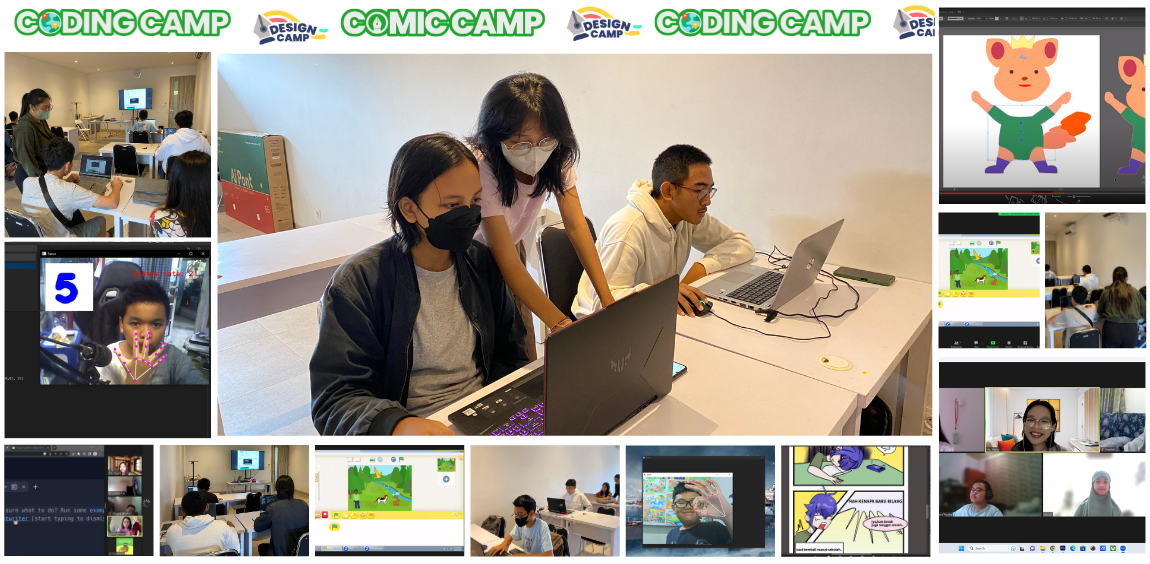
Timedoor Academy Coding Camp 2023 Batch 1 and Batch 2 has been held from 26 June - 7 July 2023. With 300++ participants from our Online and Offline Classes in several areas including Jakarta, Bogor, Bekasi, Tangerang, Surabaya, and Bali. We also launched our new programs, Design Camp and Artificial Intelligence which were held online and offline in several regions. Timedoor Academy offers 5 days of coding and design classes with a variety of programs that students can choose according to their interests. Coding Camp offers many courses, including Game Development, Website Development, App Development, Roblox, Python, and Artificial Intelligence Development. Design Camp program focus on student’s creativity which is divided into 3 programs including Animation Making, Design Branding, and Comic Making. Timedoor Academy sets a goal for students to become programmers, designers, and comic artists in 5 days by creating projects and challenge them to become digital experts! Today we are announcing the 2 best award from each program. It is the Best Project and the Best Participant. Please check below. JUNIOR SCRATCH KATEGORI NAMA PESERTA Best Project  Akhtar Kamal Priandi Best Participant  Kevin Hansel Wibowo JUNIOR CONSTRUCT KATEGORI NAMA PESERTA Best Project  Made Bagasditya Prabawa Mahaputra Best Participant  Nararsatya JUNIOR KODU KATEGORI NAMA PESERTA Best Project  Gian Best Participant  Shanette Areille Setiawan KIDS CONSTRUCT BEGINNER + WEB KATEGORI NAMA PESERTA Best Project  Atiqah Faiza Tobing Best Participant  Sheera KIDS ROBLOX KATEGORI NAMA PESERTA Best Project  Bradley Aritonang Best Participant  Muhammad Ibrahim Alkais KIDS PYTHON KATEGORI NAMA PESERTA Best Project  Alvaro Gavriel Barlianta Best Participant  Khairunnisa KIDS ARTIFICIAL INTELLIGENCE KATEGORI NAMA PESERTA Best Project  M. Fathan Ghani Zaidan Best Participant  Benzema Malik Asyam TEENS PHASER KATEGORI NAMA PESERTA Best Project  Caisar Islamy Abelardo Hermanto Best Participant  I Gede Raditya Putra TEENS WEB DEVELOPER KATEGORI NAMA PESERTA Best Project  Dewa Bagas Best Participant  Mikha TEENS ROBLOX BEGINNER KATEGORI NAMA PESERTA Best Project  Melvern Best Participant  Levi William Greatly TEENS PYTHON KATEGORI NAMA PESERTA Best Project  Michelle Lucky Karunia Best Participant  Regina Charlene Martiana Sentosa TEENS APP DEVELOPER KATEGORI NAMA PESERTA Best Project  Ngakan Putu Satria Dewangga  Putu Dylan Pryana  TEENS ARTIFICIAL INTELLIGENCE KATEGORI NAMA PESERTA Best Project  Gabriel Marcel Danandjaja Best Participant  M. Faza Al Banna COMIC CAMP KATEGORI NAMA PESERTA Best Project  Made Sambu Gunaswara Best Participant  Dominic Owen Manuel  DESIGN BRANDING KATEGORI NAMA PESERTA Best Project  Muhammad Haidar Alfarezel Best Participant  Hiromi DESIGN ANIMATION KATEGORI NAMA PESERTA Best Project  Laurencia Clio Setiadi Best Participant  I Gustu Putu Darma Pradnya All awardee will receive medals, exclusive T-shirts and merchandise from Timedoor Academy. Send your address to Timedoor Academy Admin to claim your prize.
Timedoor Academy Competition and Exhibition 2023 Update!
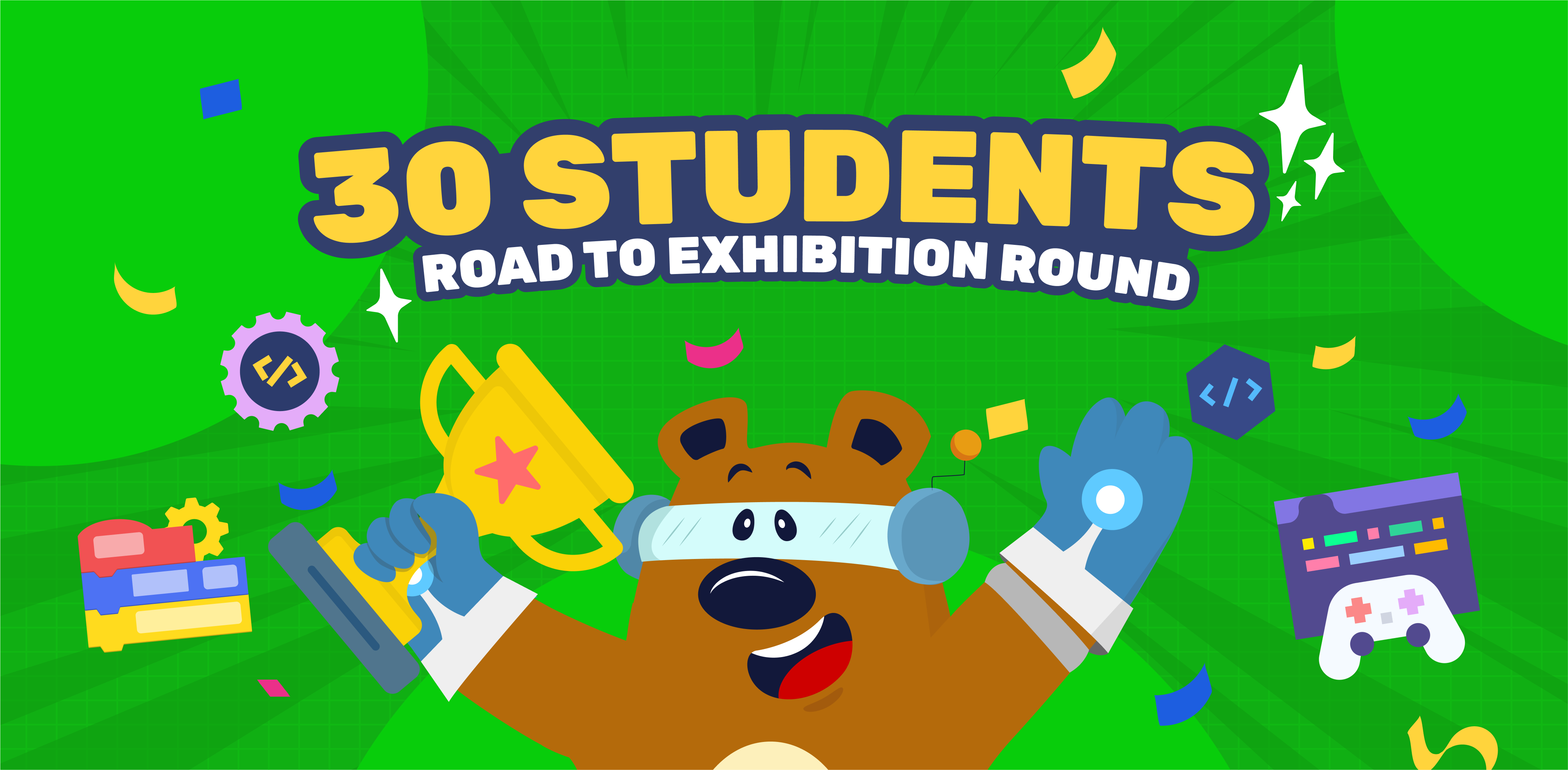
Congrats For All the Winners! Timedoor Academy Coding Competition and Exhibition 2023 is an event that aims to provide a platform for all Timedoor Academy students to show projects that have been made, ranging from games, and websites to applications. The preliminary round was attended by 100++ participants from all over Indonesia. From this number of participants, an elimination stage will then be carried out until 30 Selected Participants are selected to take part in the Exhibition Round which will be held directly at Trans Studio Mall Bali on Sunday, June 25 2023. The 30 best participants from each category took part in the Exhibition Round at Trans Studio Mall Bali and this exhibition was attended by approximately 500 ++ visitors who were interested in seeing the participant's projects. Visitors also had the opportunity to give star labels to the participants who would later be awarded as Most Favorite Project By Visitor. Here is the following list of winners at the 2023 Timedoor Academy Competition and Exhibition divided by category: MOST FAVORITE PROJECT STUDENT'S NAME PROJECT'S NAME ORIGIN Hugo Alexander Kusuma Game in Kodu Bali JUNIOR CATEGORY WINNER STUDENT'S NAME  PROJECT'S NAME ORIGIN I Gede Kelvin Narendra Van Veggel Mario Cycle Bali KIDS CATEGORY WINNER STUDENT'S NAME  PROJECT'S NAME ORIGIN Gandewa Arjuna Gelar Fallen Region Tangerang TEENS GAME CATEGORY WINNER STUDENT'S NAME  PROJECT'S NAME ORIGIN Ni Putu Bella Septiandita Rustama Robot With Their Future Bali TEENS WEBSITE CATEGORY WINNER STUDENT'S NAME  PROJECT'S NAME ORIGIN Edgar Davey Tanibulie Website Doraemon Makassar Congratulations to all the winners in each category. Thank you to all participants who have participated in Timedoor Competition & Exhibition 2023 this time. Hopefully, this will be a good start for all of us to introduce learning coding to children.
Exhibition Round Qualification Announcement June 2023
Timedoor Academy Coding Competition and Exhibition 2023 is an event aimed to give a platform for Timedoor Academy's students to show games, websites, and apps that they made in class. The preliminary round was attended by 100++ participants from all over Indonesia. From this number of participants, an elimination stage will then be carried out until 30 Selected Participants are selected to take part in the Exhibition Round which will be held offline at Trans Studio Mall Bali on Sunday, June 25, 2023. Today we are announcing the 30 participants selected to take part in the Exhibition Round at Trans Studio Mall Bali from all categories. The list of names of participants who passed the Exhibition Round can be seen below.   JUNIOR CATEGORY STUDENT NAME PROJECT TITLE BOOTH NUMBER I Gede Kelvin Narendra Van Veggel Mario Cycle 1 I Made Bagasditya Prabawa Mahaputra Math Game with Bagas 2 Hugo Alexander Kusuma Game in Kodu 3   KATEGORI KIDS STUDENT NAME PROJECT TITLE BOOTH NUMBER Anja Ruci Berlian The Mysterious Night 4 Gandewa Arjuna Gelar Fallen Region 5 Jonathan William Weaver StarStrike 6 Alvio Immanuel Yudono Futuristic Castle Defence 7 Jordan Gilbert Michael Rahakbauw Knight Run 8 Muhammad Rafif Alkafi Logan and The City of Virus 9 Komang Devandra Ananta Putra Mardiana Awesome Fred 10 I Putu Aryasatya Prabawa Mahaputra The Magma King 11 Adelova Laksmana Devhanno UFO Warfare 12 Muhammad Rakha Javier Dzaki Collect The Trash 13 Steve Raffael Jerome Djayadi THE ENDED VIRUS 14 Gabriel Alvaro Nainggolan Budi's Adventures 15 Kadek Vedanta Asahi Wijaya The Protect 16 Virya Adhitya Robot Wars 17   KATEGORI TEENS GAME STUDENT NAME PROJECT TITLE BOOTH NUMBER I Kadek Arya Raditya Altar Savior 18 Aimar Nazzal Al Firmansyah Racerz Car Racing Game 19 I Putu Rama Wirya Narendra Sky Shooter Game 20 Made Anantawijaya Giriwidya Hantana Destroy That Planet 21 I Gede Devandra Mahottama P.S Starship Adventure 22 Ahmad Hafizh Syathir The Lost Skeleton 23 Ni Putu Bella Septiandita Rustama Robot With Their Future 24 Arda Caseylia Sintha Dewi Space Spaces 25   KATEGORI TEENS WEB STUDENT NAME PROJECT TITLE BOOTH NUMBER Davin Sutanto Armada Computer 26 Edgar Davey Tanibulie Website Doraemon 27 Gede Septa Adi Gunajaya Wikitech 28 I Putu Galih Pradnyana Putra Anton's Diner 29 Gede Divka Bramanta Devadatta Putra Tmxy's Plushie Shop 30 The 30 Selected Participants and their parents/guardians are expected to attend the Technical Meeting Exhibition online at: Day/Date: Wednesday, 21 June 2023 Time: 12.00 WIB or 13.00 WITA Venue: Online Meeting ID: 839 547 7948 Passcode: 12345 Link at https://bit.ly/zoomEgypt Participants and parents/guardians are also expected to pay attention to some of the information below regarding the booth number, project display board, and flow for this exhibition round. Congratulations to the 30 Selected Participants! See you on Sunday, 25 June 2023 at Trans Studio Mall Bali.
Coding for a Brighter Future: Empowering Children with Disabilities
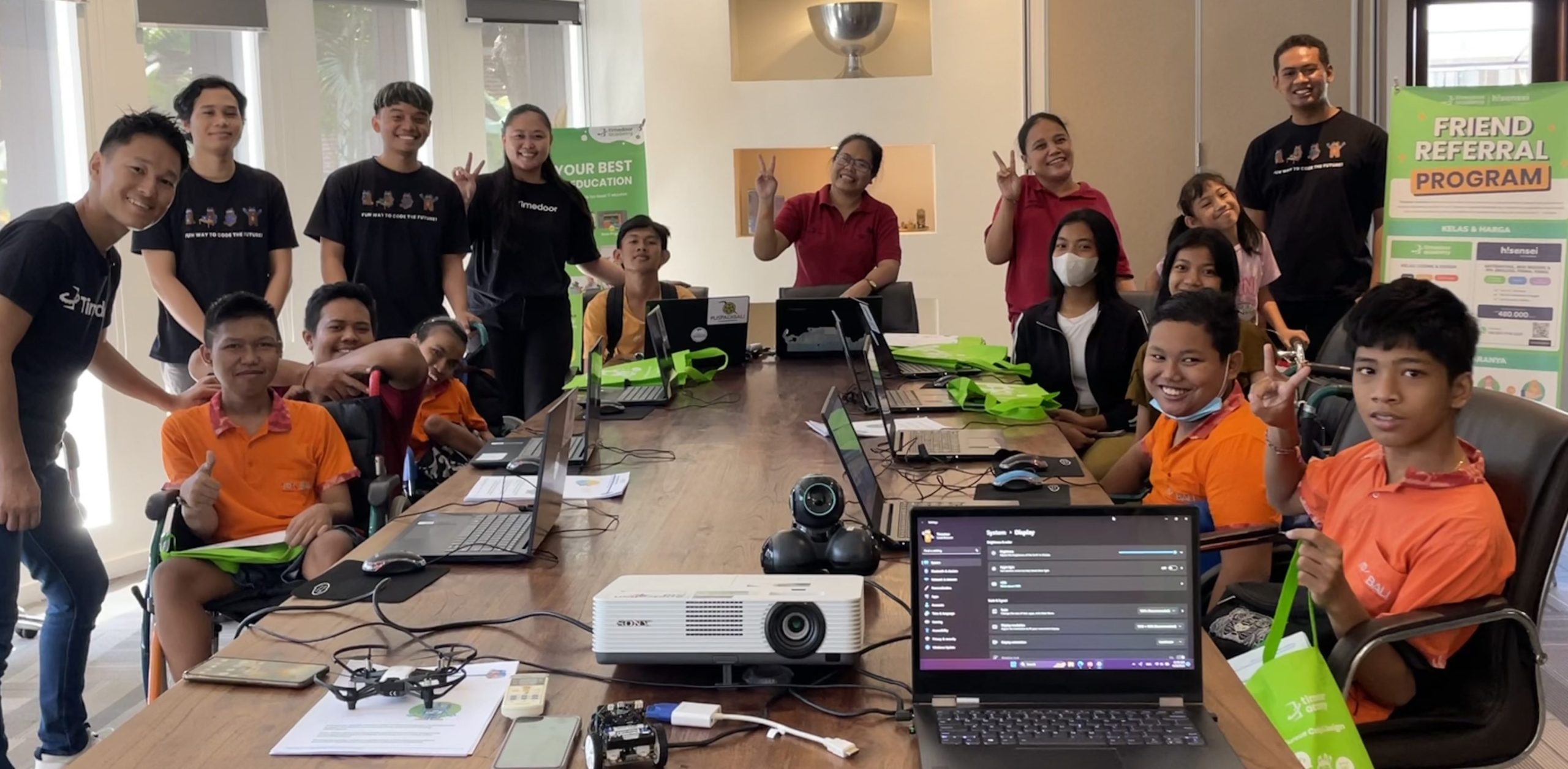
Timedoor Academy collaborates with Puspadi Bali to introduce coding to talented disabled children.   Introduction Recently, our Coding School had the wonderful opportunity to collaborate with Puspadi Bali, an organization that supports children with disabilities. Together, we organized a one-day coding workshop. This workshop aimed to show these talented disabled children how coding can offer them exciting opportunities.   What is Coding and Why is it Important? Coding is the process of creating instructions for computers using programming languages. It’s an essential skill in today's digital world. For individuals with disabilities, coding can be a very important tool. It allows them to work in many fields without the need for physical labor, and they can often work from home.   Challenges for Disabled Individuals in Employment It is important to understand that people with disabilities often face challenges in finding jobs. This is due to various reasons such as physical barriers, lack of accessibility, and sometimes, sadly, discrimination. Learning to code can help them overcome these challenges as the tech industry often offers more flexible work environments.   Message from Yutaka Our CEO, Mr. Yutaka Tokunaga, began the day with an inspiring talk. He explained to the children why technology and coding are so important. He encouraged them to focus on their strength and how they can use them for success instead of lamenting their misfortunes. Yutaka concludes the seminar with the message "Don't Just Play the Game, Make One!"   Hands-On Coding Experience After Mr. Yutaka’s talk, the children participated in a coding workshop. They learned basic coding concepts and even built their own games using a program called Scratch. Scratch makes coding fun and easy by using blocks that fit together to build programs. The children were very focused and did an impressive job!   Dreams Take Flight It was amazing to see how the workshop ignited dreams within these young hearts. By the end of the day, some of the children spoke about their aspirations to become digital entrepreneurs, programmers, or e-sports players.   Looking Ahead Our Coding School is committed to giving back to the community. We believe that every child, regardless of their physical abilities, should have the opportunity to learn and grow. This workshop was just a small step in that direction, and we are excited about continuing these efforts.   Coding for Bright Future As we progress into an increasingly digital age, coding skills are more valuable than ever. Through coding, we can build a more inclusive world where everyone has the opportunity to succeed and thrive. We hope that they will continue to be interested in studying and that they will use technology in the future to play an active role in society.
Roblox Game Coding Tutorial for Beginners
Roblox is a gaming platform that gives its users and players freedom to create and play their own games worldwide. The experience of playing Roblox which is simulate the real world becomes a special excitement for the players. The games in Roblox also have various challenges so that people don't easily get bored playing Roblox. People who play games as their hobby will eventually wonder how they make games in Roblox and want to create their own games. However, a lot of people give up early because they think creating a Roblox game requires some advanced coding skills. Do you experience the same feeling? Don’t worry because the following blog is a tutorial on how to create a Roblox game for Beginners, for those who’s trying out coding for the first time and for those who don’t have experience creating a game at all. Before we start creating a game, you have to prepare the following things: Create a Roblox account on the Roblox Official website (could be the same account you use for playing) Download the Roblox Studio application from the official website Require a Mouse Remember how to operate the Mouse and Keyboard in Roblox Studio according to the following table So if you're ready, let's follow the steps below to start making your first Obby game! Try out the completely game on the following link: My First Obby This Obby game is inspired by the Mega Easy Obby game which has many varied obstacles. Now in this tutorial, we will make a total of 6 kinds of obstacles. To make it easier for you to learn, this article will be divided by the type of obstacles you will create while learning how to use the tools in Roblox Studio! Create New Project Open the Roblox Studio in your computer. You will see this appearance. Select the Baseplate and make sure the appearance looks like the image below.   If the Explorer Bar and the Properties doesn’t appear on the right side, click on the View Menu on top and click the options Explorer and Properties. If there is a Bar on the left side that is open, you can just close it because we don't use it, so it will not interfere your view in the Editor. Click the Close button. Because we don't need the Baseplate, we can delete it by going to the Explorer Bar on the right. Right click on the Baseplate then select Delete. You can also use the Delete key on the keyboard. Has your Baseplate disappeared from the Editor? Great! Now let's start building the Game! Create Path 1 Making the first Path is super easy! Follow the steps below to create Path 1: Add a new Part via the Home Menu. Click Blocks and make sure it appears above the Spawn Point. Do you still remember how to operate the Mouse and Keyboard mentioned above? Click F on the Keyboard to bring Camera closer to the Block Now we are going to resize the Blocks, but to get the right size you can add a Player Dummy. Go to the Avatar Menu at the top, click Rig Builder. Now for the type of Rig you can choose whichever you want! The following example will use My Avatar. If it has been clicked, your Avatar Character will appear in the Editor. Now it's time to resize the Blocks using the Scale tool. Go to the Home Menu at the top and click on the Scale option. Roblox is a 3D design editor which means each object will have 3 Vectors, namely X, Y, and Z which are distinguished by the colors Red, Green, and Blue. So drag the round sign to resize it. Set the right size for Player. Now, let's change the Material and Color! To change the material, click on the Material Manager in the Home menu at the top and the Material Manager bar will appear. This is where you can set whatever material you want. Point the mouse to the desired material then you have to click the arrow button on the top right to apply the material to the Block. For example, use the Brick material.   Then the result will look like this:       Then change the color of the Block by clicking the Color option in the top Home Menu and selecting the desired color. For example, the color Crimson.   Finally, activate the Anchor property so that the Block doesn't fall while playing and locked in its current position. Let’s duplicate it into 3 pieces. But before that, first turn on Snap to Grid so that each Block has the same distance. Go to the Model Menu and turn on Move property on the Snap to Grid section. Set the value to 8 stud So now right click on Block and select Duplicate. Duplicated Blocks are right in the first Block's position! So use the Move tool to move it 8 studs.Do the Duplicate step again so that it produces 3 Blocks.   Create Path 2 Add a Sphere-shaped Part. Move the Sphere as many as 8 studs using the Move tool. Then change the color just like the image below. So now we're going to make the path a little difficult by applying a Zigzag pattern Turn off Move property on Snap to grid first. Then move it to the right and left using the Move tool. The result should be like this Create Path 3   Add Block Part, apply Smooth Plastic Material and the color New Yeller. Duplicate and change the Orientation upwards using the Rotate tool. Resize the second Block to be longer.   Next, we are going to add Kill Bricks on the Blocks. Duplicate the longer Block, Resize and Place it like the example below. Change the Material to Neon and the Color to Really Red. Now, let's add a Script inside the Kill Brick by hovering your Mouse to the Brick in Workspace and click plus icon. Choose Script. Delete code print("Hello World") and type the following code.               Duplicate Kill Brick multiple times until it covers the Block like this. And voila! The Kill Bricks obstacle are ready! Create Path 4   Before creating Path 4, let's add a Sphere first   Now add a Block Part and set the size to be a cube. Use Plastic material and set the color to Orange.   Duplicate and change the Orientation so the obstacles become more challenging. Create Path 5 Now let’s use the Wedge Part for Path 5! Add Wedge Part and adjust its size using the Scale tool.   Duplicate the Wedge Part and move it 8 Studs apart. Remember to use Snap to Grid! Then turn on the Rotate property value of 180 degrees on the Snap to Grid option so that the second Wedge faces the other way.   Next, change the Material to Sand and the Color to White and Blue. We will make 6 Wedges, so duplicate the 2 Wedges at once by blocking both Wedges and duplicating them. Challenge: Create Finish Point Try using the Cylinder Part with a size and position like this independently. Duplicate it and stack it upwards by varying the color from a lighter color to a darker color. Lastly, don’t forget to Anchor all the Parts together! Use the Scroll Wheel to Zoom Out and block block all the parts. Then click on Anchor. It’s Finish! Use the Play button in the Home menu to test out your first Roblox Game!   Timedoor Academy provide Roblox Program for Kids and Teens, check this Roblox Introduction Video out!
Coding Workshop at SMP Taman Sastra March 2023
Timedoor Academy just held an educational activity called "Coding Workshop" at Taman Sastra Junior High School in Jimbaran, Bali on Thursday, March 30, 2023. The purpose of this activity was to educate the young generation about the importance of using technology in the modern era. The workshop was a great success and had a positive impact on more than 30 students who attended it. The activity began by introducing the students to the basics of coding through a game. In this workshop, we learned how to create games, design player characters, and add scores using Construct 3. The students were excited about this workshop, and they were eager to learn more about coding and game design. Furthermore, the students were also introduced to website creation. They were taught the basics of web development and how to create their own website. This workshop was particularly interesting to the students as they were able to see how easy and fun it is to create a website. For the next activity, the Timedoor Academy team introduced the students to robots, AR, and VR box. The students were able to experience first-hand how these technologies work and how they can be operated. This workshop was intended to raise the students' enthusiasm for learning IT and coding. By held such an activity, we believe that learning technology is not only important but also incredibly interesting and fun! Here at Timedoor Academy, we provide you coding workshop and school collaborations such as after-school curricula that can be a fun learning addition for your kids or your students.
Coding Camp December 2022 Awardee Announcement
Timedoor Academy Coding Camp 2022 Batch 1 and Batch 2 has been held from 12-23 December 2022. With 200++ participants from our Online and Offline Classes in several areas including Jakarta, Surabaya and Bali. We also launched our new program, Comic Camp, which is held online. Timedoor Academy offers 5 days coding and comics classes with a variety of programs that students can choose according to their interests. Coding Camp offers many courses including: Game Development, Website Development, App Development, Roblox, and Python. For Comic Camp, the program focuses on student's creativity in making characters, developing stories, making sketches, to become complete comics. Timedoor Academy sets a goal for students to become programmers and comic artists in 5 days by creating projects using the platform of their choice and challenging them to become digital experts! Today we are announcing the 2 best award from each category. Award recipients consist of the Best Project and the Best Participant. For the names award recipients can see below . JUNIOR SCRATCH AWARDEE CATEGORY NAME Best Project Nathan Asmoro Best Participant Made Arya Markandeya Shankara Kepakisan JUNIOR KODU AWARDEE CATEGORY NAME Best Project Made Ngurah Ararya Daneswara Best Participant Charise Davlyn Solim KIDS CONSTRUCT BEGINNER + WEB AWARDEE CATEGORY NAME Best Project Nicholas Keane Rahardja Best Participant Muhammad Jafarishadiq Radoslaw KIDS CONSTRUCT ADVANCE AWARDEE CATEGORY NAME Best Project Made Nadira Averina Pragitya Best Participant I Dewa Made Khrisna Adi Permana KIDS ROBLOX BEGINNER AWARDEE CATEGORY NAME Best Project Ida Bagus Pradnyana Wedhanta Steve Raffael Jerome Djayadi Best Participant Cakradara Hosana Kastara Gea Nicholas Caleb KIDS PYTHON AWARDEE CATEGORY NAME Best Project Kezia M Shallom Best Participant Abizar TEENS PHASER AWARDEE CATEGORY NAME Best Project IGA. Ngurah Devasya Maha Putra Best Participant Lionel Edric TEENS ROBLOX BEGINNER AWARDEE CATEGORY NAME Best Project Danish Irham Aulia Best Participant Fay Jetavana TEENS WEB DEVELOPER AWARDEE CATEGORY NAME Best Project Sherlyn Julita Davila Best Participant Naufarrel TEENS PYTHON AWARDEE CATEGORY NAME Best Project I Gusti Ayu Isyana Shanti Best Participant Marvel Kristian TEENS APP DEVELOPER AWARDEE CATEGORY NAME Best Project Karen Abigail Tambunan Best Participant Aimar Nazzal Al Firmansyah COMIC CAMP AWARDEE CATEGORY NAME Best Project Kevia Rava Zhafira Best Participant Riley Oviya A. All award recipients will receive medals, exclusive T-shirts and merchandise from Timedoor Academy. Send your address to Timedoor Academy Admin for the process of sending.
Parent’s Guide: How to Help Children Stay Motivated in Learning
As a parent, do you often find it challenging to keep your children interested and motivated in learning? This is because kids are frequently distracted by various things like games, social media, and other activities, causing them to lose focus on the learning process.   The waning interest in learning can be attributed to several factors, including: High Parental Pressure; Monotonous Study Routines; Difficulty Keeping Up with Peers; Excessive Digital Distractions; Feelings of Desperation Regarding Academic Success.   We know that nobody enjoys feeling left behind, especially when children are frequently compared to their peers by their parents or even teachers. This comparison often occurs in schools and can lead to discomfort for students of all ages. Of course, taking away all the enjoyable aspects of your child’s life isn’t the solution, as it might foster negative perceptions and even hatred toward learning. So, how can we ensure that they maintain motivation for future success? In this article, we’ll explore why this decline in interest happens and discuss strategies to overcome it, ensuring that children stay motivated.     Key Things to Identify Before providing assistance to your child, it’s crucial to understand the reasons behind their lack of engagement in learning. This understanding will help you devise optimal learning strategies to address the issue. Parents should begin recognizing these signs to implement logical solutions for their children.   Dull Learning Routine When it comes to study routines, children often follow a pattern: attending classes, having face-to-face sessions with tutors, spending hours on homework, and repeating the cycle. This repetitive cycle can lead to boredom and eventually fatigue. Children naturally have high curiosity and a desire to learn. It’s essential to maintain and even enhance their curiosity for continuous learning. Seriously, think about how many times parents are asked “why” by their children in a single day—the answer is quite a lot. Another way to look at this from a different perspective is to consider how even as adults, we often get bored with repetitive work routines. Emails, calls, meetings, and then back to the same office the next day. While some people may enjoy this stability, it can lead to a lack of enthusiasm and eventually burnout. The same principle applies to children.   Pressure for Academic Success While some people thrive on competition, many others feel differently. However, external pressure can overwhelm children (and even us). As parents, it’s natural to want our children to succeed and be the best. But be cautious about setting unrealistic standards and constantly comparing your child to others. Although some parents choose disciplinary methods like this for their children, it often backfires and hinders their performance. For example, when setting grade targets for your children, remember that everyone absorbs knowledge at different speeds and has unique learning methods. And that’s not a bad thing! By paying attention to your child’s strengths and weaknesses, you can tailor specific learning methods that suit their needs based on this information.   When Children Fail to See the Benefits of Learning Have you ever asked yourself, when faced with a task or job, “Why do I have to do this?” Children have similar questions too. As adults, we understand that learning is essential for the future. However, children may not perceive it the same way because they are often more interested in immediate gratification. It’s crucial for us to convey that the actions they take now will impact their lives in the future. So, how can we help them understand the importance of learning? Well, the key is to explain it in a simple way that they can grasp. Instead of forcing them to study, it’s better to encourage them to find meaning in each learning material. Explain to them how mathematics can be used to make real-life decisions, such as choosing the best deal while shopping. By emphasizing the practical application of these lessons in real-world scenarios, children will recognize the true value of learning. Essentially, by connecting lessons to everyday life, they will feel engaged in the learning process. They’ll understand that the knowledge they gain is genuinely needed and useful for them.   Read Our Other Articles: Best 19! Sekolah Swasta dan Internasional di Kota Surabaya Barat – Biaya, Alamat, Lengkap 2024/2025 Facebook (Instagram) Ads vs Google Ads: What You Need to Know?     What Can You Do Instead? Now that we have some idea of the “why,” let's get to the “how”’ in increasing your children’s interest in learning. Children are active beings, and more times than not they would probably prefer to do learning activities than simply sitting on a desk and listening to lessons.  This would be a great bonding activity for parents to explore with kids and lets you know what sparks their interest! Here are some fun learning activities you can implement:   Educational Games Educational games are perfect for when traditional methods with paper and pencil are simply not enough to keep the little ones engaged. In addition, they are also a great tool when trying to teach children about logic, critical thinking, and many other soft and hard skills. A popular method that has been implemented in many classrooms would be Kahoot quizzes. By using this platform, kids are able to join through their gadgets and there is no pressure on being shamed if you get an answer wrong as students are able to join using fun nicknames that do not give away their identity thus creating a safe space for making mistakes. In addition, there is a wide selection of applications and websites that educate people on the subjects of mathematics, science, history, health, geography, and many others. Usually, the game instructs the player to solve a mathematical equation or answer a history trivia in order to proceed to the next round or level up. This is a great method to keep kids engaged as they are just excited to play games, not realizing that along the way they are picking up useful skills.   Outdoor Learning Sitting in a room for hours while trying to absorb new information can be a downer for most people, especially kids. Doing so, can really weigh down on a child’s excitement to learn, and honestly can we blame them? Many schools nowadays incorporate outside learning where teachers and students go over learning materials in an outdoor setting. By implementing a slight change in scenery, students feel more refreshed and less slumped in digesting new learning materials. Try doing the same with your kids and take your tutoring sessions with your kids in the backyard or a public park to boost your kids’ learning spirit. A great example would be heading outside to teach your kids about different types of rocks and soil for a brief geology lesson. If you’re lucky enough to live near the ocean with rich marine biodiversity, take the time to take your science lessons outdoors and look out for different types of sea life such as anemones, schools of fishes, seashells, and more.    Field Trips Similar to the previous point, scheduling field trips with your kids can boost learning interest as it takes the learning outside of the classroom, which can eliminate boredom.  Perfect for history lessons, going on a museum trip can spark interest in learning about past events, important monuments, artifacts, and paintings. This is highly beneficial, especially in children who have shown interest in the fields of art, literature, and history. They need this activity to be held occasionally. Think of it as adults, we oftentimes get so tired of the same four walls of the cubicle and repetitive routine. A business trip or an insightful work conference to improve our knowledge can be a nice treat in the midst of a monotonous work regime. The same applies to children and can help rekindle their learning spark.   Bite-Sized Learning Material Lastly, learning can be an intimidating process, especially when kids see the amount of materials that they have to master within the span of one semester. Minimize their anxiety by breaking up learning materials into several pieces that will be easier to manage by them.  For example, when it comes to learning mathematics, instead of stressing the entire counting system, take each learning lesson to really focus on comprehending each subject into bite-sized pieces. Make sure to incorporate fun games related to addition such as puzzles, treasure hunts, and other varieties to avoid boredom and motivation loss. Remember as mentioned earlier, kids are simply excited to play games, that they don’t even realize they’re gaining knowledge in the process. Use all of these tools strategically by keeping them organized to keep your children engaged and focused on the material at hand.   Things to Keep in Mind Now that you have all of these resources at your disposal, make sure to utilize them to boost learning efficiency and avoid motivation loss during the learning process. As parents, getting your children to fun activities and stimulating tasks, can help them stay on track and reduce their lack of interest in learning.  In addition, it is also important to recognize that there is also a good amount of trial and error that comes with finding the right study routine for your little ones. Therefore, it is important to be patient and allow children to explore in order to find the right approach for their learning. Lastly, value the time in taking a break from studying and exploring other interests that your children might have. Sometimes, all it takes is a little breather from the books to rejuvenate your kids and prevent fatigue from studying.  As parents, this would be a great opportunity to explore their interests outside of the classroom whether it be sports, music, cooking, and many more.   Here at Timedoor Academy, we offer a variety of lessons surrounding coding that can be a fun learning addition for your kids. Our curriculum allows students to learn the fundamentals of computer science and accomplish fun projects such as creating their own games, websites, and mobile applications.   To get started, head over to Timedoor's website through this page, and our teachers will be more than happy to get you and your little ones started on their coding journey.
float button