Why Coding for Kids Is Necessary in 2025?

Why Coding for Kids Is Necessary in 2025?

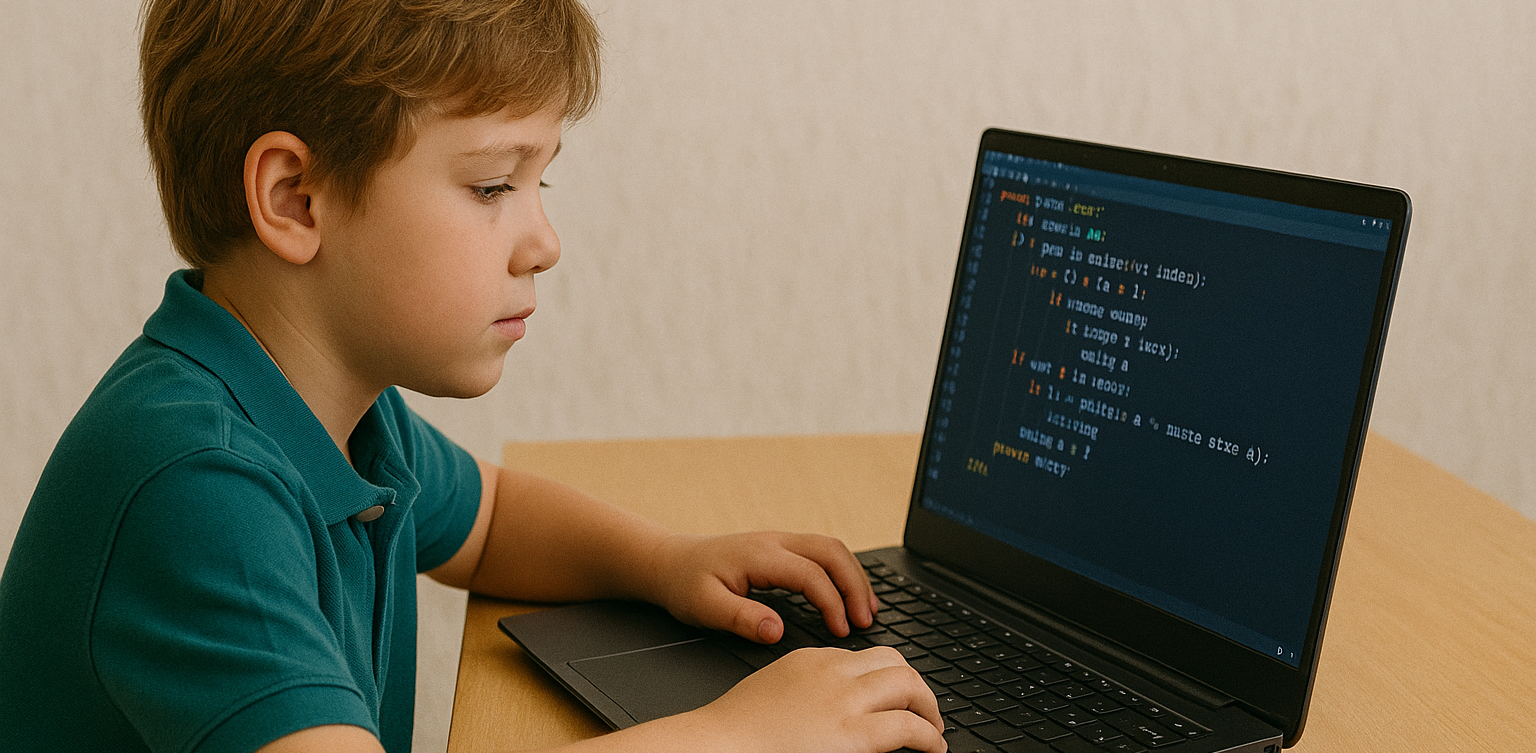
With the rapid growth of technology, many parents are beginning to wonder if learning to code is becoming as essential as reading or math. As we approach 2025, nearly every aspect of life is increasingly connected to the digital world. That brings up a big question for families: is coding for kids something they really need to prioritize? We all want to prepare our children for the future. In this context, coding for kids is not just about preparing them for careers in tech. It’s also about helping them build useful life skills like critical thinking, problem-solving, and digital confidence. Coding for Kids Is Not Just for Future Programmers One common misconception is that only kids who want to become programmers should learn to code. In reality, coding helps children develop logical thinking and structured problem-solving skills. When kids learn coding, they are training their brains to approach problems step by step and think clearly. These skills are useful far beyond technology. Children who think in an organized way often do better in school subjects like math and science. So when we talk about the benefits of coding for kids, we’re also talking about building stronger thinking habits for life. The Future Job Market Will Rely on Technology We may not know exactly what jobs will look like in the future. But one thing is certain—technology will be part of nearly every profession. Understanding coding for kids means giving them a foundation that allows them to adapt to change and take advantage of new opportunities. Even in creative or non-tech careers, basic digital literacy is essential. Teaching coding for kids at a young age gives them a strong foundation that can apply across a wide range of future possibilities. Coding Builds Patience and Resilience Learning to code involves lots of trial and error. Children learn how to fix problems, try again, and improve their work. These are real-life lessons in patience and resilience. Through coding for kids, they develop the ability to stay calm and focused even when things don’t work perfectly. These soft skills are just as important as academic ones. Children who code learn to accept mistakes as part of the process, and they become better problem solvers because of it. Start with Simple and Fun Activities Not every child has to start writing complex code right away. There are many playful and creative ways to introduce coding for kids, especially at early ages. It can begin with games, logic puzzles, or interactive apps that teach the basics in an enjoyable way. The key is to create positive experiences. When coding feels fun and engaging, kids are more likely to continue learning. Parents don’t need to be tech experts—they just need to be supportive and encouraging as their kids explore. Coding for Kids Doesn’t Have to Be Expensive A big myth about learning to code is that it requires expensive tools or lessons. Today, there are many online platforms that offer quality coding for kids programs at affordable prices, or even for free. Timedoor Academy, for example, provides online classes designed specifically for children, with friendly mentors and fun projects. It’s a simple and effective way to introduce kids to the world of coding from the comfort of home. Why Coding for Kids Is a Smart Investment More than a trend, coding for kids is a long-term investment in your child’s development. It strengthens both technical and personal skills. From building logic to growing confidence, the value goes far beyond the screen. As technology continues to evolve, helping kids understand it early on will empower them to not just consume digital tools, but also create and innovate with them. Make Learning to Code Fun with Timedoor Academy If you’re ready to get your child started on a fun and meaningful tech journey, Timedoor Academy offers engaging online classes tailored for kids. With hands-on projects and expert guidance, your child will learn to code in a way that is exciting and age-appropriate. Try a free class today and explore how coding for kids can open the door to a confident and creative future.
How to Introduce AI to Kids: Tips and Trick 2025

How to Introduce AI to Kids: Tips and Trick 2025

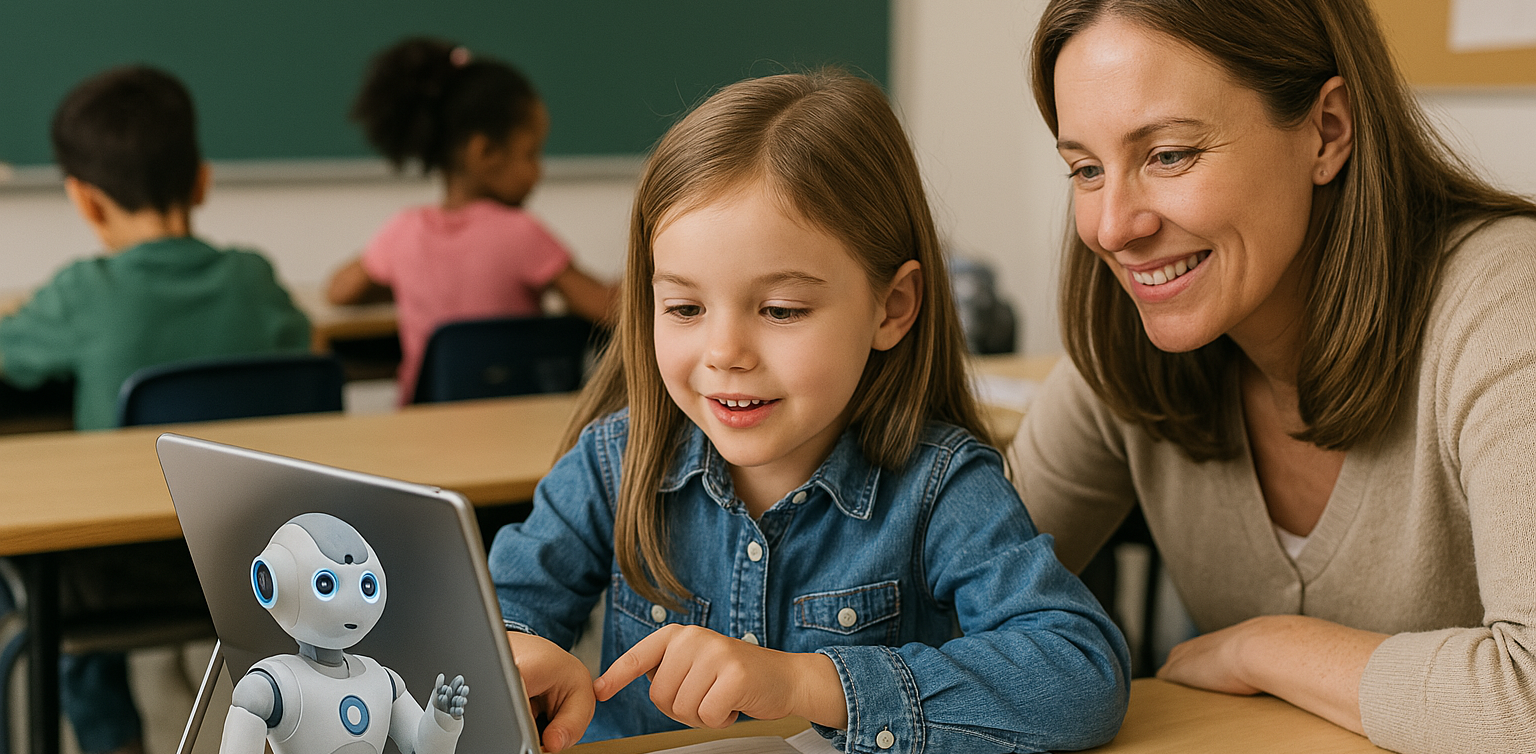
Artificial Intelligence, or AI, is no longer just a concept of the future. From voice assistants on smartphones to video recommendations on YouTube, AI is part of our everyday lives. That’s why learning how to introduce AI to kids is so important. When kids understand the basics, they can grow from passive users into confident, curious thinkers in a tech-driven world. Many parents worry that AI sounds too complicated for young minds. In reality, it can be introduced in very simple and engaging ways. Using relatable examples and interactive methods helps children understand how this powerful technology works. Use Everyday Examples The easiest way to begin is by pointing out how AI already exists around your child. When they ask questions to Google Assistant or talk to Siri, explain that they are interacting with AI systems that are designed to understand and respond to human language. You can also show them how platforms like YouTube suggest videos based on what they usually watch. This helps children understand that AI can observe patterns and make decisions, which is a great starting point in how to introduce AI to kids. Turn Learning into Stories Kids naturally connect with stories. You can create short tales about friendly robots that learn from their experiences, or animated characters who grow smarter over time. These narratives make AI feel more familiar and less abstract. Use simple examples in the story to show that AI learns just like people do. For instance, a robot might recognize faces after seeing them many times, just like children learn to recognize their classmates. Storytelling makes it easier to introduce complex ideas in a way kids enjoy. Play and Learn Together Play is one of the most effective learning tools for children. There are many apps and games that teach the building blocks of AI in fun ways. Look for games that involve logic puzzles, matching patterns, or choosing the best action based on different situations. These playful tools help children learn without even realizing it. Exploring AI through games is a great strategy if you are wondering how to introduce AI to kids without making it feel like a formal lesson. Explain According to Their Age Every child learns at a different pace. Younger children might only need to know that some technology can learn and help people. Older kids can begin to understand that AI works by using information and following rules to make decisions. There is no need to dive into technical terms. The goal is to help kids understand that AI is something people design and control. How to introduce AI to kids should match their age and curiosity level so the process feels natural. Show Real-Life Uses Kids become more interested when they understand why something matters. You can show them how AI is used to help doctors read x-rays, how it guides self-driving cars, or how it supports students with personalized learning tools. Understanding how AI helps people in real situations helps children see its value. This makes the topic more meaningful and gives you a strong foundation for how to introduce AI to kids in a way they’ll appreciate. Support Curiosity and Exploration After learning the basics, kids will often ask more questions. Use this moment to explore together. Look up short videos, create small projects, or just have simple discussions based on their questions. Encouraging exploration builds problem-solving skills and confidence. One of the best parts of how to introduce AI to kids is helping them grow more independent in how they think and learn. Teach Responsible Use Understanding AI should go hand in hand with learning digital responsibility. Talk to your child about online safety, the importance of privacy, and how to treat others kindly in digital spaces. Teaching children how to use technology thoughtfully is just as important as showing them how it works. A full approach to how to introduce AI to kids includes values and habits that prepare them for real life. Learn with Timedoor Academy If you want to support your child’s learning journey in technology, Timedoor Academy offers online interactive classes that are perfect for kids. With fun and age-appropriate lessons in coding, logic, and digital creativity, your child can explore AI concepts in a way that’s engaging and easy to understand. Timedoor Academy helps children build strong foundations in tech while having fun. Join a free trial class today and start discovering how to introduce AI to kids with the support of experienced mentors and exciting hands-on projects
How to Choose Coding Course for Kids: A Step-by-Step Guide In 2025

How to Choose Coding Course for Kids: A Step-by-Step Guide In 2025

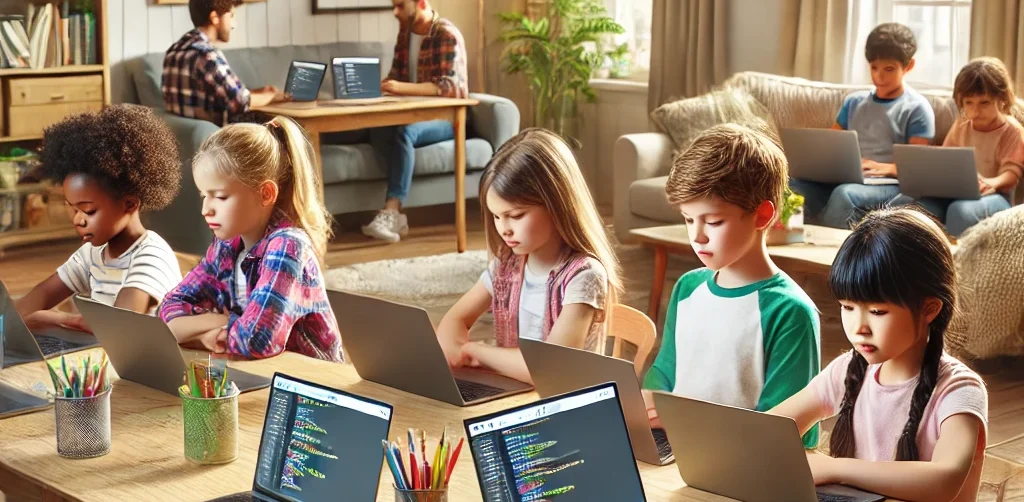
In today’s digital era, coding is becoming a vital skill for children to learn early. Whether they are interested in games, animation, or just curious about how technology works, finding the right course can shape their learning journey. If you are wondering how to choose coding course for kids, this guide will walk you through the essential steps every parent should know. It covers what to consider, how to evaluate a course, and how platforms like Timedoor Academy make it easier than ever to get started. 1. Understand Your Child's Interests and Learning Style The first step in how to choose coding course for kids is to understand what motivates your child. Do they enjoy building things, telling stories, or playing logic games? A child who loves art might enjoy animation-focused coding, while one interested in tech may love learning how apps work. Choosing a course that connects to their personal interests makes it easier to keep them engaged and excited about learning. 2. Match the Course to Their Age and Skill Level Another important step in how to choose coding course for kids is making sure the difficulty fits your child’s current level. Younger children do better with visual tools like Scratch or Blockly, which help them understand basic logic without typing code. Older kids or those with some experience may benefit more from Python or JavaScript. Timedoor Academy provides coding programs grouped by age and ability, so children can learn comfortably at their own pace. 3. Look for Strong Curriculum and Project-Based Learning When exploring how to choose coding course for kids, the course structure matters. A good program should combine clear explanations with plenty of opportunities to build projects. Kids learn best by doing, so check if they’ll be creating apps, games, or animations. Timedoor Academy follows a project-based approach where each lesson builds toward a hands-on goal, helping children stay focused and feel proud of their work. 4. Decide Between Online or In-Person Formats Your child’s learning environment can impact their progress. As you consider how to choose coding course for kids, think about whether online or in-person learning works better for your family. Online courses are flexible and accessible from anywhere, while in-person classes may provide more direct support. Timedoor Academy offers live online sessions with real instructors and small class sizes, blending structure with flexibility. 5. Evaluate the Teachers and Student Support One of the key factors in how to choose coding course for kids is the quality of the teaching staff. Great instructors are not just skilled in programming—they also know how to communicate with children. Look for teachers who are patient, encouraging, and responsive. At Timedoor Academy, instructors are carefully trained to work with young learners and guide them with a friendly, easy-to-follow approach. 6. Try a Free Trial to See What Works Before making a commitment, it is helpful to try a class. This is one of the smartest ways in how to choose coding course for kids. A trial session lets your child experience the lesson format, meet the teacher, and decide if they enjoy it. Timedoor Academy offers free trial classes where children can explore coding firsthand, ask questions, and complete a mini project. This can be the difference between guessing and choosing a course with confidence. Ready to Begin Your Child’s Coding Journey? If you’re still wondering how to choose coding course for kids, the best way is to let them experience it. Timedoor Academy offers interactive and engaging online coding classes made for kids of all ages. With expert instructors, hands-on projects, and a flexible schedule, your child will not only learn coding but also grow in confidence and creativity. Sign up for a free class today and see how fun learning to code can be.
How to Use Figma for Kids: A Fun and Simple Digital Design Guide

How to Use Figma for Kids: A Fun and Simple Digital Design Guide

In today’s digital era, graphic design has become an increasingly essential skill, even for kids. Design is not just about drawing or creating illustrations. It also helps children develop creativity, visual logic, and systematic thinking. One of the most popular and beginner-friendly design tools to introduce early on is Figma. This article will guide you on how to use Figma for kids in a fun and easy-to-follow way. Figma is a web-based design platform widely used by UI/UX professionals and graphic designers. But because of its intuitive interface and real-time collaboration features, Figma can also be a great learning tool for children, especially those curious about digital design, posters, invitations, app layouts, or even simple games. Why Kids Should Learn Digital Design Digital design is not only about aesthetics, but also about communication. Kids who learn design early tend to express ideas visually, organize information clearly, and feel more confident experimenting with their creativity. Design skills also open doors to other fields like illustration, app development, animation, and branding. By learning how to use Figma for kids, the design process becomes more engaging. They can instantly try, rearrange, and explore design elements without needing to install any additional software. What to Prepare Before Using Figma Before your child starts designing, here are some things to set up: Figma account: Create a free account at figma.com. Use a parent’s email and assist during setup. Device: A laptop or desktop with a stable internet connection works best. Simple design theme: Start with fun, easy projects like a birthday card or character illustration. Benefits of Using Figma for Kids Here are some of the main benefits of using Figma as a learning tool for kids: Enhances creativity and visual aesthetics Builds logical thinking through layout structure Boosts confidence through hands-on creation Encourages teamwork and collaboration in online settings Step-by-Step Guide: How to Use Figma for Kids Below are specific steps on how to use Figma for kids, including core features and how to guide them: 1. Introduce the Interface and Basic Tools After logging in to a Figma account, walk your child through the main elements of the workspace: Canvas: the blank area where they’ll build designs Top toolbar: includes tools like Move, Frame, Shape, and Text Left panel: shows the object structure (layers) Right panel: used to adjust color, size, position, and effects Let them freely draw circles, squares, or stars and experiment with colors. This unstructured play helps them get familiar with Figma naturally. This is also a great starting point in how to use Figma for kids in a stress-free way. 2. Start a New Project Click New Design File and let your child name it something fun like “My Poster” or “Cute Cat Project.” Then: Create a Frame using A4 size or mobile screen dimensions Add shapes via the Shape tool, then change colors on the right panel Add text with the Text Tool, and adjust font size, color, and position This step of how to use Figma for kids feels like drawing on a digital piece of paper—fun and intuitive. 3. Add Images and Illustrations To make their design more dynamic, help them insert images: Click File > Place Image and choose from your computer Or simply drag and drop into the canvas Use the Unsplash plugin to find royalty-free images directly inside Figma This makes it easier for kids to create digital greeting cards, collages, or mood boards. These small projects are practical examples of how to use Figma for kids in real-life situations. 4. Create Simple App or Game Layouts For older kids, try introducing them to basic app layout design: Use Frames sized for iPhone or Android Add titles, icons, and buttons Turn elements into Components for duplication Use Prototype mode to simulate screen transitions This is a creative and exciting way to teach design logic and basic UX thinking. It’s also a more advanced stage in how to use Figma for kids who want to go deeper. 5. Collaborate and Present Figma is perfect for collaborative learning. Kids can: Click Share to invite parents, teachers, or friends Use Presentation Mode to view their design full-screen Receive comments directly on the canvas and learn from feedback These interactions help kids learn how to present and improve their ideas. How to use Figma for kids can extend into valuable lessons on teamwork and communication. Combine with Online Design Classes To support their learning journey, consider enrolling your child in an online design course. Timedoor Academy offers kid-friendly design programs based on fun projects and personalized learning. Learning how to use Figma for kids is much easier when supported by friendly mentors and structured activities. Tips for Parents to Support Learning To make the learning process smoother, parents can: Be present during the early stages, then give room to explore Ask about their designs and encourage storytelling Avoid focusing on perfection—celebrate creativity instead Try designing together as a bonding activity Ready to Introduce the World of Design? Introducing your child to digital creativity can begin with simple tools like Figma. With the right guidance and playful approach, how to use Figma for kids becomes a fun activity that sharpens logic, builds visual confidence, and sparks interest in technology. Timedoor Academy is here to support your journey. With interactive online classes and friendly instructors, your child can learn to design with confidence. Try a free class today and help your child discover their design potential from an early age.
6 Best Free Coding Resources for Kids in 2025

6 Best Free Coding Resources for Kids in 2025

In today’s digital era, coding is becoming one of the most essential skills kids can learn for the future. It is not just about creating computer programs, but also about building logical thinking, creativity, and problem-solving abilities. Fortunately, there are now many free coding resources for kids that can be accessed easily from home. For parents who want to introduce programming early on, this article shares a variety of platforms, apps, and websites that offer free, fun, and kid-friendly coding lessons. Why Should Kids Learn to Code Early? Learning to code is not only for those who want to become programmers. It helps sharpen important cognitive skills like critical thinking, persistence, and collaboration. In addition, coding teaches kids how to face failure and try again, as they learn to troubleshoot and improve their work. Introducing coding at an early age also gives kids a chance to explore their interests in technology and create things they can be proud of, such as simple games, animations, or interactive stories. What Makes a Coding Resource Kid-Friendly? When choosing a free coding resource for kids, it is important to look for the following: Clear, simple language that is easy to understand Engaging and interactive visuals Gradual, age-appropriate learning paths Gamified elements to keep kids motivated Safe and ad-free learning environments Here are some great platforms and tools to try out. 6 Best Free Coding Resources for Kids in 2025 1. Scratch Scratch is an introductory coding platform developed by MIT for kids ages 8 and up. Using colorful code blocks, kids can create animations, stories, or interactive games without needing to write code. Scratch encourages creativity and features a global community where kids can safely share their projects. It is also available in Bahasa Indonesia, making it even more accessible for Indonesian families. 2. Code.org Code.org is one of the best free coding resources for kids worldwide. It offers a wide range of free courses with varying difficulty levels, from beginner to advanced. Kids can even learn with their favorite characters like Elsa from Frozen or Steve from Minecraft. The platform also provides age-specific curriculums for elementary to high school students, with a fun, project-based approach. 3. Tynker Tynker is another popular platform recommended for kids. While the premium version is paid, Tynker offers free access to several well-structured introductory modules. Kids can learn basic coding concepts through games, build animations, and even get a taste of drones and robotics in a simplified way. 4. Khan Academy – Computer Programming Khan Academy is widely recognized for offering free educational content, and its programming section is no exception. It provides beginner-friendly coding lessons, especially for older kids and teens who are starting to understand text-based programming logic. The videos are interactive and well-paced, making Khan Academy a great choice for slightly more advanced learners. 5. Blockly Games Blockly Games is a collection of educational games that teach basic coding concepts using block-based visual programming. It is perfect for kids who are just starting out and want to learn while having fun. With a simple and functional interface, Blockly Games is a solid first step into the world of coding for elementary-aged kids. 6. Timedoor Academy In addition to these global platforms, there is also a great local option: Timedoor Academy. Timedoor offers interactive online coding classes for kids, using a fun and structured approach guided by experienced instructors. Timedoor Academy understands the unique needs of children potential. It tailors its lessons to local language, uses project-based learning, and provides flexible schedules. A free trial class is also available, making it easy for parents and kids to try it out before committing. Tips for Supporting Kids Coding at Home To make the most of your child’s coding journey, here are a few helpful tips for parents: Be there to guide them when they try a new platform, especially younger kids Set a regular learning schedule, like 30 minutes per day Give small creative challenges, such as making a simple game or animation Celebrate their achievements, no matter how small Keep screen time balanced with physical and social activities Ready to Start Coding from Home? Here’s the First Step: Learning to code has never been more accessible, thanks to the growing number of free coding resources for kids. Parents can introduce programming in a fun, engaging way through platforms designed with kids in mind. But to make learning more structured and effective, it helps to choose the right method and guidance. Timedoor Academy offers kid-focused online coding classes with a creative and organized approach. Led by experienced instructors and adapted to different age levels, Timedoor is ready to support your child’s coding journey. Try a free class today and help your child start learning to code from home in a fun and meaningful way.
The Role of Parents in Kids Digital Learning: Practical Tips for 2025

The Role of Parents in Kids Digital Learning: Practical Tips for 2025

Digital learning is now a core part of how kids learn. Since the pandemic, many have grown used to studying through screens, whether from school platforms or extra classes like coding, languages, or math. But behind the ease of technology, the role of parents in kids digital learning is still key to making learning effective. Some might think digital learning makes kids more independent, but not all are ready to manage time, stay focused, or understand lessons on their own. This is where the role of parents in kids digital learning remains essential. Parents are not just supervisors but active guides who support and respond to their kids’ needs. Setting a Healthy Learning Rhythm Time management is one of the biggest challenges in digital learning. Without a teacher physically present, kids can get distracted easily when learning at home. Parents can help by building a consistent routine that balances study and rest. This structure helps shape responsible habits early. It is one of the simplest ways to support the role of parents in kids digital learning and helps build long-term discipline. Creating a Supportive Learning Space Focus depends a lot on environment. At home, distractions like TV, traffic noise, or a younger sibling playing nearby can make learning harder. Parents should create a quiet, comfortable study spot where kids can focus better. Make sure tools like laptops, headphones, and internet connections are working properly. These technical basics matter more than they seem. Helping with this setup is a key part of the role of parents in kids digital learning at home. Offering Emotional Support Digital learning can feel isolating. Kids may feel stuck, frustrated, or unsure who to talk to when lessons are hard. That is why emotional support is just as important as helping with assignments. Simple questions like “Was today’s class fun?” or “Anything that confused you?” can make a big difference. Being emotionally available is a powerful part of the role of parents in kids digital learning, helping kids stay motivated and confident. Guiding Tech Use with Balance Technology can help learning, but it can also be distracting. Kids might be tempted to play games or watch videos during study time. That is why parents should stay involved by setting rules and limits that feel fair. Use screen timers, focus modes, or parental control tools. More importantly, explain why these rules exist so kids see them as helpful, not harsh. Balanced tech use is part of the role of parents in kids digital learning that keeps learning on track. Becoming a Learning Partner Parents do not have to know everything their kid is learning. Just being involved by listening to a project explanation or joining an online session shows support. Being a learning partner means exploring together and showing real interest. This shared effort makes learning more engaging and strengthens the role of parents in kids digital learning by building trust and motivation. Why Parents Still Matter in Kids' Digital Learning Technology has made learning more flexible, but the role of parents in kids digital learning is still irreplaceable. From setting routines to offering encouragement, parents help make learning not only effective but enjoyable. By staying engaged and present, you give your kid the best chance to succeed. You become the connection between digital tools and real growth. Support Your Kid’s Digital Learning with Timedoor Academy Looking for a better way to support your kid’s learning at home? Timedoor Academy offers fun and interactive online classes in coding, math, and robotics. All programs are designed specifically for kids. Try a free class today and discover how we make your role of parents in kids digital learning easier and more meaningful.
Fun Ways to Help Kids Learn Math In 2025: Tips and Trick

Fun Ways to Help Kids Learn Math In 2025: Tips and Trick

For many kids, math can feel intimidating, boring, or just plain confusing. But with the right approach, it doesn’t have to be that way. When math is taught in a way that connects with how kids think and play, it can become one of their favorite subjects. In this article, we’ll explore fun ways to help kids learn math that you can try at home. These ideas are designed to build confidence, make learning enjoyable, and show kids that math is more than just numbers and formulas. Why Fun Matters in Learning Math Every child learns differently. Some understand best through visuals, while others learn by doing. Unfortunately, math is often taught through drills or worksheets that don’t speak to every child’s strengths. That’s why fun ways to help kids learn math are so important. When math is presented through games, stories, or real-life situations, it becomes more accessible and less stressful. It also helps kids build a positive attitude toward learning, especially for a subject that often gets a bad reputation. Turn Learning into Playtime One of the most effective ways to help children grasp math concepts is through play. When kids are having fun, they’re more likely to stay engaged and retain what they learn. Games like number bingo, card games with math challenges, or interactive apps make learning feel like part of everyday life. You don’t need expensive tools either. What matters most is creating a space where children feel excited, not pressured, to explore math. Simple Math Games to Try at Home Number Card ChallengeUse regular playing cards to practice addition or subtraction. Flip two cards and have your child call out the total. Make it a race to keep things fun. Hopscotch MathDraw a hopscotch board and add math problems to each square. Ask your child to solve the problem before hopping on. Math in the KitchenCooking is full of measurement and timing. Let your child help measure flour, count spoonfuls, or figure out how many cookies each person gets. Toy-Based CountingUse building blocks or toy cars to teach grouping, multiplication, or division. It’s especially helpful for visual learners. All these activities offer fun ways to help kids learn math without making it feel like a school assignment. Your Role as a Parent Many children struggle with math not because they can’t do it, but because they believe they can’t. That belief often comes from pressure, fear of mistakes, or a lack of confidence. As a parent, you can shift this mindset by encouraging effort and curiosity. Celebrate progress, no matter how small. With fun ways to help kids learn math, your support matters just as much as the method. Use Technology in a Positive Way Today’s technology offers tons of educational tools designed specifically for children. There are countless apps and websites that teach math through stories, games, and interactive challenges. Platforms like Timedoor Academy offer structured online classes that combine fun with effective learning. With the right tools, fun ways to help kids learn math become easier to find and apply in daily life. Make Math Social Kids often enjoy learning more when they can do it with others. Consider setting up math challenges between siblings or friends. You can also try a family game night with a math twist. Learning with others creates a sense of excitement and reduces pressure. It’s another fun way to help kids learn math while also building teamwork and communication skills. Make Math Part of Everyday Life Math is everywhere. It’s in the money you use at the store, the recipe you follow for dinner, and the clock you check every morning. Involving your child in these daily tasks can make math feel useful and natural. Let your child count change, estimate grocery costs, or track time before bedtime. When kids see math in action, they understand that it's a skill, not just a subject. Let Kids Find What Works for Them There is no one-size-fits-all method in learning. Some kids love singing math songs, while others enjoy solving puzzles. The key is to let your child explore different ways and figure out what helps them feel most confident. Fun ways to help kids learn math often come from trial and error. Give them room to experiment, and be there to cheer them on throughout the process. Make Learning Math Fun with Timedoor Academy If you're looking for guided, interactive math learning that your child will actually enjoy, Timedoor Academy offers online classes designed especially for kids. The lessons are built around engaging activities that teach core math skills in fun and creative ways. Try a free class today at Timedoor Academy and help your child discover fun ways to learn math at home with confidence and joy.
Future Trends in STEM Education: What Parents Need to Know In 2025

Future Trends in STEM Education: What Parents Need to Know In 2025

STEM education, which stands for science, technology, engineering, and mathematics, has long been recognized as a critical foundation for preparing children to thrive in a technology-driven world. However, it is no longer just about learning formulas or solving problems. The landscape of learning is changing quickly, and parents need to stay informed about where education is headed. This article explores the future trends in STEM education that are shaping how children learn and develop key skills. From coding in early grades to interdisciplinary learning, parents today play a bigger role than ever in guiding and supporting their child’s STEM journey. Personalized and Adaptive Learning One of the most significant future trends in STEM education is the use of personalized learning platforms. These platforms adjust the pace and content based on the learner's needs. Instead of using a one-size-fits-all approach, students receive lessons that match their ability level and learning style. This makes STEM subjects more accessible for children who may struggle in a traditional classroom. With adaptive tools, children can explore challenging topics like algebra or coding in ways that feel engaging rather than overwhelming. Emphasis on Real-World Problem Solving STEM education is moving beyond theory to practice. Schools are encouraging students to solve real-world problems, whether it's designing a water filtration system or programming a simple app. This trend helps children see the connection between what they learn in class and how it applies to the world around them. By focusing on real-life applications, children develop a deeper understanding of STEM concepts. They also build critical thinking, teamwork, and communication skills, which are just as important as technical knowledge. Coding as a Core Skill Coding is no longer seen as an optional extracurricular activity. It is becoming a core part of the curriculum in many schools around the world. Understanding the basics of coding helps children become not just consumers of technology but also creators. Among the future trends in STEM education, coding stands out because it blends creativity with logic. From block-based languages like Scratch to more advanced tools like Python, students are learning how to build games, automate tasks, and solve digital challenges. Integration of AI and Emerging Technologies Artificial intelligence is also making its way into STEM classrooms. AI-powered platforms can offer instant feedback, personalize learning paths, and even simulate experiments in virtual labs. Students are also being introduced to how AI works, not just how to use it. This exposure prepares children for a future where technology will continue to evolve rapidly. Understanding emerging technologies is becoming as important as understanding basic math or science. Focus on Interdisciplinary Learning In the future, STEM will not be taught in isolation. Interdisciplinary learning, often referred to as STEAM when incorporating the arts, is gaining popularity. Projects may combine coding with storytelling or physics with design. This shift reflects how the real world works, where innovation often happens at the intersection of multiple disciplines. For parents, encouraging children to explore connections between subjects helps them develop more holistic thinking. More Hands-On, Project-Based Learning Another one of the key future trends in STEM education is project-based learning. Children are no longer just reading textbooks or memorizing facts. They are building, testing, and iterating on their own designs. From robotics kits to 3D printing, students now learn through experimentation. Hands-on learning encourages trial and error and allows children to develop resilience. When a project fails, they learn to adapt and try new solutions, which is a critical skill in any STEM career path. Increased Access Through Online Platforms Online learning has become more refined and accessible. High-quality STEM content is now available to students from various backgrounds, often at low or no cost. This trend is helping to reduce gaps in education and allow more children to engage with STEM early on. Parents can use these resources to support their child’s learning from home. Platforms like Timedoor Academy offer structured online courses in coding, robotics, and math that are designed for children and flexible for families. Equity and Inclusion in STEM There is growing awareness about the need for more diverse representation in STEM fields. Future trends in STEM education will continue to emphasize equity by making sure girls, underrepresented groups, and students with different learning needs have equal opportunities to thrive. This includes inclusive teaching materials, diverse role models, and support systems that encourage every child to explore their interests in STEM regardless of background. What This Means for Parents Staying informed about the future trends in STEM education helps parents make better decisions about their child’s learning path. Whether through after-school programs, online courses, or simple encouragement at home, parents play a crucial role in nurturing a STEM mindset. Understanding these trends also helps parents advocate for improved STEM education at school. By recognizing the direction education is heading, families can help children develop both the curiosity and confidence needed to succeed. Explore STEM Learning at Home with Timedoor Academy If you want your child to experience hands-on, future-ready STEM learning, Timedoor Academy offers interactive online courses in coding, robotics, and digital skills. Designed with young learners in mind, these programs build creativity, logic, and confidence. Try a free class today and help your child stay ahead of the curve by exploring the future trends in STEM education in a fun and engaging way.
Introduction to Basic Robotics for Kids: Tips and Trick 2025

Introduction to Basic Robotics for Kids: Tips and Trick 2025

As technology advances rapidly, introducing children to robotics is no longer considered too early. In fact, robotics is one of the most valuable areas to explore at a young age, helping children develop logical thinking, creativity, and structured problem-solving skills. An introduction to basic robotics for kids can be a gateway to exploring technology in a fun and meaningful way. With a solid foundation in how technology works, children will be better prepared to navigate and shape the future ahead. What Is Robotics? Robotics is the field of study focused on designing, building, and controlling robots. For children, a robot doesn’t have to be a complex machine. It can be a simple educational toy that can move or perform tasks based on programmed instructions. Through an introduction to basic robotics for kids, children begin to understand core concepts like sensors, motors, and logic commands, while also learning that every action has a cause and an effect. Why Should Kids Learn Robotics Early? Builds Logical and Systematic ThinkingRobotics helps children learn how to think in sequences and steps. They learn to structure instructions so a robot can perform specific tasks, reinforcing their problem-solving skills. Encourages Creativity and InnovationChildren are given the opportunity to create something from their own ideas. Whether they are designing how a robot looks or deciding what it should do, they are learning to turn imagination into real outcomes. Introduces Technology in a Positive WayWhen children learn about technology through robotics, they see it as a helpful tool rather than just entertainment. This shapes how they interact with technology as they grow. Boosts Independence and ConfidenceCompleting a working robot on their own gives children a sense of accomplishment. This achievement builds self-confidence and motivates them to keep learning and trying new things. How to Get Started with Robotics for Kids An introduction to basic robotics for kids should be fun, simple, and age-appropriate. There are many robotics kits designed specifically for children, often equipped with easy-to-follow instructions and safe-to-use components. Parents can also begin with unplugged activities to build early logical thinking. Games like direction cards or movement simulations that mimic robot commands can serve as great stepping stones before introducing digital coding. Fun Robotics Activities to Try at Home Simple activities like building robots out of cardboard or using beginner-friendly kits like Bee-Bot can make robotics feel like play. Apps like Scratch Junior also help kids understand coding logic in a visual, hands-on way. The key to a successful introduction to basic robotics for kids is to keep it playful. When children enjoy the process, they naturally become more engaged and absorb more from each activity. Common Challenges and How to Overcome Them Introducing robotics to children can come with challenges. Not every parent has a technical background, and not every child is excited right from the start. These obstacles can be managed with patience and flexibility. Start small, go at the child’s pace, and remove the pressure to get everything right the first time. A consistent and supportive learning environment can make a big difference. Robotics as a Foundation for the Future An introduction to basic robotics for kids is not just about teaching them to use technology, but also about shaping how they think. It nurtures critical thinking, creative problem-solving, and the courage to experiment. Children learn to see failure as part of the process, to try again, and to evaluate what can be improved. These life skills will benefit them in any field they choose to pursue in the future. Learn Coding and Robotics Easily with Timedoor Academy If you're looking for a fun and structured way for your child to learn coding and robotics, Timedoor Academy offers interactive online classes designed for kids. Using creative methods and kid-friendly tools, children can build logical thinking, create commands, and develop real projects with confidence. Try a free coding and robotics class today with Timedoor Academy and help your child take their first steps into the world of future-ready technology through a guided and joyful introduction to basic robotics for kids.
Children Using AI In Esducation
How to Use AI in Kids Education: A Step-by-Step Guide to Revolutionizing Learning
AI in kids education is transforming the way kids learn by offering personalized, engaging, and effective learning experiences. Whether you're an educator, parent, or guardian, using AI-powered tools in children's education can make a significant impact on their academic success. This step-by-step guide will show you how to incorporate AI in kids education from understanding its role to effectively using it in everyday learning settings. Step 1: Understand The Benefit of AI in Kids Education The first step in using AI in kids education is to understand its potential benefits. AI-powered tools can: Personalize learning by adapting to each child’s pace and needs. Provide instant feedback to help children improve faster. Offer a variety of learning resources, such as videos, quizzes, and games, that keep kids engaged. Support children with special needs by providing tailored learning tools. These benefits create a dynamic and effective learning environment, enabling kids to excel at their own pace. Step 2: Choose the Right AI-Powered Learning Apps to Support AI in Kids Education Choosing the right AI-powered learning apps is essential to support your AI in kids education. Here are some popular options: Khan Academy Kids: Offers personalized learning paths for children aged 2-8 in subjects like math, reading, and problem-solving. DreamBox: A math-focused app for kids in kindergarten through 8th grade that adjusts difficulty based on the child’s learning pace. Scratch: A visual programming language for children to learn coding through interactive games and animations. Duolingo: An AI-driven language learning app that helps kids learn new languages with immediate feedback. By selecting the best apps, you can ensure that your kid receives the most effective AI-enhanced education. Step 3: Implement AI in Kids Education For Daily Learning Routines Now that you have the right tools, to support AI in kids education, it’s time to integrate AI-powered educational tools into your child’s daily routine: Daily practice: Encourage daily use of AI apps for short sessions to reinforce what they’ve learned. Homework help: Use Socratic by Google for assistance with homework and to provide explanations for complex problems. Interactive learning: Incorporate fun, hands-on activities using Tynker for coding or Osmo for interactive learning games. Integrating AI into daily routines helps children make steady progress while keeping learning fun. Step 4: Track Progress and Adjust Learning Paths of AI in Kids Education One key benefit of using AI in kids education is its ability to track progress. Most AI-powered tools provide built-in analytics that monitor a child’s performance. Here’s how to track and adjust: Review progress reports: Apps like DreamBox and Khan Academy Kids provide reports that show areas of strength and where improvement is needed. Adjust learning paths: Based on progress reports, you can adjust your child’s learning path to focus on areas where they need more practice. Set goals: Work with your child to set goals and use AI data to track their achievements and motivate them to reach milestones. Regularly reviewing progress ensures the learning experience remains effective and keeps your children challenged. Step 5: Use AI in Kids Education to Support Special Education Needs AI in Kids Education can significantly support children with special educational needs. Personalized learning tools cater to the unique needs of each child, providing a more inclusive educational experience. Examples include: Speech recognition tools for children with hearing impairments or speech delays. Visual aids for children with autism spectrum disorders to better understand concepts. Cognitive training apps to improve focus and memory for children with ADHD. AI-powered tools designed for special education help create an inclusive learning environment where every child can thrive. Step 6: Foster Collaboration with Group Learning of AI in Kids Education AI is not just for individual learning—it also supports group learning. Many AI-powered apps allow children to collaborate on projects. Here’s how: Group challenges: Apps like Scratch and Tynker allow children to collaborate on coding projects, fostering teamwork and creative problem-solving. Peer learning: Platforms like Google Classroom foster group discussions and collaborative learning with real-time AI feedback. Teacher-student collaboration: AI tools assist teachers in monitoring group projects and providing personalized feedback to each student. Group learning with AI promotes communication and teamwork while enhancing learning outcomes. Step 7: Monitor Safety and Well-being of AI in Kids Education It’s essential to ensure that AI in Kids Education uses AI tools in a safe environment. Here are some key safety measures: Limit screen time: Set time limits for using AI apps to avoid overuse and encourage breaks. Monitor activity: Track the content your child engages with to ensure it is age-appropriate. Privacy settings: Ensure the apps have proper privacy settings and don’t collect unnecessary personal data. By monitoring your child’s use of AI tools, you can ensure a safe and productive learning experience. The Future of Learning with AI in Kids Education Using AI in kids education is revolutionizing the way kids learn, offering personalized, engaging, and inclusive learning experiences. By following these steps—understanding AI’s benefits, choosing the right tools, implementing them in daily routines, tracking progress, and ensuring safety—you can help your child make the most of AI-powered education. At Timedoor Academy, we leverage AI to enhance children's learning experiences, helping them develop critical skills like coding, problem-solving, and creativity. Join our free trial class and give your child the tools they need to succeed in the future of education.
Anak BeLajar coding di Rumah
DIY Coding Projects You Can Do with Your Kids at Home – Fun & Creative Learning Together!
If your kids are fascinated by the world of technology, they’ll be excited to explore coding and create something they can interact with. And guess what? Coding isn’t as intimidating as it may seem! It’s a fun and educational learning experience that both you and your kids can enjoy together. At Timedoor Academy, we believe in the power of hands-on learning. DIY coding projects not only teach kids essential coding skills but also spark creativity, problem-solving, and teamwork. Why not dive into the world of coding and engage your child in exciting learning activities today? To get started, we’ve compiled a list of fun coding activities that are perfect for kids aged 6 to 12. Let’s make learning and coding an adventure right at home! 1. Create a Simple Animation Using Scratch Learning by Coding Scratch is a beginner-friendly visual programming language that allows kids to create their own stories, games, and animations. This coding tool uses blocks of code that kids can drag and drop, making it easy to build interactive projects. Project Idea: • Create a simple animation where characters move across the screen or interact with one another. For example, you can create a story where a cat talks to a dog, or have a dancing sprite! Why It’s Great? • Scratch teaches kids basic concepts like sequencing, loops, and event handling. Plus, it’s a fun way to let their imagination run wild! 2. Build Your Own Interactive Coding Website with HTML & CSS Learning Want to introduce your child to the world of web development? Start with the basics of HTML (the structure of websites) and CSS (the styling). These simple tools lay the foundation for most websites and are an excellent way to teach coding while building something tangible. Project Idea: • Help your child design their first interactive website—perhaps a personal homepage, a family blog, or a site about their favorite hobbies. Add fun elements like color changes, buttons, and images to make it unique! Why It’s Great? • HTML and CSS are easy to learn and give kids a sense of accomplishment once they see their website live. It’s also a practical skill that could inspire future web development projects. 3. Create a Virtual Pet Game with Scratch or Python Coding Learning For a more advanced project, you can introduce your child to a text-based or graphical game. You can either start with Scratch for a simpler, drag-and-drop experience or move to Python for a more detailed, code-based game. Project Idea: • Make a simple virtual pet game where players can feed, play with, and take care of their pet. The game could involve a timer for pet care and scoring points for actions completed correctly. Why It’s Great? • This project teaches game design, logic, and conditionals (e.g., “If you feed the pet, it gets happier”). It’s a perfect introduction to more complex programming concepts, all while having fun creating a game! 4. Make a Digital Art Project by Coding with Tynker Learning Tynker is another great coding platform that teaches kids how to code using fun, interactive lessons. It’s perfect for visual learners and offers a wide range of activities, including digital art creation. Project Idea: • Use Tynker to create your own digital drawing or animation. You can have your child make a picture come to life by using basic coding blocks to animate shapes or objects. Why It’s Great? • Tynker makes learning coding feel like a creative art project. It’s also a wonderful way for children to combine their interest in drawing with coding! 5. Make a DIY Robot with Coding Kits Learning If you have access to coding kits such as LEGO Mindstorms, LittleBits, or other programmable robotics kits, this is a fantastic hands-on project to get kids into coding. Project Idea: • Build and program a robot that can move, detect objects, or follow simple commands. You can even create a challenge where the robot has to navigate a maze or complete a task, like picking up small objects. Why It’s Great? • Robotics introduces kids to both hardware and software, bridging the gap between the physical and digital worlds. It encourages problem-solving, critical thinking, and teamwork. 6. Create a Music Maker with Coding Learning If your child loves music, why not combine it with coding? There are several tools and platforms that allow kids to make music through programming. Project Idea: • Help your child create a simple music generator where different sounds or beats are played based on certain inputs. Platforms like Sonic Pi let kids create music with code, and they can even create rhythms and melodies! Why It’s Great? • This project combines creativity with coding and gives kids a fun way to engage with both music and technology. 7. Design a Choose-Your-Own-Adventure Story by Coding Learning A fun way to learn coding is by creating an interactive story, like a “Choose Your Own Adventure” game. You can use simple platforms like Twine, which allows kids to write stories with code-based choices. Project Idea: • Write an interactive story where the reader can make choices, and each choice leads to different outcomes. For example, “Should the character go left or right?” The story branches out from there! Why It’s Great? • This teaches kids logic, sequencing, and how their decisions in coding can affect the outcome. Plus, it’s a great way for kids to practice their writing and storytelling skills. Coding is Fun and Rewarding Learning! At Timedoor Academy, we believe that learning to code is not only about the technical skills—it’s also about sparking curiosity, creativity, and critical thinking. By taking on these DIY coding projects, you’ll not only teach your child valuable programming skills but also bond through shared, creative experiences. So, gather your tools, start coding, and most importantly, have fun with your child! Remember, the best way to learn is by doing—and what better way to learn together than through fun, hands-on projects? Ready to dive deeper into coding learning? Join one of Timedoor Academy's online coding classes and support your child's learning journey in a structured, fun and supportive environment. We offer a Free Trial to provide a no-cost first learning experience, so your child can try our classes before deciding to continue.  Our courses are designed to help children develop their coding skills while still enjoying every step of the way. Visit our website for more information here!
Top 10 Educational Apps For Kids
Top 10 Educational Apps for Kids in 2025 – Learning Meets Fun!
How often do your kids ask, 'Mom, can I play with your phone?' It’s a question many parents hear daily. But what if that screen time could be transformed into a chance for kids to learn, grow, and explore through educational apps? At Timedoor Academy, we believe fun learning shouldn’t end when the school day does. With the right fun learning apps, your child can develop new skills, spark curiosity, and fall in love with education—all while having fun. To help you make the most of screen time, we’ve curated a list of the Top 10 Educational Apps for Kids in 2025—designed for children ages 4 to 12! Top 10 Educational Fun Learning Apps for Kids in 2025 1. Khan Academy Kids: Best Educational App for Kids’ Fun Learning • Age: 2–8 | Free - This all-time favorite keeps growing smarter. In 2025, Khan Academy Kids features more personalized learning paths and emotional learning tools, helping kids improve not just academically—but socially too. The app offers a broad range of subjects, from math and reading to social-emotional skills, making it ideal for holistic development. • Timedoor Tip: Great for early learners who enjoy story-based learning! 2. Duolingo ABC: Best Educational App for Kids’ Fun Learning • Age: 3–7 | Free - A charming spin-off from Duolingo, this app is now powered by AI-driven reading tutors. It helps young kids master the alphabet, phonics, and basic reading skills through interactive play. The app’s bright and engaging visuals keep children interested as they learn essential language skills step by step. • Encourages early literacy in both native and foreign languages. 3. Toca Life World: Best Educational App for Kids’ Fun Learning • Age: 6–12 | Freemium - More than just a game, Toca Life is a creative sandbox for storytelling, roleplaying, and problem-solving. In 2025, it includes educational missions designed by child psychologists and educators to foster creativity and teach key skills like emotional intelligence, cooperation, and critical thinking. • Great for building creativity and emotional intelligence. 4. Prodigy Math Game: Best Educational App for Kids’ Fun Learning • Age: 6–12 | Free with premium option - Prodigy gamifies math using an RPG-style format. The 2025 version introduces adaptive difficulty, so kids are constantly challenged at the right level. With multiplayer features, kids can “battle” with friends while solving math problems, turning learning into an interactive adventure. • Fun, fantasy, and fractions—all rolled into one! 5. CodeSpark Academy: Best Educational App for Kids’ Fun Learning • Age: 5–9 | Subscription - A coding app with no words! Kids learn the logic behind coding through puzzles, games, and story creation. In 2025, CodeSpark Academy introduces collaborative coding projects, allowing kids to work together and solve problems, making it even more engaging for young digital creators. • Perfect for young digital creators and future programmers! Read our another articles:https://staging.timedooracademy.com/blog/winners-announcement-of-bootcamp-december-2024https://staging.timedooracademy.com/blog/timedoor-academy-sea-coding-competition 6. Sago Mini World: Best Educational App for Kids’ Fun Learning • Age: 2–5 | Subscription - This charming app bundle includes over 40 educational games designed for toddlers, each focused on foundational concepts such as shapes, colors, and problem-solving. In 2025, the app adds new science and nature-themed adventures to spark curiosity and introduce environmental awareness. • Ideal for learning through play—especially in early childhood. 7. Elmo Loves ABCs: Best Educational App for Kids’ Fun Learning • Age: 2–5 | Paid - Beloved Elmo helps kids learn alphabets and counting through songs, games, and drawing. A timeless favorite, Elmo’s cheerful presence makes learning numbers fun and accessible for even the youngest learners. The app offers age-appropriate challenges that promote early math skills. • A great bonding activity for parents and toddlers. 8. Endless Alphabet: Best Educational App for Kids’ Fun Learning • Age: 3–7 | Paid - This delightful app uses playful animations and adorable characters to teach kids the alphabet and vocabulary. Each word is brought to life through fun puzzles, with vibrant visuals and friendly creatures that help reinforce each letter and its sound. It’s an excellent way to build literacy skills in young children. • Great for early literacy and word recognition skills. 9. Monkey Preschool Lunchbox: Best Educational App for Kids’ Fun Learning • Age: 2–5 | Paid - This app introduces young children to a variety of foundational concepts such as colors, shapes, numbers, and letters, all through engaging mini-games. The app’s friendly characters make the learning process playful and entertaining, providing a fun, hands-on way to practice essential skills. • Perfect for toddlers to build early math and reading skills in a fun way. 10. Epic!: Best Educational App for Kids’ Fun Learning • Age: 3–12 | Subscription - Epic! offers an extensive digital library of books, audiobooks, and educational videos, making reading more exciting for kids. The app adapts to your child’s interests and reading level, providing them with personalized recommendations and a wide variety of reading material that encourages independent learning. • Ideal for developing reading habits and expanding vocabulary. Turn Kids Curiosity Into Capable Fun Learning In 2025, the world of educational apps is more exciting than ever. Whether your child wants to build stories, solve puzzles, explore new languages, or code their first game—there’s an app waiting to spark that passion. As parents, we don’t just want our kids to be tech-savvy—we want them to be thoughtful, creative learners. The right apps, used with guidance, can be powerful tools for just that. Want to take your kids learning to the next level? Join one of Timedoor Academy's online coding classes and support their development in a structured, fun, and nurturing Llearning environment. Visit our website or contact our team to find the best course for your child.
Jumbo 2025 Movie Poster
Jumbo and Kids: 3 Inspiring Lessons on Imagination & Technology
As parents, we want to understand the world of children that often seems “absurd”-full of fantasy, but also full of potential. In today's digital era, that world of imagination can be realized not only through drawings or handwriting, but also through digital media such as coding, animation, and game development. So, what can we learn from Jumbo's story about children and technology? 1. Children's Imagination Is Their Greatest Asset Jo, the main character of Jumbo didn't create Jumbo because she was told to, but because she felt alone and wanted a friend. Children have a rich inner world, and imagination is often the bridge to expressing emotions or exploring new ideas. Unfortunately, in an education system that focuses too much on academics, children's imaginations can be forgotten. In fact, in the world of technology, creativity is a major force. Many great innovations were born not from knowledge, but from the courage to imagine things that do not yet exist. As parents, we can start by asking: “If you could make a robot like Jumbo, what would it be like? Can it do anything?” From there, children learn to think creatively and express ideas concretely. 2. Technology: Not an Enemy, But a Tool of Expression In the movie Jumbo, technology serves as a medium of expression-not just an entertainment tool. Just like Jo who built Jumbo from scrap, kids today can also create something from what they have: laptops, tablets, and internet connections. However, the use of technology must be directed. Gadgets are not always bad. If used with a clear purpose, they can be a means for children to learn to think logically, innovate, and even convey their feelings. Instead of forbidding children from playing with gadgets, we can ask: “What can you make with it?” “Do you want to try making your own game or animation?” This is where technology changes function: from passive consumption to active creation. 3. Every Child Can Be a Creator, Not Just a User The movie Jumbo gives us one important message: children have the capacity to create something extraordinary, as long as they are given the opportunity. Not every child has to be a scientist or engineer, but every child can be a creator-they just need the right platform. Nowadays, learning technology such as coding or animation can start as early as elementary school. Children don't need to build robots right away, but they can start by creating characters, organizing storylines, or creating small games. This process trains many things: from systematic thinking, problem solving, to cooperation. And most importantly? They learn to believe in their own ideas. Are we ready to give children the space to create? As parents, we have an important role to play in assisting and facilitating our children's explorations - not rigidly directing them. Children's imagination, like Jo in the movie Jumbo, is often the early foundation of 21st century skills: creativity, empathy, technological literacy and innovation. Giving space to play and imagine with technology could be the first step towards a brighter future for our children. Help Your Child Bring Their Wild Ideas to Life with Timedoor Academy At Timedoor Academy, we believe that every child has tremendous potential to create and not just follow. Through programs such as coding, animation, and digital design, children are encouraged to hone their imagination and put it into tangible form: from interactive games, animated characters, to personal digital projects that reflect their ideas and feelings. With a fun and structured approach, we help children understand that technology is not just consumption, but also a space for exploration. Our classes are online and interactive, guided by professional mentors from Indonesia and Japan, and designed for children aged 5 to 18 from various backgrounds. So if your child has an imaginary world as big as a Jumbo robot, maybe they just need one thing: the right environment to make it happen. Timedoor is here to be the bridge between a child's idea-rich world, and a bright future!
What Children Should Learn in the Age of AI
Growing up today, children are surrounded by artificial intelligence – from voice assistants that answer their questions to apps that personalize learning. This rapid change can feel daunting, but it also opens exciting opportunities. Global experts note that nearly 44% of job skills will shift in the next five years due to AI. In demand are skills like critical thinking, creativity, and social intelligence – the very human qualities that AI cannot easily replicate. In other words, to thrive in the age of AI, children need a mix of tech know-how and human-centric skills. An illustration of the top 10 job skills predicted for 2023. Many of the leading skills are cognitive or social-emotional (such as analytical thinking, creativity, and empathy), highlighting the growing importance of human strengths in an AI-driven world. So what should kids learn, exactly? This article will explore three areas: formal education (what schools should teach), extracurricular activities, and things parents can do at home. By focusing on these, we can help our elementary and middle schoolers grow into curious, capable, and compassionate individuals in a high-tech world.     Formal Education: New Basics for the AI Age Schools still teach the ABCs and 123s, but in the AI era the curriculum must expand to new areas. As UNESCO notes, adding skills like empathy, creativity, and critical thinking into lessons is essential. Important areas schools should cover include: Coding and AI Literacy: The basics of coding (even simple drag-and-drop coding or robotics) help kids understand how technology works. Coding teaches logic and problem-solving. Many countries now introduce coding in elementary school, and some even start AI concepts early. Learning how a computer “thinks” empowers children to go from tech consumers to creators. Digital Literacy and Ethics: Children must learn to use digital tools safely and responsibly. This includes understanding online privacy, cyberbullying, and how to spot misinformation. As AI tools (like chatbots or deepfakes) appear, students should discuss ethics and fairness in technology. Early lessons in digital citizenship help kids navigate an AI-filled world with wisdom and care. Critical Thinking: Instead of memorizing facts, kids need to learn how to think. Schools can nurture this by tackling open-ended problems and encouraging questions. When children practice analyzing situations and learn from small failures, they become flexible thinkers. This skill is key in a future where they’ll constantly need to adapt and solve new challenges (often alongside AI tools). Creativity and Innovation: AI is good at following patterns, but human imagination is still unmatched. Through projects in art, writing, science, or coding, schools can spark creativity. Whether it’s writing a story or building a gadget, creative tasks teach students to experiment and innovate. By “thinking outside the box,” children learn to come up with fresh ideas – a trait that will help them stand out in an AI-driven future. Collaboration and Social Skills: Working well with others is a skill that never goes out of style. Group projects in class teach kids how to communicate, cooperate, and resolve conflicts. These experiences also build empathy – understanding and respecting others. In the future, most jobs will require teamwork (often human-AI teams), so learning to collaborate early on gives children a huge advantage. Not all schools have updated their curricula yet. In fact, only a few countries have launched formal AI lessons in K-12 education, while many others are still catching up. Parents can advocate for these changes, but learning doesn’t only happen at school. That’s where after-school experiences can help fill the gaps.     Learning Beyond the Classroom: Extracurriculars and Hobbies Beyond the classroom, extracurricular activities give kids a chance to explore and build skills in fun ways: Coding & Robotics: Many communities have coding classes or robotics teams for kids. In a coding club, children might create simple games or program robots, practicing logic and persistence as they debug problems. Robotics competitions get kids working together to solve challenges. These activities show them they can build technology, not just use it. STEM Clubs and Camps: Programs focused on science, technology, engineering, or math let kids dive into hands-on projects. They might design a gadget, launch a model rocket, or even experiment with a simple AI-powered game. The informal setting makes learning fun and fuels their curiosity. Tackling STEM challenges outside class also teaches kids to be resourceful and think on their feet with peers. Creative Arts & Making: Activities like art, music, drama, or creative writing nurture imagination and innovation – qualities machines can’t replicate. Joining a theater group or art class helps kids express themselves and think creatively. Maker workshops (like tinkering with crafts, coding a gadget, or 3D printing) encourage problem-solving from a fresh angle. By creating something of their own – a story, a song, a piece of art – children learn to think outside the box. Team Sports & Groups: Sports teams, scouting, or any group activity teach teamwork and perseverance. When kids play on a team or do a group project, they learn to communicate, solve conflicts, and bounce back from setbacks. These experiences build character and resilience. They also mirror the collaborative spirit needed in most workplaces. Knowing how to cooperate and lead will help your child no matter what career they pursue. Extracurriculars often ignite passions that carry into adult life. Whether your child loves coding, soccer, or painting, these activities complement academics with practical skills and confidence. Just as importantly, children see that learning can happen anywhere – not just in a classroom – keeping their love of discovery alive.     Parenting in the Age of AI: Fostering Skills at Home Home is where children develop habits and attitudes that last a lifetime. Here are a few ways parents can instill important skills: Encourage Curiosity: Embrace your child’s “why” and “how” questions. When they ask something, explore the answer together – look it up or do a quick experiment. Show them how you find information and think through problems. By feeding their curiosity, you teach them that learning is a fun, ongoing process. A child who knows how to learn will adapt more easily to new technology and ideas. Nurture Creativity: Provide opportunities for unstructured play and creative projects. Give them art supplies, blocks, or even cardboard boxes to invent games or stories. This kind of play develops creativity and problem-solving. It shows kids they can have fun and be imaginative without a screen. By encouraging make-believe and projects at home, you help your child practice thinking in original ways – a skill that leads to innovation. Model Lifelong Learning: Let your child see you learning new things too. Talk about a book you read, a recipe you tried, or a problem you solved. Show that adults also face challenges and figure things out. For example, say, “I didn’t know how to fix the Wi-Fi, so I watched a tutorial and now it works!”. This teaches kids that it’s okay not to know everything and that perseverance pays off. If a new app or gadget confuses you, learn it with your child – you might even ask them for help. Your example will teach them that learning never stops. Set Tech Boundaries: Establish healthy tech habits early – for example, no screens at dinner or no phones after 8 PM – and explain why (screen time can affect sleep, and family time is important). Teach basic online safety: don’t share personal info or talk to strangers online, and ask a parent if something seems odd. As they get older, discuss using the internet and AI responsibly. If they use a homework-help chatbot, remind them it’s for hints, not copying answers. By guiding them, you help your child develop a balanced relationship with technology – they’ll enjoy the benefits without the harms. Teach Empathy and Social Skills: Make kindness and communication a daily practice. Encourage your child to think about others’ feelings (“How do you think your friend felt when you said that?”). Practice listening and taking turns during family conversations. When conflicts happen, help your child talk through the situation calmly and see the other person’s perspective. These exercises build emotional intelligence. Kids who learn to manage emotions, be considerate, and resolve disagreements will have a big advantage working with others in the future. By nurturing curiosity, creativity, kindness, and responsible tech use at home, you’re giving your child a solid foundation. They will grow up comfortable with technology but not overdependent on it, and tech-savvy yet also empathetic and adaptable. In a world full of smart machines, those human qualities will set them up for success.   Conclusion: Preparing Kids for a High-Tech Future The age of AI is here to stay, and our children will grow up with technologies we can only imagine. As parents, we don’t have to predict the future; we just need to equip our kids with adaptable skills and strong values. By ensuring they learn both technical skills (like coding and digital literacy) and human skills (like creativity, critical thinking, empathy, and teamwork), we empower them to use AI as a tool and not be overshadowed by it. In many ways, the heart of parenting remains the same. Encouraging your child’s curiosity, supporting their dreams, teaching them right from wrong, and providing love and support will always be crucial. These foundations, combined with opportunities to learn about technology and the world, will help your child thrive no matter how things change. They’ll be tech-savvy but also creative, digitally literate but also kind. With that balance, your child won’t just be prepared for the future – they’ll be ready to shape it.       Glossary of Key Terms Artificial Intelligence (AI): Technology allowing computers or machines to perform tasks that typically require human intelligence, such as learning, reasoning, and problem-solving. Coding: Writing instructions for computers to execute tasks; fundamental for building software, apps, and robotics. Digital Literacy: The ability to effectively find, evaluate, use, and create information using digital technologies and tools. Digital Ethics: Understanding and applying ethical principles when interacting in digital environments, including respect for privacy and prevention of cyberbullying. Critical Thinking: Analyzing facts to form a judgment, solve problems effectively, and make informed decisions. Creativity and Innovation: The ability to produce original ideas, approaches, and solutions that are valuable in various contexts. Collaboration: Working effectively with others toward a common goal, emphasizing communication, teamwork, and problem-solving. Empathy: The capacity to understand and share the feelings of others, critical for emotional intelligence and successful relationships. STEM: Acronym for Science, Technology, Engineering, and Mathematics; an interdisciplinary approach to learning. Digital Citizenship: Responsible and ethical behavior when using technology, including understanding privacy, online etiquette, and digital safety.     Frequently Asked Questions (FAQ) What age should children start learning about AI and coding? Children can begin learning the basics of coding and AI concepts as early as elementary school. Simple visual coding languages and robotic toys are age-appropriate ways to introduce these topics and build foundational skills. How important is creativity in an AI-driven world? Creativity is crucial, as it allows humans to envision and develop original ideas and solutions. While AI excels at repetitive tasks and pattern recognition, human creativity remains unmatched in problem-solving and innovation, making it a highly valuable skill for the future. Can after-school programs really enhance my child's readiness for an AI-driven future? Yes, after-school programs provide hands-on, practical experiences that complement classroom learning. Activities like robotics clubs, STEM camps, arts programs, and team sports help children develop critical thinking, creativity, teamwork, and resilience—skills highly valued in the AI age. How can parents teach children digital ethics effectively at home? Parents can teach digital ethics by openly discussing online behaviors, setting clear rules about screen time, and modeling responsible technology use. Regularly talking about topics such as online privacy, cyberbullying, and misinformation helps children navigate digital environments safely and responsibly. What can parents do to foster emotional intelligence? Parents can encourage emotional intelligence by regularly discussing feelings, modeling empathy, resolving conflicts constructively, and encouraging their children to see things from another person’s perspective. Regular communication and open dialogue build strong emotional skills. Is critical thinking more important than memorization in education now? Yes, in the AI era, critical thinking is becoming increasingly essential. While memorization has its place, critical thinking skills enable students to analyze information, make informed decisions, and adapt to rapidly changing scenarios, helping them thrive in a dynamic and uncertain future.
Winners’ Announcement of Bootcamp December 2024
Timedoor Academy BootCamp 2024 was held from December 9 to 27, 2024, with over 200 participants from both Online and Offline classes across Indonesia. This year, we also launched two exciting new programs: Kids Machine Learning and Entrepreneurship, which generated even more excitement among our students. Timedoor Academy offers a dynamic 5-day BootCamp, featuring various programs that allow students to choose based on their interests. The Coding Camp includes a wide range of courses such as Game Development, Website Development, Python Development, Roblox Development, Artificial Intelligence, and Internet of Things (IoT). Meanwhile, our Design Camp focuses on nurturing students’ creativity through programs like Animation Creation, Branding Design, UI/UX Design, and Comic Making. At Timedoor Academy, we aim to help students become skilled programmers, designers, and comic artists in just 5 days by challenging them to create top-tier projects using cutting-edge platforms. This experience equips them to become digital experts ready to tackle the challenges of today and tomorrow! Today, we’re excited to announce the top award recipients from each program category. The award winners are recognized for their Best Project and Best Participant achievements. Check out the list of winners below! JUNIOR ANIMATOR CATEGORY PARTICIPANT’S NAME BRANCH Best Project Malik Akbar Pahlevi Cimanggu, Bogor Best Participant Made Indah Widyasari Renon JUNIOR 3D GAME CATEGORY PARTICIPANT’S NAME BRANCH Best Project Ibra Maimun Medan Best Participant Azfar Milo Respati Gatsu JUNIOR CONSTRUCT CATEGORY PARTICIPANT’S NAME BRANCH Best Project Randall Elmer Keeley Sanjaya Citraland Best Participant Brigita Clarisa Kanaya Bandaso Cikarang KIDS CONSTRUCT BEGINNER + WEBSITE CATEGORY PARTICIPANT’S NAME BRANCH Best Project Muhammad Iqbal Rachman Jambi Best Participant M.Abizar Maimun Medan KIDS MACHINE LEARNING CATEGORY PARTICIPANT’S NAME BRANCH Best Project Nabila Syahquita Pontianak Best Participant I Gede Agasthya Putra Darmawan Gatsu KIDS ANDROID APP DEVELOPER CATEGORY PARTICIPANT’S NAME BRANCH Best Project Raisa Raya Sabriya Jambi Best Participant Fatih Rizqi Mubarok Jambi KIDS ROBLOX CATEGORY PARTICIPANT’S NAME BRANCH Best Project Tyo Putra Daud Gorontalo Best Participant Natanael Halim Cikarang KIDS PYTHON CATEGORY PARTICIPANT’S NAME BRANCH Best Project Reinhart Amadeus Christianto Online ID Best Participant Olivia Kisya Mahendra Jimbaran KIDS AI DEVELOPER CATEGORY PARTICIPANT’S NAME BRANCH Best Project Jason Andrew Cikarang Best Participant Gabriel Prathama Wijaya Online ID TEENS PHASER CATEGORY PARTICIPANT’S NAME BRANCH Best Project Naufal Arfan Online ID Best Participant Muhammad Rizki Mahendra Online ID TEENS WEB DEVELOPER CATEGORY PARTICIPANT’S NAME BRANCH Best Project Arkaan Fatih Safaraz Pekanbaru Best Participant Faeyza Nur Huda Online ID TEENS ROBLOX CATEGORY PARTICIPANT’S NAME BRANCH Best Project Affa Danendra Sarwoko Pontianak Best Participant Muhammad Vedro Alfadillah Pontianak TEENS PYTHON CATEGORY PARTICIPANT’S NAME BRANCH Best Project Gregory Gaven Greenlake Best Participant Komang Gede Bayu Sefti Wiguna Renon TEENS APP DEV CATEGORY PARTICIPANT’S NAME BRANCH Best Project I Gusti Ayu Ari Cahya Widiadnyani Gatsu Best Participant Valkyrie Chan Online ID TEENS AI DEV CATEGORY PARTICIPANT’S NAME BRANCH Best Project Filigon Bryliant El Fikri Sirait Kelapa Gading Best Participant Aghniya Kelapa Gading  COMIC KIDS CATEGORY PARTICIPANT’S NAME BRANCH Best Project Razita Maryam Hernanda Online ID Best Participant Christopher Martin Susanto Online ID  COMIC TEENS CATEGORY PARTICIPANT’S NAME BRANCH Best Project Joanne Gracia Susanto Online ID Best Participant Ulinnuha Inma Ghozali Online ID  DESIGN BRANDING CATEGORY PARTICIPANT’S NAME BRANCH Best Project Kanaka Mahabarata Online ID Best Participant Anja Ruci Berlian Online ID  DESIGN ANIMATION CATEGORY PARTICIPANT’S NAME BRANCH Best Project Manuel Angelo Siburian Online ID Best Participant Justin Clarence Luckijaya Gatsu  DESIGN UI/UX WEB CATEGORY PARTICIPANT’S NAME BRANCH Best Project Jovan Wang Online ID Best Participant Jonathan Wang Online ID IOT KIDS & TEENS CATEGORY PARTICIPANT’S NAME BRANCH Best Project Kevin Hansel Wibowo Citraland Best Participant Kadek Nirwasita Danaswara Gatsu
Timedoor Academy Win Coding Competition in Southeast Asia!
Timedoor Academy Shines at the Biggest Kids Coding Competition in Southeast Asia! We are thrilled to share the outstanding achievements of our students at the largest kids coding competition in Southeast Asia, Tech Kids Grand Prix ASEAN 2024, organized by a prominent Japanese company. This prestigious event brought together young coding enthusiasts from various countries, providing them with an incredible platform to showcase their creativity, skill, and determination. An Unforgettable Event This competition provided a platform for kids to showcase their unique coding projects, ranging from mobile apps to games, and even multimedia presentations. More than just a competition, it was an opportunity for students to explore their passions, push their boundaries, and connect with like-minded peers. Timedoor Academy is thrilled to announce that three of our students stood out in the competition, earning impressive awards for their innovative work. Timedoor Academy also had several other students who earned Top 30 recognition, which further demonstrates the exceptional talent and dedication within our community. Nadzkara Fakhri Madenda (Fay) Fay menciptakan sebuah game interaktif kekayaan budaya Indonesia. Proyek ini memperkenalkan berbagai aspek budaya, seperti makanan tradisional, alat musik, pakaian, dan permainan rakyat daerah Indonesia. Fay meraih Presentation Award berkat kemampuannya dalam mempresentasikan proyek ini secara menarik dan detail di depan para juri. Mohammad Fardeen Fardeen dari Bangladesh, menciptakan sebuah aplikasi tabungan yang ditujukan untuk anak-anak. Fardeen terinspirasi dan merancang platform yang membantu anak-anak memahami pentingnya menabung dan literasi keuangan. Berkat visinya yang inovatif dan relevan, Fardeen berhasil meraih Product Award. Top 30 Achievers In addition to our winners, we also want to acknowledge the Top 30 students who represented Timedoor Academy with excellence. These students achieved impressive rankings that reflect their hard work and commitment: I Nyoman Aditya Basudeva Mahaputra (Gatsu Branch) Gede Agasthya Putra Darmawan (Gatsu Branch) Theodorus Giovanni D (Gayungan Branch) Jabir Sharwar (Online Bangladesh) Mahrus Rahman Ayan (Online Bangladesh) We are incredibly proud of all these students for their exceptional achievements and their contributions to the competition. A Truly Memorable Experience For our winners, this competition was more than just about winning—it was about growth, learning, and gaining invaluable experience. Both Fay and Fardeen expressed how meaningful the competition was to them, highlighting how much they learned throughout the process and how grateful they were for the guidance and support from Timedoor Academy and their dedicated teachers. Fay and Fardeen described the experience as “awesome” and said it was a journey they would always cherish. Support from Timedoor Academy To cheer on our students, Yutaka Tokunaga (CEO), Ayu Krisnasari (Curriculum Manager), and Bernadet Andini (Curriculum and Teacher Leader) flew to Singapore to provide their support during the event. Their presence was a testament to Timedoor Academy’s commitment to empowering students and supporting their growth at every stage of their learning journey. We are incredibly proud of all the students who participated in this prestigious event. Their success is a reflection of their creativity, perseverance, and the dedication of the teachers and mentors who supported them. This competition has shown that Timedoor Academy students are truly capable of achieving greatness. Looking Ahead As we celebrate these incredible achievements, we are also looking forward to future opportunities for our students to shine. Timedoor Academy will continue to support and nurture young talent, helping them develop the skills they need to succeed in the digital world. We are excited to see what our students will accomplish next! Stay tuned for more inspiring stories from Timedoor Academy as we continue to empower the next generation of innovators! We provide opportunities for children to explore their potential in the programming world through our free trial sessions. For more information, please visit the link here.
Timedoor Academy Youth Coding Competition in Syria!
Syria's youth coding competition is a way to showcase young tech enthusiasts' coding abilities at the Timedoor Academy Coding Competition in Syria! On August 3, 2024, Timedoor Academy held its big Coding Competition in Syria. Lots of young coders were looking forward to it. It was a day full of creative ideas and clever computer work. The event showed off the smart project of 150+ students who had taken face-to-face classes in Syria.   Overview of The Event The coding competition contest had two fun parts where coders were required to make a new project, from scratch, all by themselves in each part. At first, the 150+ eager young coders did their very best in the initial round. When the competition got more intense, the competition narrowed down to the best 33 in each category. These top participants won a chance to show their further skills in the final round at the Cultural Center in Latakia. Making things even more exciting, the finals were extra special because 50+ proud parents were there to watch their kids show off their amazing coding skills in the finals. This proved that the young Syrian coders have what it takes to succeed in technology. This remarkable display of skill and creativity from Syria’s young coders demonstrates promising talent emerging in technological aspects.     Highlights of  The Coding Competition in Syria! At Timedoor Academy, we believe in nurturing the tech leaders of tomorrow. This competition was more than just an event but it was a celebration of young talent and bright future of technology in Syria. Well done, and congrats to all winners in every group! Your dedication, effort, and coding know-how have shows what's possible. Thank you to every participant and parents who joined us on this amazing coding competition journey your hard work and creative thinking have made this event truly special. Stay tuned for more exciting updates and opportunities to shine at Timedoor Academy! Explore our cutting-edge courses and upcoming tech events by visiting our website. Don’t miss out – click here and start your digital adventure today!
How to Keep Children Safe Online? – Internet Usage Guideline
Have you ever been concerned about your child’s safety online? and how to keep children safe online. In today’s age, children are growing up with unprecedented access to the internet and various online platforms. Just like other people, children are getting more comfortable and used to doing things through the internet.  While this internet connectivity offers incredible opportunities for learning and social interaction, the digital world can be a maze of challenges for an individual who lacks awareness of its potential dangers. From cyberbullying, inappropriate content, online predators, scammers, and many more. Thus, ensuring our children’s online safety has become a crucial aspect of modern parenting. This guide aims to provide you with practical strategies and insights to help keep your child safe in the digital landscape, allowing them to enjoy the positives of the online world while minimizing potential dangers. Keep Children Safe Online Guideline Set Clear Boundaries and Rules In the modern age, everyone can access the Internet including people with good and bad intentions. Establishing clear guidelines for internet use is fundamental to keeping your child safe online. These rules should be age-appropriate and evolve as your child grows and becomes more tech-savvy. The guidelines serve multiple purposes including providing a framework for healthy internet habits and content consumption. Ethical Online Behavior  Teaching your child about ethical online behavior is essential for digital citizenship. The main highlight is the need to teach them to be a responsible user. As parents, we need to help them either in real life or online where children also need to be respectful, supportive, and kind because this will maintain or create a positive habit user. Appropriate Use Every website and application has its own set of rules that users must follow, typically two types including Privacy Policy and Terms and Conditions (T&Cs). These are like house rules for each online platform. It is crucial for children and adults to be aware of these guidelines before using any online services. One of these is age restrictions because many platforms for users with the purpose of protecting children from content not suitable for their age group. This is also to ensure compliance with data protection laws for minors and safeguard children from potential online risks. Also, ensure age-appropriate experiences and maintain the intended purpose of the platform. These rules also serve as behavioral guidelines to outline expected user conduct on the platform. It aims to maintain a safe and positive environment for all users.  The consequence of violating the rules can lead to warnings, temporary restrictions, or even permanent bans. However, it is crucial to understand the rules for personal safety, digital citizenship, and legal compliance. Thus, it is important for both children and parents to be aware of the app’s policies that are being used by the children to protect them from exposure to inappropriate content or dangerous situations. Read Our Other Articles: Can Screen Time be Educational Learning for Kids? Coding Course Could Be The Answer Freelance or Agency? Cost or Quality? Check Pros and Cons Before Ordering Website Development Educate About Online Risks and Safety Unfortunately, the digital landscape can be a complex and sometimes dangerous territory, especially for young people with a higher chance of being inexperienced users. The widespread function of the internet comes with numerous and ever-evolving threats. This is where education about online risks and safety becomes crucial. By equipping children, teenagers, and even adults with the knowledge of digital can ensure that everyone can reap the benefits of the internet while minimizing its potential harms. It is also to empower them with the tools that they need to make informed decisions, protect themselves, and contribute positively to the online community. \ The Permanence of Online Actions Unlike spoken words that fade away, or physical documents that can be destroyed, digital information can persist indefinitely. It is called a digital footprint which refers to the trail of data that the user created while using the internet. Several footprints including posts, comments, photos, browsing history, and even IP addresses.  Children need to know the basic concept of the internet, where any information that is online can be copied, accessed, and stored on multiple servers. It means truly erasing online information is challenging even information posted years ago could resurface. This digital footprint is easily accessible data to anyone and might be used maliciously in the future. Thus, it could affect their online safety and future well-being. Responsible Information Sharing The Internet was created to share information. However, with the ease of sharing information nowadays comes the responsibility to share information wisely and ethically. Responsible information sharing involves understanding the potential impacts of what we share, respecting others’ privacy, and contributing positively to the online community.  Children already need to know how to be cautious about sharing personally identifiable information, location data, sensitive personal information, and even other people’s information. Encourage them to always have discussions with parents or reliable family members before sharing those types of information either online or in real life. It can be done by making children mindful of what to share, which can enhance safer online usage.  Use Parental Controls or Monitoring Tools While setting clear boundaries, education about online risks, and promoting responsible behavior are essential strategies, sometimes additional measures are necessary to protect our children from potential online dangers. Having an extra layer of protection and oversight to ensure the safety of children online is also crucial.  Safe Search Settings  Safe search settings are features or tools that are filters designed to block potentially harmful material from search results. When being turned on, it can ensure that explicit, violent, and inappropriate content is not displayed on the page. They are particularly useful for preventing accidental exposure to mature content.  These settings can be found in several search engines such as Google, Bing, and YouTube, including other platforms that can hide sensitive content like Instagram, X, Facebook, and others. When children search for information or images, safe search features ensure that the displayed results are also suitable for their age group while also reducing the risk of exposure to disturbing content. Other than that, there are also third-party applications other than built-in settings that allow parents to monitor online activity.  Screen Time Management Through this method, parents need to control the amount of time their children can spend interacting with screens including smartphones, tablets, and computers. Excessive screen time can have detrimental effects on children’s physical, mental, and emotional well-being. They can disrupt sleep quality, limit social interaction, and health problems like obesity and eye strain.  Fortunately, several devices offer features that allow parents to set daily limits for app or device usage and usually this feature is attributed to activity reports that can be used to track usage patterns. Examples of these are Apple’s screen time, Google’s family link, and Microsoft’s family safety. These screen time management tools help balance a child’s online and offline activities with the hope of promoting healthier digital habit activities. Introduce Them to Educational and Creative Online Spaces After all, the internet offers a wealth of opportunities for children to learn, create, and grow and that is the reason it needed to introduce children to educational and creative online spaces. Parents can harness the power of technology for positive development while simultaneously promoting safer internet usage.  Educational and Creative online spaces can provide children with access to a vast array of knowledge and skills, often in engaging and interactive formats. These spaces can supplement traditional education, introduce children to a more relevant modern environment, and foster adaptability. Coding and Technology Skills One particularly valuable area for children to be more aware of internet safety is through educational material about technology skills and coding. In our increasingly digital world, these skills are becoming as important as reading and writing, coding is the modern language, and useful skills in the future. Benefits of Coding for Children Problem-Solving Skills, there will always be mistakes that make errors in the journey of coding and it teaches children how to break down complex problems into smaller and manageable parts.  Thinking Logically, the errors in their code are needed to be found and solved. When children have seen the code result and there are errors, they need to think logically and systematically about what made the errors, where is the mistake code, and how to solve it. Creativity, coding can also allow children to think creatively and bring those ideas to life through coding. Examples would be making animation, designing the web, or even creating artificial intelligence, where coding skills are needed. Future Career Preparation, technology skills like coding are in high demand across various industries because of the digital transformation that is ongoing and it will always be needed in the future modern era. Guide Children Imagine a place where your young minds flourish, where curiosity is nurtured, and where the digital landscape becomes a safe playground for learning. Embark your child on a transformative journey with Timedoor Academy, where we're revolutionizing the way children interact with technology. In today's digital landscape, it's crucial to introduce young minds to educational and creative online spaces that nurture growth and foster innovation. We've crafted an environment that harnesses the internet's vast potential to create a safe, engaging, and enriching experience for your child. At Timedoor, we understand that the future speaks the language of code, and we're here to ensure your child is fluent in it. Join our free trial class and witness your child's thrill with future technology innovation. Check out Timedoor Academy's site for further information.
float button